EasyManua.ls Logo

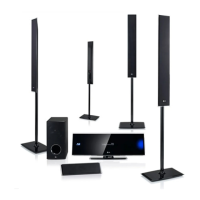
LG HX976TZW - User Manual

LG HX976TZW
80 pages
Print Icon
To Next Page IconTo Next Page
Loading...
OWNER’S MANUAL
Network 3D Blu-ray
Home Theater
Please read this manual carefully before operating
your set and retain it for future reference.
HX976TZW (HX976TZW, SH96TZ-S/C, SH96TZW-D, W96)
P/NO : SAC35213610

Table of Contents

Questions and Answers

  • F
    floresjamieAug 15, 2025
    Why is my LG HX976TZW Home Theater System remote control not working?
    • R
      Richard AustinAug 15, 2025
      If the remote control for your LG Home Theater System isn't working correctly, it might be due to: * Not pointing the remote at the unit's sensor. * Being too far from the unit. * An obstruction between the remote and the unit. * Exhausted batteries.
  • D
    David BridgesAug 18, 2025
    What to do if LG HX976TZW Home Theater System is plugged in but the power will not turn on or off?
    • S
      Sharon KingAug 18, 2025
      If your LG Home Theater System is plugged in but won't power on or off, try these steps: * Press and hold the POWER button for at least five seconds to force a power off, then turn it back on. * Unplug the power cord, wait at least five seconds, and then plug it back in.
  • T
    Travis StoneAug 21, 2025
    What to do if there is no picture on LG HX976TZW Home Theater System?
    • D
      David RodriguezAug 21, 2025
      If there's no picture on your LG Home Theater System, try the following: * Select the correct video input mode on your TV. * Ensure the video connection is secure. * Verify the [HDMI Color Setting] in the [Setup] menu matches your video connection. * Change the resolution to one your TV supports. * The player’s HDMI OUT jack is connected to a DVI device that does not support copyright protection.
  • N
    Nathaniel StewartAug 25, 2025
    What to do if LG Home Theater System does not start playback?
    • K
      Kathryn PriceAug 26, 2025
      If your LG Home Theater System isn't starting playback, consider the following: * Insert a playable disc, checking its type, color system, and regional code. * Place the disc with the playback side down. * Ensure the disc is correctly placed on the disc tray inside the guide. * Clean the disc. * Cancel the Rating function or change the rating level.
  • B
    Barry GrossAug 28, 2025
    Why does BD-LIVE not work on my LG HX976TZW?
    • K
      Kyle GutierrezAug 28, 2025
      If the BD-LIVE feature isn't working on your LG Home Theater System: * Connect USB storage with at least 1GB free space. * Ensure the unit is connected to the local area network and can access the internet. * Set the [BD-LIVE connection] option in the [Setup] menu to [Permitted]. * Your broadband speed may not fast enough to use the BD-LIVE features.
  • F
    Frank WardAug 31, 2025
    Why is access point not displayed on LG HX976TZW?
    • C
      Curtis SchneiderAug 31, 2025
      If the access point isn't showing on the “Access point name” list of your LG Home Theater System: * Set your access point to broadcast its SSID through your computer. * Try setting the frequency range and channel on the network device setting.
  • H
    heathrobertSep 3, 2025
    How to enable 3D view on LG HX976TZW?
    • Y
      ymorrisSep 3, 2025
      If Blu-ray 3D disc playback on your LG Home Theater System doesn't output 3D views: * Connect the player to your TV with an HDMI cable (Type A, High Speed HDMI™ Cable with Ethernet). * Set the [3D Mode] option in the [Setup] menu to [On].
  • B
    Barry BarberSep 7, 2025
    Why the angle cannot be changed on LG HX976TZW Home Theater System?
    • D
      drileySep 7, 2025
      If the angle cannot be changed on your LG Home Theater System, multi-angles are not recorded on the DVD Video being played.
  • B
    Bonnie ChavezSep 10, 2025
    Why can't my LG HX976TZW play movie, photo, or music files?
    • K
      Kristin HallSep 12, 2025
      If your LG Home Theater System can't play movie, photo, or music files, the files are not recorded in a format that the unit can play or the unit does not support the codec of the movie file.

Summary

Getting Started

Safety Information

General safety precautions, including electric shock, fire hazards, and proper ventilation.

System Requirements

Requirements for high-definition playback, PC network sharing, and OS compatibility.

Connecting

Player Installation

Instructions for setting up the player, including stand assembly and wall mounting.

TV Connectivity

Methods for connecting the player to a TV via HDMI, composite video, and ARC.

System Setting

Operating

Troubleshooting

General System Problems

Solutions for power, playback, remote control, and general unit operation issues.

Network Connectivity Issues

Troubleshooting network errors, connection problems, and streaming service interruptions.

Display and Sound Problems

Resolving issues with no picture, picture noise, no sound, or distorted audio output.

Appendix

LG HX976TZW Specifications

General IconGeneral
BrandLG
ModelHX976TZW
CategoryHome Theater System
LanguageEnglish

Related product manuals