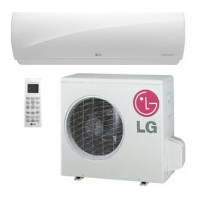
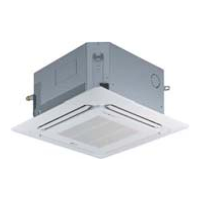
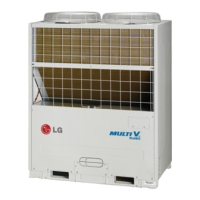
This document is an owner's manual for an LG wall-mounted air conditioner, providing instructions for operation, maintenance, and troubleshooting.
Function Description
The LG air conditioner is designed to provide cooling, heating (for heat pump models), dehumidification, and air circulation. It features various operational modes to optimize comfort and energy efficiency. The unit can be controlled via a wireless remote control, which allows users to adjust temperature, fan speed, and air flow direction, as well as activate special functions like plasma purification and energy-saving modes.
Important Technical Specifications
The manual lists several indoor unit models: M09AWN-NB11, I09AWN-NB11, M12AWN-NB11, I12AWN-NB11, R09AWN-NB11, and R12AWN-NB11. Corresponding outdoor unit models are R09AWN-UB11 and R12AWN-UB11.
Temperature Ranges:
- Cooling: 18°C to 30°C
- Heating: 16°C to 30°C
Fan Speed:
The indoor fan speed can be set in six steps: low, medium-low, medium, medium-high, high, and natural wind mode.
Power Supply:
The manual emphasizes the importance of using a standard circuit breaker and fuse conforming to the air conditioner's rating. It also states that the power cable should not be modified or extended, and any damaged cables must be replaced.
Usage Features
Operation Modes:
- Cooling: Standard cooling operation.
- Heating: Standard heating operation (for heat pump models).
- Auto Changeover: Automatically switches between heating and cooling to maintain the temperature within ±2°C of the set point.
- Healthy Dehumidification: Automatically sets room temperature and airflow volume for optimal dehumidification, without displaying or allowing control of the set temperature. Fan speed adjusts based on room temperature.
- Air Circulation: Circulates air without cooling or heating. Fan speed can be adjusted.
- Auto Clean: Dries up moisture inside the indoor unit after cooling or healthy dehumidification to prevent mold. Runs for about 30 minutes after the unit is turned off.
- PLASMA Purification: Uses plasma technology to remove microscopic contaminants from the air, providing clean and hygienic air. Can be activated in any operation mode or when the unit is stopped.
- Energy-Saving Cooling Mode: Optimizes cooling operation by adjusting temperature and fan speed based on body adaptation time, aiming for energy savings.
- Jet Cool/Heat Operation: Provides rapid cooling or heating. In Jet Cool, the unit runs at super high fan speed and 18°C for 30 minutes. In Jet Heat, it runs at super high fan speed and 30°C for 30 minutes (available in some models).
Remote Control Functions:
The wireless remote control includes buttons for:
- On/Off
- Plasma purification
- Sleep mode auto operation
- Temperature adjustment
- Indoor fan speed
- Operation mode selection
- Jet cooling/heating
- Air flow direction (vertical vane)
- Temperature display
- Timer setting (current time, start/end time)
- Navigation and special functions (Auto clean, energy-saving cooling, display brightness)
- Set/Clear
- Reset
Timer Setting:
Users can set "On" and "Off" timers for the unit, adjusting hours and minutes. All timer settings can be canceled, or individual timers can be canceled.
Sleep Mode Operation:
Allows the unit to stop automatically after a set period (1 to 7 hours). In cooling or healthy dehumidification mode, the setting temperature will automatically rise by 1°C twice over 30 minutes (maximum 2°C) for comfortable sleep.
Airflow Control:
- Horizontal Vane Control: Adjusts the vertical airflow direction in multiple steps or via auto swing.
- Vertical Louver Control: Adjusts the horizontal airflow direction in multiple steps or via full auto swing.
- Note: Manual adjustment of vanes/louvers can damage the mechanism. They close automatically when the unit is off.
Display Screen Brightness:
The brightness of the indoor unit's display screen can be adjusted.
Forced Operation:
A feature for operating the unit when the remote control is unavailable. Pressing the ON/OFF button on the unit starts forced operation. In cooling mode, it runs at high fan speed, 22°C (if room temp ≥ 24°C), 22°C (if 21°C ≤ room temp < 24°C), or in healthy dehumidification mode at 23°C. For heating, it runs at 24°C (if room temp < 21°C). During test operation, it runs in cooling mode at high fan speed for 18 minutes.
Auto Restart Function:
Restores previous operating conditions after a power failure. This feature is enabled by default but can be disabled/enabled by pressing the ON/OFF button for 6 seconds.
Maintenance Features
Cleaning Intervals and Methods:
- Air filter: Every 2 weeks. Clean with a vacuum cleaner or warm water. If heavily soiled, use lukewarm water with detergent. Dry in direct sunlight for 2 hours.
- Anti-allergy filter / Triple filter: Every 3 months. Remove and clean similarly to the air filter.
- Plasma filter (if applicable): Every 3 months. Remove and clean with a vacuum cleaner or lukewarm water. Dry in the shade.
- Indoor unit surface: Regularly. Use a soft, dry cloth. Do not use bleach or abrasives.
- Outdoor unit: Regularly. Use steam to clean heat exchanger coils and panel vents (consult a technician).
Safety Precautions for Maintenance:
- Always turn off power and unplug the unit before maintenance to prevent electric shock.
- Do not use water hotter than 40°C on filters to avoid deformation or discoloration.
- Do not use volatile substances on filters as they may damage the product surface.
- Regularly clean outdoor unit heat exchanger coils to maintain efficiency and prevent increased energy costs.
Self-diagnosis Function:
The product has a built-in self-diagnosis function. If an error occurs, the indoor unit lamp will blink in 2-second intervals, indicating a need to contact a service center.


 To Next Page
 General