15
01
02
03
04
05
06
07
08
YOUR STANDBY SCREEN
The quick keys
The quick keys provide easy, one-touch
access to your most used functions.
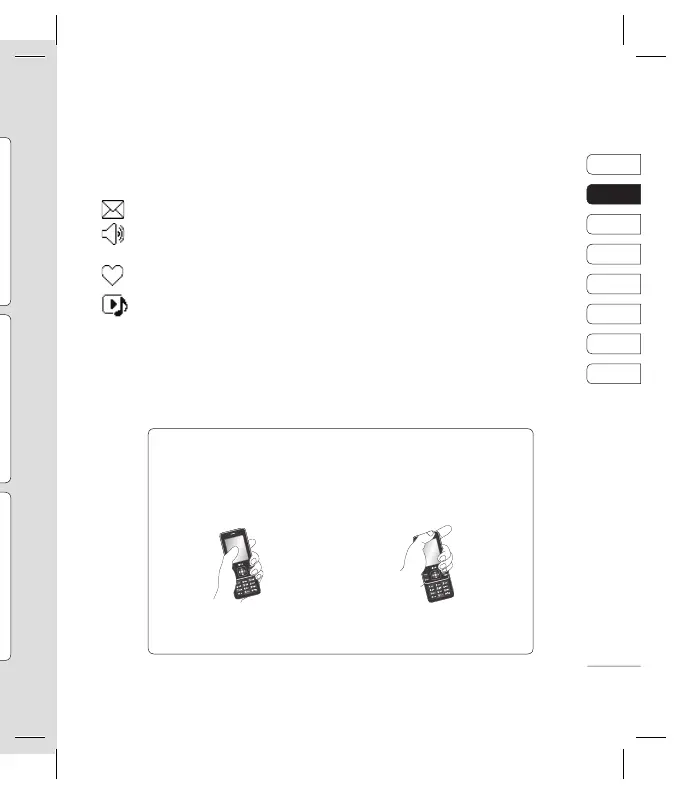
Select to open your message editor
Select to choose a sound profi le for
your phone.
Select to open the favourites menu.
Select to play MP3 fi le.
The main menu
The main menu provides twelve menu
options. To open the main menu:
1 Select Menu.
2 The main menu will appear on the screen.
3 When the option you require is highlighted,
select
OK to open.
Advice to the customer
In order to allow better antenna sensitivity LG suggest that you hold the handset as shown
in the fi gure below.
0 X
Please do not cover the antenna area with your hand during a call or when using a
Bluetooth connection. It may interfere and degrade signal quality.
Your standby screen



 To Next Page