EasyManua.ls Logo

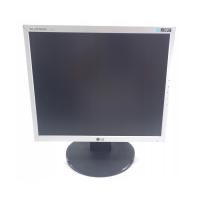
LG L1753H - User Manual

LG L1753H
30 pages
Print Icon
To Next Page IconTo Next Page
Loading...
Make sure to read the Important Precautions before using the product.
Keep the User's Guide(CD) in an accessible place for furture reference.
See the label attached on the product and give the information to your
dealer when you ask for service.
L1753H
L1953H
L1753HM
L1953HM
L1753HR
L1953HR
Users Guide

Questions and Answers

  • A
    Audrey CurtisAug 12, 2025
    How to fix an LG L1753H Monitor when no image appears?
    • D
      dramosAug 12, 2025
      If no image appears on your LG Monitor, first, ensure the power cord is properly connected to the power outlet and that the monitor is turned on by pressing the Power button. Next, adjust the brightness and contrast settings. If the monitor is in power saving mode, try moving the mouse or pressing any key on the keyboard. Also, verify that your PC is turned on. Check the signal cable connection and refer to the 'Specifications' section of the manual to reconfigure your display, if necessary.
  • S
    Shawna Miller DDSAug 21, 2025
    Why is the display image incorrect on my LG L1753H and how can I fix it?
    • H
      hcurtisAug 21, 2025
      If the display image on your LG Monitor is incorrect, first press the AUTO/SET button to automatically adjust the image to the ideal setting. If the results are unsatisfactory, try the following: 1. Adjust the image position using the H position and V position icons in the on-screen display. 2. Decrease vertical bars or stripes using the CLOCK icon in the on-screen display. 3. Decrease horizontal bars using the PHASE icon in the on-screen display. 4. Check Control Panel --> Display --> Settings and adjust the display to the recommended resolution or set the color setting higher than 24 bits (true color).
  • M
    Mathew RobinsonSep 1, 2025
    What to do if I see a 'OSD LOCKED' message on my LG Monitor?
    • M
      Melinda JohnsonSep 1, 2025
      If you see an "OSD LOCKED" message on your LG Monitor screen, you can unlock the OSD controls by pushing the MENU button for several seconds until the message “OSD UNLOCKED” appears.

LG L1753H Specifications

General IconGeneral
BrandLG
ModelL1753H
CategoryMonitor
LanguageEnglish

Related product manuals