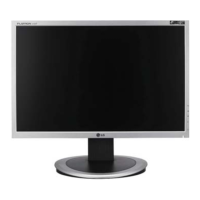
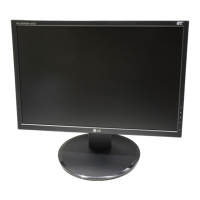
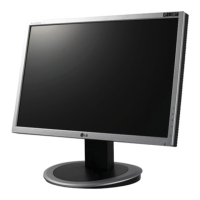
This document is a User's Guide for the LG L1742PE and L1942PE monitors. It provides essential information regarding safety, installation, usage, and specifications of the display units.
Function Description:
The LG L1742PE and L1942PE are Flat Panel Active matrix-TFT LCD monitors designed for display purposes. They are engineered to provide optimal image quality and user comfort through various adjustable features. The monitors support both analog (D-Sub) and digital (DVI-D) input signals, making them versatile for connection to different computer systems. A key feature is the "Self Image Setting Function," which automatically adjusts display settings for optimal performance upon initial connection or after resolution changes in analog mode. The monitors also incorporate "f-ENGINE" technology, allowing users to select optimized image conditions for different environments or content types, such as "MOVIE" for videos and "INTERNET" for text.
Important Technical Specifications:
L1742PE:
- Display Size: 17 inches (43.2 cm) visible diagonal.
- Pixel Pitch: 0.264 mm.
- Horizontal Frequency: Analog: 30 - 83 kHz (Automatic); Digital: 30 - 71 kHz (Automatic).
- Vertical Frequency: 56 - 75 Hz (Automatic).
- Input Form: Separate TTL, Positive/Negative, SOG (Sync On Green) for analog; Digital.
- Video Input: 15 pin D-Sub Connector, DVI-D connector (Digital).
- Input Form (RGB Analog): 0.7 Vp-p/ 75 ohm.
- Max Resolution: Analog: VESA 1280 x 1024 @75 Hz; Digital: VESA 1280 x 1024 @60 Hz.
- Recommended Resolution: VESA 1280 x 1024 @60 Hz.
- Plug&Play: DDC 2B (Digital), DDC 2AB (Analog).
- Power Consumption: On Mode: 30 W (Typ.); Sleep Mode: < 0.3 W; Off Mode: < 0.3 W.
- Dimensions & Weight (With Stand): Width: 36.96 cm / 14.55 inches; Height: 40.83 cm / 16.07 inches (min) to 51.83 cm / 20.41 inches (max); Depth: 24.16 cm / 9.51 inches; Net Weight: 4.07 kg (9.04 lbs).
- Dimensions & Weight (Without Stand): Width: 36.96 cm / 14.55 inches; Height: 31.51 cm / 12.41 inches; Depth: 5.60 cm / 2.20 inches.
- Tilt Range: -6°~17°.
- Power Input: AC 100-240V~ 50/60Hz 0.8A.
- Operating Conditions: Temperature: 10°C to 35 °C; Humidity: 10% to 80% non-Condensing.
- Storage Conditions: Temperature: -20°C to 60 °C; Humidity: 5% to 90% non-Condensing.
L1942PE:
- Display Size: 19 inches (48.2 cm) visible diagonal.
- Pixel Pitch: 0.294 mm.
- Horizontal Frequency: Analog: 30 - 83 kHz (Automatic); Digital: 30 - 71 kHz (Automatic).
- Vertical Frequency: 56 - 75 Hz (Automatic).
- Input Form: Separate TTL, Positive/Negative, SOG (Sync On Green) for analog; Digital.
- Video Input: 15 pin D-Sub Connector, DVI-D connector (Digital).
- Input Form (RGB Analog): 0.7 Vp-p/ 75 ohm.
- Max Resolution: Analog: VESA 1280 x 1024 @75 Hz; Digital: VESA 1280 x 1024 @60 Hz.
- Recommended Resolution: VESA 1280 x 1024 @60 Hz.
- Plug&Play: DDC 2B (Digital), DDC 2AB (Analog).
- Power Consumption: On Mode: 34 W (Typ.); Sleep Mode: < 0.3 W; Off Mode: < 0.3 W.
- Dimensions & Weight (With Stand): Width: 40.63 cm / 16.00 inches; Height: 42.27 cm / 16.64 inches (min) to 53.27 cm / 20.97 inches (max); Depth: 24.16 cm / 9.51 inches; Net Weight: 4.47 kg (9.93 lbs).
- Dimensions & Weight (Without Stand): Width: 40.63 cm / 16.00 inches; Height: 34.45 cm / 13.56 inches; Depth: 5.84 cm / 2.30 inches.
- Tilt Range: -6°~17°.
- Power Input: AC 100-240V~ 50/60Hz 0.8A.
- Operating Conditions: Temperature: 10°C to 35 °C; Humidity: 10% to 80% non-Condensing.
- Storage Conditions: Temperature: -20°C to 60 °C; Humidity: 5% to 90% non-Condensing.
Usage Features:
- Stand Assembly: The monitor stand is assembled by attaching the stand base to the stand body. It's important to ensure the stop pin is not pulled out during initial assembly and to follow the correct orientation. Once assembled, the stop pin can be pulled out.
- Positioning: The display offers several ergonomic adjustments:
- Tilt Range: -6° (forward) to 17° (backward). It is recommended that the forward tilt angle does not exceed 5 degrees for ergonomic comfort.
- Swivel: 356° rotation (not available in all models).
- Height Range: Maximum 4.33 inches (110.0 mm) adjustment.
- Pivot Function: The monitor can be rotated 90° clockwise for landscape and portrait viewing. To utilize this, the monitor must first be lifted to its highest height. Caution is advised to avoid contact between the monitor head and the stand base during rotation to prevent damage.
- Cable Management: A cable holder is provided to organize cables, ensuring smooth operation of the pivot function.
- Connectivity: Connects to a computer via D-Sub (analog) or DVI (digital) cables. Mac users may require a separate plug adapter for D-sub connections.
- Front Panel Controls:
- MENU Button: Enters or exits the On Screen Display (OSD). Can also lock/unlock OSD settings by holding for several seconds.
- Up/Down Arrows (Buttons): Selects or adjusts functions within the OSD.
- f-ENGINE Button: Activates the f-ENGINE menu for optimizing image settings (MOVIE, INTERNET, USER, NORMAL, DEMO).
- SOURCE Button: Switches between D-Sub and DVI inputs when two computers are connected.
- AUTO/SET Button: Selects icons in the OSD. In analog mode, it performs "AUTO IMAGE ADJUSTMENT" for optimal display settings based on current screen resolution.
- Power Button: Turns the display on or off.
- Power Indicator: Blue for normal operation (On Mode), flickers for Sleep Mode (Energy Saving).
- On Screen Display (OSD) Control Adjustment: Provides menus for adjusting PICTURE (Brightness, Contrast, Gamma), COLOR (Preset, Red, Green, Blue), TRACKING (Horizontal, Vertical, Clock, Phase, Sharpness), SETUP (Language, OSD Position, White Balance, Power Indicator, Factory Reset), and FLATRON f-ENGINE (Movie, Internet, User, Normal, Demo).
- Preset Modes (Resolution): A table lists various display modes with corresponding horizontal and vertical frequencies, including recommended and analog-only modes.
Maintenance Features:
- Safety Precautions: Emphasizes using the supplied power cord, ensuring easy access to the socket-outlet, operating from specified power sources, avoiding overloaded outlets, and not opening the display due to high voltages. It also advises against placing the display on sloping shelves without securing it, dropping objects on the screen, or blocking ventilation openings.
- Cleaning: Recommends unplugging the display before cleaning and using a slightly damp (not wet) cloth. Aerosols should not be sprayed directly on the screen to prevent electrical shock.
- Repacking: Advises keeping the original carton and packing materials for safe transport of the unit.
- Disposal: States that the fluorescent lamp contains mercury and the product should not be disposed of with general household waste, but rather in accordance with local authority regulations.
- Troubleshooting: Provides guidance for common issues such as no image, "OUT OF RANGE" or "CHECK SIGNAL CABLE" messages, "OSD LOCKED" message, incorrect display position, vertical bars/stripes, horizontal noise, mono/abnormal screen color, screen blinking, and "Unrecognized monitor, Plug&Play (VESA DDC) monitor found" messages. It suggests actions like checking connections, adjusting settings, installing drivers, and contacting service if needed.
- Wall Mount Plate Installation: Describes how to separate the stand and install a separately purchased wall mount plate.
- Kensington Security Slot: Allows connection of a locking cable for security, which can be purchased separately.

 Need help?

 To Next Page

 General