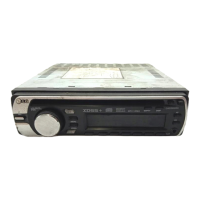
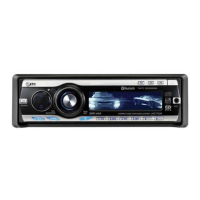
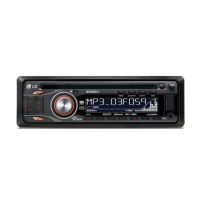
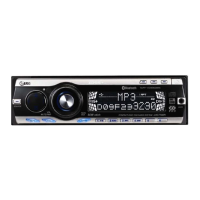
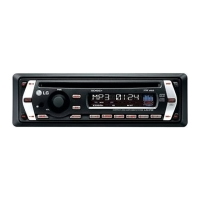
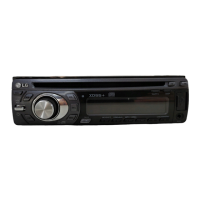
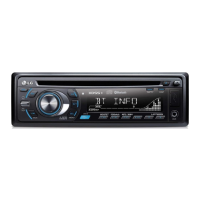
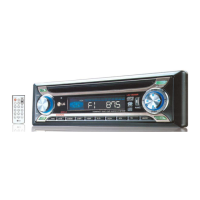
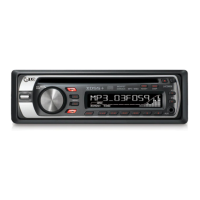
This document describes the LG LAC2900RN/LAC2900RNP CAR CD/MP3/WMA Receiver.
Function Description:
The LG LAC2900RN/LAC2900RNP is a car audio receiver designed to play CDs, MP3/WMA files, and receive AM/FM radio broadcasts. It features a detachable control panel for security and includes an auxiliary input for connecting external audio devices. The unit offers various sound adjustment options, including an equalizer (EQ) and Extreme Dynamic Sound System (XDSS+), to enhance audio quality. It also supports RDS (Radio Data System) broadcasting, providing additional information like station names, program types, and clock time.
Important Technical Specifications:
- Output Power: 53W x 4CH (Max.)
- Power Source: DC 12V
- Speaker Impedance: 4Ω
- Ground System: Negative
- Dimensions (W x H x D): 180 x 50 x 176 mm (Without Control Panel)
- Net Weight: 1.3 kg
- FM Frequency Range: 87.5-107.9, 87.5-108 MHz
- FM S/N Ratio: 55 dB
- FM Distortion: 0.7%
- FM Usable Sensitivity: 12 dBμV
- AM (MW) Frequency Range: 520-1720 or 522-1620 kHz
- AM (MW) S/N Ratio: 50 dB
- AM (MW) Distortion: 1.0%
- AM (MW) Usable Sensitivity: 28 dBμV
- CD Frequency Response: 20 Hz-20 kHz
- CD S/N Ratio: 80 dB
- CD Distortion: 0.12%
- CD Channel Separation (1kHz): 55 dB
- AUX Frequency Response: 20 Hz-20 kHz
- AUX S/N Ratio: 80 dB
- AUX Distortion: 0.1%
- AUX Channel Separation (1kHz): 45 dB
- AUX Max Input Level (1kHz): 1.1V
- MP3/WMA Disc Compatibility: Supports sampling frequencies of 8-48kHz (MP3) and 22.05-48kHz (WMA), bit rates within 8-320kbps (MP3) and 32-320kbps (WMA). CD-R/CD-RW file system should be "ISO 9660".
Usage Features:
- Basic Operation: Power on/off, source selection (CD, Tuner, AUX), volume adjustment, and mute function.
- Sound Adjustment:
- EQ (Equalizer): Allows increasing or decreasing the signal strength of audio frequencies. Preset EQ modes include POP, CLASSIC, ROCK, JAZZ, VOCAL, SALSA, SAMBA, REGGAE, RUSSY, and two USER modes.
- XDSS+ (Extreme Dynamic Sound System): Improves treble and bass sound.
- Sound Level Adjustment: Balance (left/right speaker) and Fader (front/rear speaker) can be adjusted. Bass, Middle, and Treble settings are available when EQ and XDSS+ are off.
- Clock: Displays the current time. The clock can be set manually or automatically updated via RDS CT information.
- CD/MP3/WMA Playback:
- Pause/Restart: Temporarily stops and resumes playback.
- Search: Allows searching for a specific section within a track/file.
- Skip: Skips to the previous or next track/file.
- Intro Scan (INT): Plays the first 10 seconds of each track/file or files in the current folder.
- Repeat (RPT): Repeats the current track/file or all files in the current folder.
- Shuffle (SHF): Plays tracks/files randomly from the current folder or all tracks/files on the disc.
- MP3/WMA Track -10/+10: Skips 10 tracks forward or backward.
- MP3/WMA Folder UP/DOWN: Navigates between folders on the disc.
- Information Display (DISP): Shows file/folder name and ID3/WMA/CD TEXT information.
- Radio (Tuner) Operation:
- Source Selection: Selects the tuner as the audio source.
- Band Selection: Switches between FM and AM (MW) bands.
- Auto Seek/Manual Seek: Automatically or manually tunes to radio stations.
- Auto Search Memory (A/AS): Stores the six strongest broadcast frequencies under preset buttons 1-6.
- Storing/Recalling Presets: Allows users to store and recall their favorite radio stations.
- Preset Scan (V/PS): Scans through preset stations.
- RDS Broadcasting:
- Displays RDS information such as program types (PTY) and traffic announcements (TA).
- AF (Alternative Frequency) ON/OFF: Automatically switches to a stronger frequency for the same station if reception quality drops.
- REG (Region) ON/OFF: Switches to another station within the same network broadcasting the same program if the current signal is weak.
- TA (Traffic Announcement) ALARM/SEEK: Alerts or seeks for traffic information.
- PI (Programme Identification) SOUND/MUTE: Mutes or reduces sound if a station with a different PI is heard intermittently.
- Auxiliary Equipment Connection: Allows connecting external audio devices via the AUX jack.
- Changing Settings: Accesses various settings like AF, REG, TA, PI, Clock Time, AUX, DEMO, DIMMER (brightness), and BEEP sounds.
- DIMMER: Adjusts the display brightness (OFF/ON/AUTO, and level -2 to +2).
- A-EQ (Auto EQ) ON/OFF: Automatically selects POP, CLASSIC, ROCK, or JAZZ EQ mode based on the music genre (for supported music files).
- BEEP 2ND/ALL: Configures beep sounds for long presses or all key presses.
Maintenance Features:
- Detachable Control Panel: The control panel can be detached for security. It should be handled gently, stored in the provided protective case, and kept away from high temperatures, direct sunlight, and strong impacts.
- Cleaning Contacts: Periodically wipe the contacts on the back of the control panel with a cotton swab moistened with alcohol. Ensure the ignition is off and the key is removed before cleaning.
- Troubleshooting Guide: The manual provides a troubleshooting section for common issues such as power failure, no sound, audio skipping, disc playback problems, and radio tuning difficulties, along with suggested causes and corrections.
- Laser System Safety: The product uses a Class 1 Laser System. Users are cautioned not to open the enclosure to prevent direct exposure to laser beam.
- Disc Compatibility: The unit only plays 12cm discs, not 8cm discs. MP3/WMA discs should be formatted with "ISO 9660" file system for optimal compatibility.


 To Next Page
 General