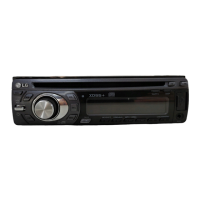
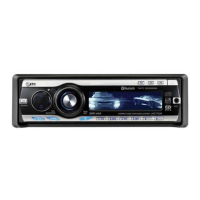
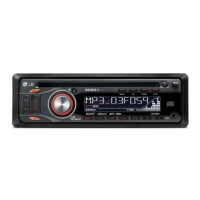
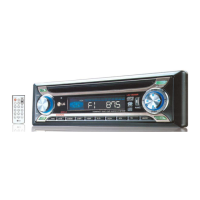
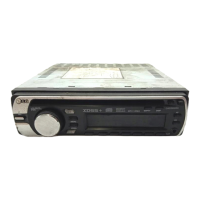
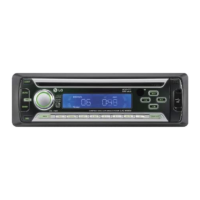
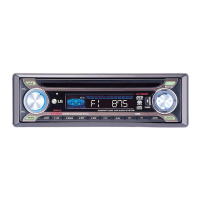
This document outlines the functions, usage, and maintenance of the LG LAC5800R CAR CD/MP3/WMA Receiver.
Function Description
The LG LAC5800R is a car audio receiver designed to play CDs, MP3/WMA files, and receive radio broadcasts. It features a detachable control panel for security and convenience. The unit supports USB devices for playing digital audio files and can connect to auxiliary equipment. It incorporates an Extreme Dynamic Sound System (XDSS+) to enhance audio quality, and an Equalizer (EQ) for sound customization. The radio tuner supports RDS (Radio Data System) broadcasting, providing information such as program types (PTY), traffic announcements (TA), and alternative frequencies (AF). The unit can automatically search and store radio stations, and allows for manual tuning and preset station recall.
Usage Features
General Operation:
- Power On/Off: The unit is turned on and off using the PWR/MUTE button on the player or the POWER button on the remote control.
- Source Selection: Use the SRC button on the player or remote to switch between different audio sources (CD, USB, AUX, Tuner).
- Volume Adjustment: Rotate the PWR knob on the player or use the VOLUME up/down buttons on the remote to adjust the sound level.
- Mute: Press the MUTE/PWR button on the player or POWER button on the remote to temporarily silence the audio. Press again to restore sound.
- Clock Display: The clock can be viewed by pressing the DISP button on the remote control.
Detachable Control Panel:
- Attaching: Align the left side of the panel with the stopper, then push the right side until it clicks.
- Detaching: Press the RELEASE button to open the control panel, hold the right part, pull it out, and store it in the protective case.
Radio (Tuner) Operation:
- Source Selection: Select "Tuner" as the source.
- Band Selection: Use the BAND button to switch between FM and AM bands.
- Auto Search Memory: Press A/AS to automatically search for and store the six strongest broadcast frequencies under preset buttons 1-6.
- Storing Presets: Select the desired band and frequency, then press and hold one of the preset buttons (1-6) until a beep sounds.
- Recalling Presets: Select the desired band, then press the corresponding preset button (1-6).
- Preset Scan: Press V/PS to briefly play each preset station. Press again to cancel.
- Manual Seek: Use the -I◄ / I+ buttons on the player or remote for manual tuning.
- RDS Features:
- PTY (Programme Type): Press and hold TA/PTY to select a program type (e.g., News, Pop M, Sport). The unit will search for stations broadcasting that type.
- AF (Alternative Frequency): When enabled, the tuner automatically switches to a stronger frequency for the same station if reception quality drops.
- REG (Region): When enabled, the unit switches to another station within the same network broadcasting the same program if the current signal weakens.
- TA (Traffic Announcement): Can be set to ALARM (double beep if no TP info) or SEEK (retunes to next station with TP info).
- PI (Programme Identification): Can be set to SOUND (mutes intermittently heard stations) or MUTE (mutes immediately).
CD/MP3/WMA Playback:
- Inserting a CD: Insert a CD into the disc slot.
- Play/Pause: Press the ►/II button on the player or remote to pause playback. Press again to resume.
- Skip Track/File: Use the -I◄ / I+ buttons on the player or remote to skip to the previous or next track/file. For MP3/WMA, use the [#] button and a number on the remote to jump to a specific track.
- Search Section: Press and hold -I◄ / I+ on the player or ◄◄◄/►►►►I on the remote during playback to search within a track/file.
- Intro Scan: Press INT on the player or remote to play the first 10 seconds of each track/file in the current folder. Press again to cancel.
- Repeat: Press RPT on the player or remote to repeatedly play the current track/file or folder. Press again to cancel.
- Shuffle: Press SHF on the player or remote to play tracks/files in a random order. Press again to cancel.
- MP3/WMA Track -10/+10: Use V/PS (player) or A/AS (remote) to jump 10 tracks backward or forward.
- MP3/WMA Folder Up/Down: Use V/PS (player) or A/AS (remote) to navigate between folders.
- Display Information: Press DISP repeatedly to view tag information (Title, Artist, Album) for MP3/WMA/CD TEXT files.
USB Device Connection:
- Connecting: Open the USB cover and connect the USB device.
- Source Selection: Select "USB" as the source.
- Multi-Reader Support: If connecting a multi-reader, use BAND/DRIVE (player) or BAND/DRV (remote) to switch between drives.
Auxiliary Equipment Connection:
- Connecting: Connect an auxiliary device to the AUX input.
- Source Selection: Select "AUX" as the source.
- Volume Adjustment: Adjust the volume of the auxiliary input (0 dB or +6 dB) to prevent sudden volume changes when switching sources.
Sound Customization:
- Equalizer (EQ): Press EQ/XDSS+ repeatedly to cycle through various preset EQ modes (Pop, Classic, Rock, Jazz, Vocal, Salsa, Samba, User1, User2) or turn it off.
- XDSS+ (Extreme Dynamic Sound System): Press and hold EQ/XDSS+ to activate/deactivate XDSS+, which enhances treble and bass.
- Sound Level Adjustment: Press SEL (player) or SEL/MENU (remote) repeatedly to select modes like volume, balance, and fader. Rotate PWR to adjust.
- General Settings (MENU): Press MENU (player) or SEL/MENU (remote) to access settings like AF, REG, TA, PI, AUX, DEMO, LED color (RED/GRN), and BEEP sound (2ND/ALL). Rotate PWR or use VOLUME up/down on the remote to navigate and select settings.
Maintenance Features
Control Panel Care:
- Contact Cleaning: Periodically wipe the contacts on the back of the control panel with a cotton swab moistened with alcohol. Ensure the ignition is off and the key is removed before cleaning.
- Handling Precautions: Avoid exposing the control panel to high temperatures, direct sunlight, strong impacts, or volatile agents like benzine, thinner, or insecticides.
Battery Replacement (Remote Control):
- Removal: Pull out the battery holder using a sharp object (e.g., a ballpoint pen).
- Installation: Insert a new CR2025 (3V) lithium battery with the correct polarity (+ and -).
- Storage: Remove the battery if the remote control will not be used for a long period.
- Precautions: Do not leave the battery in hot or humid places, handle it with metallic tools, or store it with metallic materials.
Troubleshooting:
- No Power: Check connections and the fuse. If the fuse is blown, replace it with the correct rate after rectifying the cause. If the built-in microprocessor is operating incorrectly due to noise, turn the unit off and on.
- No Sound: Check cable connections and ensure the unit is firmly secured.
- Audio Skipping: Clean the disc.
- Disc Playback Issues: Check the type of disc being used, as some types may not be compatible.
- Remote Control Malfunction: Load a new battery in the remote control.
General Precautions:
- Safe Operation: Always operate the vehicle safely. Do not become distracted by the unit while driving. Pull over in a safe and legal manner before changing settings or functions.
- Temperature Range: Do not use the unit for extended periods in extremely low or high temperatures (-10~60°C).
- Moisture Exposure: Do not expose the product to dripping or splashing water, rain, or moisture to reduce the risk of fire or electric shock.
- Disc Compatibility: The unit cannot play 8cm discs; use 12cm discs only. MP3/WMA discs should be formatted with "ISO 9660" file system for optimal compatibility.
- USB Device Compatibility: When formatting rewritable discs for use with LG players, set the disc format option to "Mastered." "Live File System" is not compatible.
- Copyright: Ensure proper permissions are obtained for downloading MP3/WMA files and music from the internet.

 Need help?
 General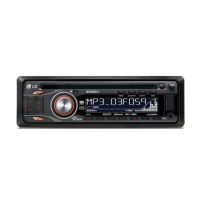

 To Next Page