EasyManua.ls Logo

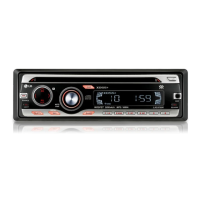
LG LAC5900RIN - User Manual

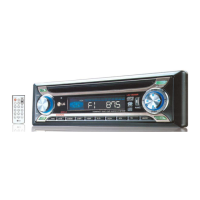
LG LAC5900RIN
16 pages
Print Icon
To Next Page IconTo Next Page
Loading...
LAC5900RIN_6900RIN.DG_ENG_MFL60361502
LAC5900RIN / LAC6900RIN
“Made for iPod” means that an electronic accessory has been designed to connect specifically to
iPod and has been certified by the developer to meet Apple performance standards.
Apple is not responsible for the operation of this device or its compliance with safety and regulatory standards.
iPod is a trademark of Apple Inc., registered in the U.S. and other countries.
ENGLISH
DEUTSCH
FRANÇAIS
ESPAÑOL
ITALIANO
NEDERLANDS
SLOVENIAN

Questions and Answers

  • A
    Alice WilliamsAug 8, 2025
    How to fix an LG LAC5900RIN Car Receiver that won't turn on?
    • E
      Emma SmithAug 8, 2025
      If your LG Car Receiver doesn't turn on or operate, first, double-check that all connections are correctly made. If the issue persists, the fuse might be blown; rectify the cause and replace it with a fuse of the same rating. As a last resort, turn the unit off and then on again to reset the built-in microprocessor, which may be malfunctioning due to noise or other factors.
  • J
    Joshua McintyreAug 13, 2025
    What to do if my LG Car Receiver has no sound?
    • G
      gbarnesAug 13, 2025
      If your LG Car Receiver has no sound or the volume level won't rise, ensure that the cables are correctly connected.
  • T
    Tiffany ElliottAug 19, 2025
    Why is my LG Car Receiver skipping audio?
    • V
      Victoria FarrellAug 19, 2025
      If your LG Car Receiver is skipping audio, make sure the unit is firmly secured.
  • X
    xalvarezAug 23, 2025
    What to do if the LG Car Receiver remote isn't working?
    • S
      stephanie59Aug 23, 2025
      If your LG Car Receiver remote control isn't working properly, the battery power may be low. Try loading a new battery.
  • I
    Ian ChambersAug 28, 2025
    How to fix an LG Car Receiver that won't tune into radio stations?
    • T
      Tonya MillerAug 28, 2025
      If your LG Car Receiver isn't tuning into radio stations automatically, try tuning in the stations manually. If you are trying to tune by scanning preset stations, check that the stations have been preset.
  • A
    allison89Sep 2, 2025
    What to do if my LG LAC5900RIN Car Receiver won't play a disc?
    • V
      Victor BoyleSep 2, 2025
      If your LG Car Receiver isn't playing a disc, the disc might be dirty. Clean the disc. Also, the loaded disc might be of a type this unit cannot play. Check what type the disc is.

Summary

Safety Precautions

General Safety Warnings

Critical warnings regarding electric shock, operation, and temperature.

Installation Procedures

Basic and ISO-DIN Installation

Procedures for standard and ISO-DIN mounting of the unit.

Connection and Wiring Diagram

Audio and Power Connections

Details on connecting power, ignition, dimmer, and antenna wires.

Speaker Wiring

Wiring diagram and color codes for connecting speakers.

Basic Operations and Audio Settings

CD Playback Features

Radio Tuning and Features

USB Device Connection

How to connect and play music from a USB storage device.

iPod Integration and Playback

Auxiliary Input and System Configuration

Troubleshooting and Problem Resolution

General Unit Problems

Resolving issues related to power, operation, and connections.

Media Playback Errors

Troubleshooting playback issues with CDs and radio reception.

LG LAC5900RIN Specifications

Power IconPower
output power53W x 4CH
power sourceDC 12V
speaker impedance
FM Tuner IconFM Tuner
frequency range87.5-107.9, 87.5-108 MHz
signal-to-noise ratio55 dB
distortion0.7%
AM Tuner IconAM Tuner
frequency range520-1720 or 522-1620 kHz
signal-to-noise ratio50 dB
distortion1.0%
CD Player IconCD Player
frequency response20 Hz-20 kHz
signal-to-noise ratio80 dB
distortion0.12%
AUX Input IconAUX Input
frequency response20 Hz-20 kHz
signal-to-noise ratio80 dB
distortion0.1 %
USB IconUSB
versionUSB 1.1
line out frequency response20Hz ~ 20 KHz
output voltage1.8 V (Max.)
Weight and Dimensions IconWeight and Dimensions
dimensions180 x 50 x 176 mm
net weight1.3 kg

Related product manuals