EasyManua.ls Logo

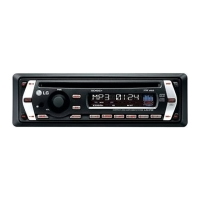
LG LAC5900RN - User Manual

LG LAC5900RN
16 pages
Print Icon
To Next Page IconTo Next Page
Loading...
LAC3900RN_LAC5900RN_6900R.MK_ENG_MFL60496414
LAC3900RN / LAC5900RN / LAC6900RN
ENGLISH
MAGYAR
CEŠTIN
POLSKI
SRPSKI
ÅöãÉÄêëäà
åÄäÖÑéçëäà
HRVATSKI
SLOVENSKY

Other manuals for LG LAC5900RN

Questions and Answers

  • T
    Timothy RayAug 8, 2025
    What to do if my LG Car Receiver power doesn’t turn on?
    • C
      Chase RamseyAug 8, 2025
      If your LG Car Receiver isn't turning on, several factors could be at play. First, ensure all connections are correctly made. A blown fuse could also be the culprit; if so, address the reason for the blown fuse and replace it with a fuse of the same rating. Lastly, try turning the unit off and then on again, as built-in microprocessor errors can sometimes cause operational issues.
  • J
    Joel WalkerAug 13, 2025
    Why is there no sound from my LG LAC5900RN Car Receiver?
    • C
      curtisjoshuaAug 13, 2025
      If you're not getting any sound from your LG Car Receiver, or the volume level won't increase, the most likely cause is incorrect cable connections. Double-check all cables to ensure they are properly connected.
  • J
    jack53Aug 19, 2025
    What to do if my LG Car Receiver has audio skipping?
    • L
      Lindsey GuerreroAug 19, 2025
      If your LG Car Receiver is experiencing audio skipping, it might not be firmly secured. Make sure the unit is properly and securely mounted.
  • C
    clarknicholasAug 26, 2025
    How to tune into radio stations on my LG LAC5900RN Car Receiver?
    • J
      Jessica YoungAug 26, 2025
      If you're having trouble tuning into radio stations on your LG Car Receiver, it could be due to a weak signal when using automatic tuning; try tuning in the stations manually. Also, if you're trying to scan preset stations, ensure that stations have been preset.
  • F
    fbrownSep 1, 2025
    What to do if the playback is not possible on my LG LAC5900RN Car Receiver?
    • T
      Tamara WebbSep 1, 2025
      If your LG Car Receiver isn't playing discs, it could be due to a dirty disc. Try cleaning the disc. Also, ensure that the disc type is compatible with the unit.

Summary

Safety Note

Electrical Safety Warnings

Warnings regarding electric shock risk and user-serviceable parts.

Product Disposal Guidelines

Instructions for environmentally responsible disposal of old electronic products.

Specific Operational Cautions

Specific operational cautions for antenna ports and laser system usage.

LAC3900 RN;LAC5900 RN Controls and Remote Functions

Unit Front Panel Controls

Description of main buttons on the car stereo unit's front panel.

Remote Control Functions

Overview of functions controlled by the remote for LAC3900RN/LAC5900RN.

Radio Tuning and Presets

How to tune stations, scan presets, and manage auto-store radio frequencies.

CD;MP3;WMA Playback Controls

Controls for CD/MP3/WMA playback, including track skipping and file browsing.

LAC6900 RN Controls and Remote Functions

Unit Front Panel Controls

Description of main buttons on the LAC6900RN car stereo unit's front panel.

Remote Control Functions

Overview of functions controlled by the remote for LAC6900RN.

Radio Tuning and Presets

How to tune stations, scan presets, and manage auto-store radio frequencies.

CD;MP3;WMA Playback Controls

Controls for CD/MP3/WMA playback, including track skipping and file browsing.

LAC3900 RN;LAC5900 RN Detachable Control Panel

Attaching the Control Panel

Step-by-step guide for securely attaching the detachable control panel.

Detaching the Control Panel

Instructions on how to safely remove the detachable control panel from the unit.

Control Panel Care and Safety

Important notes and cautions regarding the handling and placement of the control panel.

LAC6900 RN Detachable Control Panel

Attaching the Control Panel

Step-by-step guide for securely attaching the detachable control panel.

Detaching the Control Panel

Instructions on how to safely remove the detachable control panel from the unit.

Control Panel Care and Safety

Important notes and cautions regarding the handling and placement of the control panel.

Car Stereo Installation Guide

Basic Installation Procedure

Steps for basic installation of the car stereo unit into the dashboard.

ISO-DIN Installation Guide

Detailed guide for installing the unit using the ISO-DIN mounting standard.

Removing Existing Receiver Unit

Procedure for removing a previously installed car stereo receiver.

Remote Control Battery Installation

Instructions for inserting and replacing the battery in the remote control.

Car Stereo Wiring and Connections

Power, Ignition, and Ground Connections

Connecting power, ignition, ground, and signal wires for system operation.

Audio Output and Speaker Wiring

Wiring the audio outputs for speakers and amplifier connections.

Antenna and Wired Remote Connections

Connecting the antenna and wired remote control adapter.

Basic Operation and Key Functions

Power On, Source Selection, and Volume

How to turn the unit on, select sources, adjust volume, and use the mute function.

EQ and XDSS+ Sound Adjustments

Adjusting audio equalization and enhancing sound with XDSS+.

Fine-Tuning Sound Levels

Fine-tuning sound quality using balance, fader, subwoofer, and EQ settings.

Clock Display and Setting

How to check and set the unit's clock, including RDS CT synchronization.

CD Player Operations

CD Insertion and Basic Playback

Steps for inserting a CD and performing basic playback functions.

CD Playback Control Features

Using playback controls like pause, search, skip, repeat, and shuffle.

MP3;WMA File Playback and Navigation

Navigating and playing MP3/WMA files, including track/folder selection and tag display.

MP3;WMA Disc Compatibility Notes

Information on disc compatibility for MP3/WMA files and recommended file systems.

Radio Operations and Tuning

Basic Radio Tuning and Selection

How to select radio sources, bands, and perform manual or automatic tuning.

Preset Station Management

Storing, recalling, and scanning preset radio stations for quick access.

RDS Broadcasting Features

Utilizing Radio Data System (RDS) for program type selection.

USB Device Connection and Operation

Connecting and operating USB devices, including volume adjustment and drive selection.

Auxiliary Audio Input Connection

Auxiliary Audio Input Setup

Connecting and playing audio from an auxiliary input device.

System Settings and Customization Options

Tuner and RDS Settings

Configuring tuner functions like Alternative Frequency and Traffic Announcements.

Clock and Auxiliary Input Settings

Adjusting clock settings and auxiliary input volume levels.

Display and Illumination Customization

Customizing display options, LCD colors, and button illumination.

Audio and System Adjustments

Configuring subwoofer output, auto EQ, display dimming, and button beep.

Car Stereo Troubleshooting Guide

General Operation Troubleshooting

Resolving issues related to unit power, operation, and audio noise.

Disc Playback Troubleshooting

Troubleshooting problems with CD playback, including no sound or disc errors.

Radio Reception Troubleshooting

Resolving issues with radio tuning, station reception, and preset stations.

Remote Control Troubleshooting

Addressing problems where remote control buttons are not responding correctly.

Car Stereo Technical Specifications

LG LAC5900RN Specifications

General IconGeneral
MP3 playbackYes
Supported radio bandsAM, FM
Preset stations quantity24
Output power212 W
Product colorBlack
Ready for iPodNo
Frequency range20 - 20000 Hz
Disc types supportedCD, CD-R, CD-RW
Audio output channels4.0 channels
Maximum power per channel53 W
Signal-to-Noise Ratio (SNR)80 dB
Display typeLCD
File typeMP3, WMA, WAV
Key illumination colorGreen
Number of optical discs1 discs
Weight and Dimensions IconWeight and Dimensions
Weight1300 g
Dimensions (WxDxH)180 x 50 x 176 mm

Related product manuals