EasyManua.ls Logo

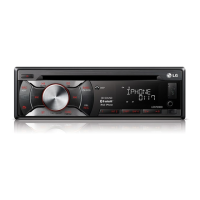
LG LCF800ON - User Manual

LG LCF800ON
24 pages
Print Icon
To Next Page IconTo Next Page
Loading...
Please read this manual carefully before operating
your set and rt for future reference.
OWNER'S MANUAL
CAR CD/MP3/WMA Receiver
MODEL
LCF800ON/ LCF800OR
P/NO : MFL63284801
ENGLISH DEUTSCH FRANÇAIS ESPAÑOL ITALIANO
PORTUGUÊS
ΕΛΛΗΝΙΚΑ
Please read this manual carefully before operating
your set and retain for future reference.
OWNER'S MANUAL
CAR CD/MP3/WMA Receiver
MODEL
LCF800ON/ LCF800OR
P/NO : MFL63284801
ENGLISH DEUTSCH FRANÇAIS ESPAÑOL ITALIANO
NEDERLANDS SLOVENIAN

Table of Contents

Questions and Answers

  • M
    Melanie ValdezAug 6, 2025
    How to fix an LG Car Receiver that won't turn on?
    • K
      Krista MontesAug 6, 2025
      If your LG Car Receiver doesn't turn on or operate, first, double-check all the connections to ensure they are correctly connected. If the issue persists, the fuse might be blown. In that case, identify and fix the problem that caused the fuse to blow, and then replace it with a fuse of the same rating. If the issue still persists, try turning the unit off and then on again, as noise or other factors may be causing the built-in microprocessor to malfunction.
  • M
    Michael HarrisAug 11, 2025
    What to do if there is no sound from my LG LCF800ON?
    • C
      castillojohnAug 11, 2025
      If your LG Car Receiver is not producing any sound or the volume level is not increasing, the cables may not be connected correctly. Ensure that all cables are properly connected.
  • V
    velezphyllisAug 16, 2025
    Why is my LG Car Receiver remote not working?
    • F
      ffernandezAug 16, 2025
      If your LG Car Receiver's remote control isn't working even when you press the buttons, the battery power may be low. Try replacing the battery with a new one.
  • J
    joneskelseyAug 20, 2025
    What causes audio skipping on my LG LCF800ON Car Receiver?
    • K
      Kendra MilesAug 20, 2025
      If you're experiencing audio skipping with your LG Car Receiver, it might not be firmly secured. Ensure the unit is properly and securely mounted.
  • E
    Ethan FlowersAug 27, 2025
    Why can't my LG LCF800ON tune into radio stations?
    • J
      jasonpeckAug 27, 2025
      If your LG Car Receiver is unable to tune into radio stations, it could be due to a weak signal. Try tuning in the stations manually. Alternatively, if tuning by scanning preset stations, ensure that stations have been preset.
  • Q
    qrichAug 31, 2025
    What to do if my LG Car Receiver won't play a disc?
    • A
      amanda02Aug 31, 2025
      If your LG Car Receiver is not playing a disc, the disc might be dirty. Clean the disc and try again. Also, the disc type might not be compatible with the unit. Check the disc type to ensure it can be played by the unit.

Summary

Safety Note

Electrical Safety and Laser Precautions

Covers electrical shock risks, laser safety, and general warnings for safe operation.

Operational and Environmental Guidelines

Safety rules for driving, temperature limits, and proper disposal of batteries and appliances.

Connection Warning

Specific warning regarding antenna port short circuits and proper connection.

Front Panel Overview

Control Buttons and Functions

Detailed descriptions of all buttons and indicators on the car receiver's front panel.

Remote Control Operation

Remote Control Buttons and Functions

Detailed descriptions of all buttons on the remote control for operating the unit.

Battery Installation and Care

Battery Installation Steps

Instructions for installing and handling the remote control battery correctly.

Detachable Control Panel

Attaching and Detaching the Control Panel

Step-by-step instructions for removing and attaching the unit's front control panel.

Control Panel Care and Precautions

Important warnings and cleaning instructions for the detachable control panel.

Installation Procedures

Basic and ISO-DIN Installation

Guides for installing the unit using basic and ISO-DIN mounting methods.

Removing Existing Receiver Unit

Instructions for safely removing the old car stereo unit before installation.

Wiring and Connections

System Wiring Diagram

Diagram illustrating all electrical connections for the car receiver unit.

Wire Connection Details

Explanation of each wire's function and connection point for proper installation.

Basic Operation and Settings

Core Unit Operations

Basic functions like power, source selection, volume, and mute.

Audio and Display Adjustments

How to use EQ, XDSS+, clock, display light, and general settings.

Unit Reset and Maintenance

Procedure for resetting the unit and turning off the display light.

CD Playback Features

Basic CD Playback

Instructions for inserting a CD and basic playback controls.

Advanced CD Playback Control

Features like pausing, seeking, skipping tracks, and viewing music information.

Advanced Playback Modes

Playback Control and Compatibility Notes

Using playback modes, music menus, and understanding MP3/WMA compatibility and download rules.

External Device Audio Input

Connecting and Managing External Audio Input

How to connect external devices via AUX and manage volume levels for consistent audio.

Radio Operation and Tuning

Basic Radio Functions

Selecting stations, bands, and performing manual or auto seek.

Storing and Selecting Preset Stations

Manually storing frequencies and selecting them via preset buttons.

Advanced Tuner Settings

Configuring tuner options like PTY, PI, CT, TA, REG, SENS, PS, and AS.

USB Device Operations

Connecting and Navigating USB Devices

Steps for connecting a USB device and moving between drives.

USB Recording and File Search

How to record from CD/FM to USB and quickly search for files.

Important USB Usage Notes

Critical warnings and limitations for using USB devices with the unit.

iPod Connectivity and Playback

Connecting and Basic iPod Playback

Instructions for connecting an iPod and performing basic playback operations.

Advanced iPod Playback Control

Using playback modes, music menus, and SPD for iPod content.

Bluetooth Device Pairing

Bluetooth Pairing and Microphone Use

Steps for pairing your phone and notes on microphone placement and call usage.

Bluetooth Interface Controls

Using Unit Buttons for Bluetooth

Explanation of how unit buttons control Bluetooth functions like calls and settings.

Advanced Bluetooth Features

Call Management and Audio Transfer

Handling calls, disconnecting, rejecting, saving numbers, and audio transfer.

Bluetooth Media Playback and Profiles

Playing MP3 files and understanding Bluetooth technology profiles.

Bluetooth Settings Menu

Call and Phonebook Settings

Managing call lists, saving numbers, and accessing the phonebook.

Connection and Unit Information Settings

Configuring connection modes, visibility, answering, unit name, and PIN.

Bluetooth Phone Compatibility

Phone Compatibility Table

List of mobile phones and their compatibility with Handsfree, Audio Streaming, and Phonebook Sync.

Bluetooth Information

Bluetooth Trademark and Usage Notes

Information on Bluetooth trademarks, logo usage, and operating conditions.

Troubleshooting Guide

Common Issues and Solutions

Troubleshooting tips for power, sound, radio tuning, iPod, and remote control problems.

Technical Specifications

Unit and Component Specifications

Detailed technical data for tuner, CD, AUX, Bluetooth, and USB functions.

Compatible iPod Models

Supported iPod Devices

List of iPod models that are compatible with this car receiver unit.

LG LCF800ON Specifications

General IconGeneral
AUX inYes
EqualizerYes
Product colorBlack
TouchscreenYes
BluetoothYes
USB PortYes
AM/FM RadioYes
Rear View Camera InputYes
Steering Wheel ControlYes
Tuner BandsAM, FM
Audio formats supportedMP3, WMA, AAC, FLAC
Display TypeLCD

Related product manuals