9Preparation
2
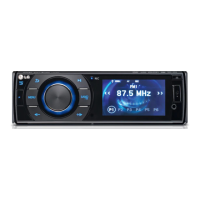
Preparation
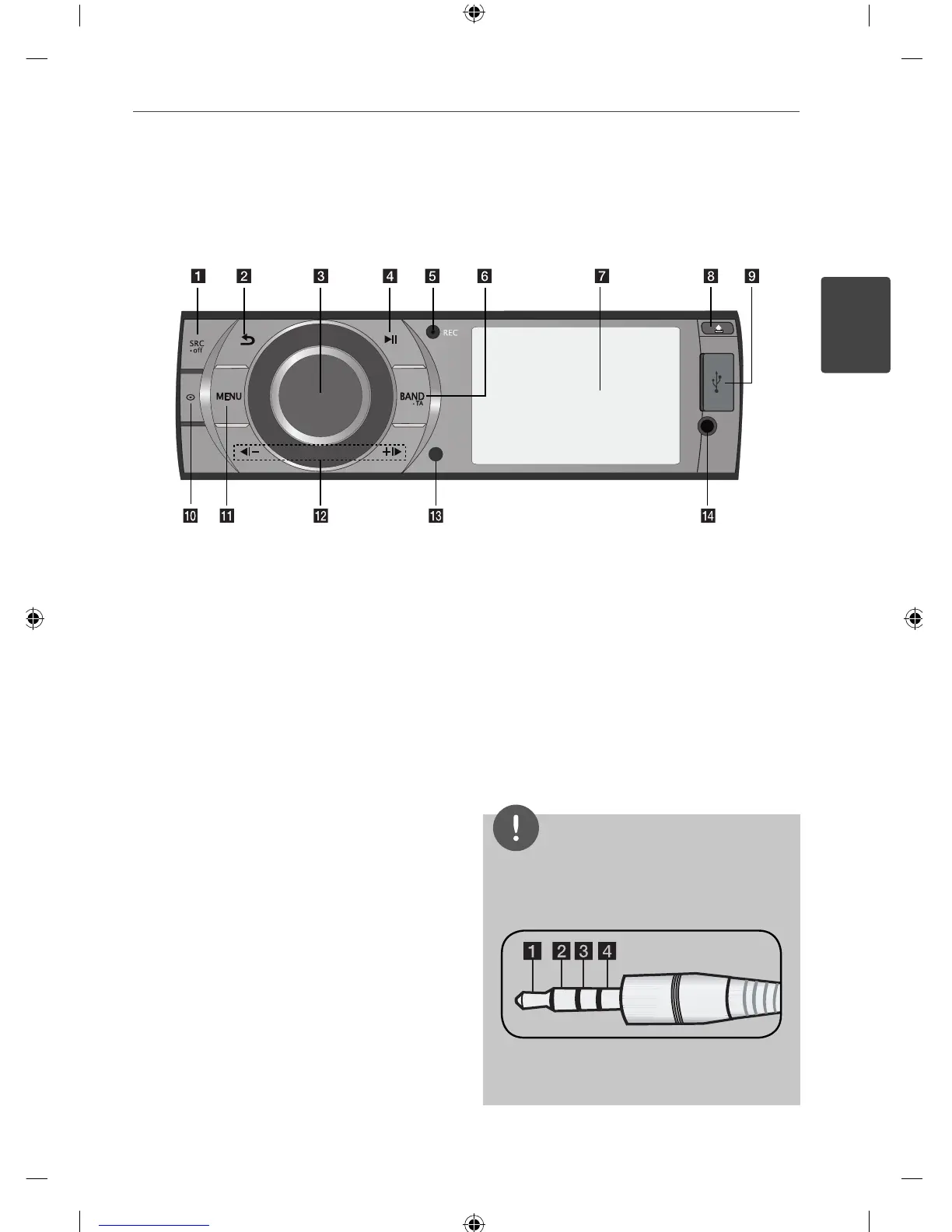
a
SRC/ • OFF
• When pressed, selects function sources.
• When pressed and held, powers unit on or
o .
b
Returns to the previous step.
c
Volume knob
• Adjusts volume level.
• Con rms the settings.
• Checks tracks or les.
d
NX
Plays and pauses playback.
e
REC Recording to USB
f
BAND/• TA
• Selects a band in Tuner mode.
• Selects a category menu during playback of
a disc or USB containing with music, movie,
and photo les together.
• Searches stations that have TA/TP
information, when it is pressed and held.
g
Display window
h
Opens the front panel.
i
USB port
j
Displays le or disc information.
k
MENU
Activates or deactivates a setting menu.
l
b[
-/+
[B
Skip / Search / Seek / Tune
m
Remote Sensor
n
AUX
If connected to other portable player, you
can enjoy music or movie on the unit.
NOTE
For video playback from an external device, you
should connect it with a 3.5 mm (4-pole) jack as
below.
a
Audio L
b
Audio R
c
GND
d
Video
Front panel


 To Next Page