EasyManua.ls Logo

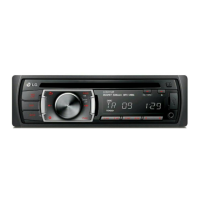
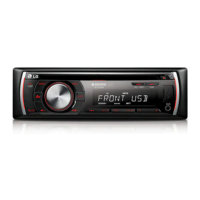
LG LCS500UN - User Manual

LG LCS500UN
18 pages
Print Icon
To Next Page IconTo Next Page
Loading...
Please read this manual carefully before operating
your set and rt for future reference.
OWNER'S MANUAL
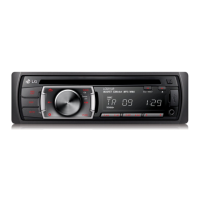
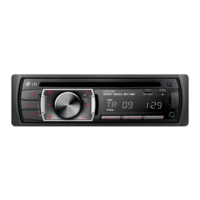
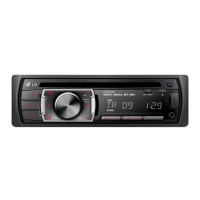
CAR CD/MP3/WMA Receiver
MODEL
LCS300AN/ LCS300AR
LCS500UN/ LCS500UR
P/NO : MFL63287305
ENGLISH DEUTSCH FRANÇAIS ESPAÑOL ITALIANO
PORTUGUÊS
ΕΛΛΗΝΙΚΑ
Please read this manual carefully before operating
your set and retain for future reference.
OWNER'S MANUAL
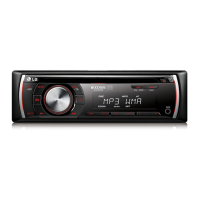
CAR CD/MP3/WMA Receiver
MODEL
LCF600UN/ LCF600UR
LCF800IN/ LCF800IR
P/NO : MFL63287302
ENGLISH DEUTSCH FRANÇAIS ESPAÑOL ITALIANO
NEDERLANDS SLOVENIAN

Other manuals for LG LCS500UN

Questions and Answers

  • K
    Kevin ParksAug 4, 2025
    Why my LG LCS500UN Car Receiver power doesn’t turn on?
    • K
      Kelly WilliamsAug 4, 2025
      If your LG Car Receiver doesn't turn on or operate, it might be due to several reasons. First, ensure all connections are correctly made. A blown fuse could also be the culprit; if so, fix the underlying issue and replace the fuse with one of the correct rating. Lastly, if noise or other factors are causing a malfunction, try turning the unit off and then back on.
  • D
    Debbie DavisAug 9, 2025
    What to do if no sound is heard from LG LCS500UN Car Receiver?
    • A
      Alyssa MartinezAug 9, 2025
      If your LG Car Receiver isn't producing any sound or the volume isn't increasing, the cables might not be connected correctly. Ensure that all cables are properly connected.
  • S
    Sara CooperAug 14, 2025
    How to fix audio skipping on LG LCS500UN?
    • L
      Linda GrantAug 14, 2025
      If your LG Car Receiver is skipping audio, it may not be firmly secured. Make sure the unit is properly secured.
  • M
    Melissa DiazAug 25, 2025
    Why can't radio stations be tuned in on my LG LCS500UN?
    • K
      Kevin GeorgeAug 25, 2025
      If you're having trouble tuning into radio stations on your LG Car Receiver, it could be due to a weak signal when using automatic tuning. Try tuning in the stations manually. Alternatively, no stations may have been preset, or the preset stations have been cleared.
  • J
    John CastilloAug 29, 2025
    What to do if my LG LCS500UN Car Receiver playback is not possible?
    • D
      Daniel GrahamAug 29, 2025
      If playback isn't possible on your LG Car Receiver, the disc may be dirty, so clean it. Alternatively, the loaded disc might be of a type that the unit cannot play, so check the disc type.
  • G
    Gerald HowardSep 10, 2025
    What to do if my LG LCS500UN Car Receiver power doesn’t turn on?
    • W
      williamsdanielleSep 12, 2025
      If your LG Car Receiver doesn't turn on, there could be several reasons. First, ensure that all leads and connectors are properly connected. If the connections are correct, check the fuse; if it's blown, rectify the issue that caused it and replace it with a fuse of the same rating. Lastly, noise or other factors might be causing the built-in microprocessor to malfunction. Try turning the unit off and then on again.

Summary

Safety Note

Laser System Safety Precautions

Safety guidelines for operating the product's laser system to prevent exposure.

Battery Handling and Disposal

Instructions for safe removal and disposal of batteries from the equipment.

Appliance Disposal Guidelines

Information on proper disposal of the old appliance according to regulations.

Important Cautionary Notes

Specific warnings regarding antenna port short circuits and other operational concerns.

Front Panel Overview

Remote Control Operation

Battery Installation

Step-by-step guide for installing the battery in the remote control.

Detachable Control Panel

Attaching the Control Panel

Instructions on how to correctly attach the detachable control panel.

Detaching the Control Panel

Instructions on how to safely detach the control panel from the unit.

Installation Procedures

Basic Installation Steps

Standard procedure for installing the car receiver unit.

ISO-DIN Standard Installation

Specific guidelines for installing the unit using the ISO-DIN standard.

Removing Existing Receiver Unit

Procedure for removing the old receiver unit before installation.

System Connection Diagram

Basic Operation Functions

Sound Control and Settings

Muting audio, adjusting EQ/XDSS+, and general sound configuration.

Display and Unit Management

Clock display, light control, and resetting the unit.

CD Playback Features

CD Playback Controls

Basic operations for playing, pausing, and searching within a CD.

Skipping Tracks and Files

How to skip to the next or previous track/file on a CD.

Checking Music Information

Displaying title, artist, or album information for MP3/WMA files.

File Playback Modes

Playback Modes (INT, RPT, SHF)

Using Intro Scan, Repeat, and Shuffle playback modes for files.

MP3;WMA Disc Compatibility Notes

Information on compatible formats and software for MP3/WMA discs.

External Device Audio Input

Volume Switching Settings

Adjusting source volume levels to prevent drastic changes.

Radio Operation and Tuning

Storing Radio Frequencies

Manually saving desired radio station frequencies.

Playing Preset Radio Stations

Selecting and listening to pre-stored radio stations.

Adjusting TUNER Settings

Configuring tuner options like PTY, PI, CT, and TA.

Radio Reception Settings

Adjusting REG, AF, SENS, PS, AS for optimal reception.

USB Device Usage

Moving Between USB Drives

Selecting different drives when connected to a multi-reader.

Searching for USB Files

Quickly finding and playing specific files on a USB device.

Recording Audio to USB

Saving audio from CD or FM tuner to a USB device.

USB Device Precautions

Important notes and warnings for USB device usage.

iPod Integration and Playback

iPod Playback Controls

Pausing, resuming, and checking iPod music information.

iPod Playback Modes

Using repeat, shuffle, and audiobook speed settings for iPod.

Navigating iPod Music Menus

Browsing and selecting music by playlists, genres, artists, etc.

Troubleshooting Guide

Technical Specifications

Compatible iPod Models

LG LCS500UN Specifications

General IconGeneral
ModelLCS500UN
BrandLG
DIN SizeDouble DIN
Number of Channels4
Display TypeLCD
TouchscreenYes
BluetoothYes
USB InputYes
AUX InputYes
AM/FM TunerYes
Rear View Camera InputYes
USB PortYes

Related product manuals