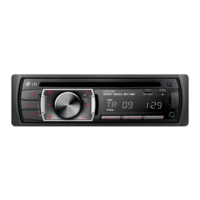
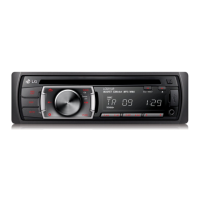
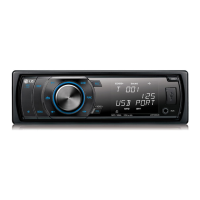
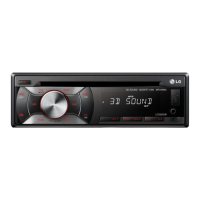
This document is an owner's manual for a Car CD/MP3/WMA Receiver, specifically models LCS311UR, LCS310UR, and LCS110AR. It provides comprehensive information on the device's safety, installation, operation, troubleshooting, and specifications.
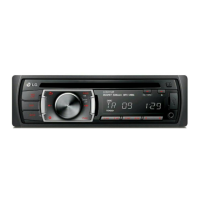
The device is a car audio receiver designed to play CDs, MP3, and WMA files, and includes a radio tuner. It is intended for use in vehicles with a 12-volt battery and negative grounding.
The manual emphasizes several safety precautions. It warns against the risk of electric shock and advises against opening the unit or attempting to service it, directing users to qualified service personnel. It also cautions against exposing the product to rain, moisture, dripping, or splashing water to prevent fire or electric shock. The unit's external temperature can become very high, so proper installation in the vehicle is crucial. The device is designed for 12cm discs only and cannot play 8cm discs. Users are advised to operate the vehicle safely, avoid distractions while driving, and pull over to a safe location before changing settings or functions. The unit should not be used for extended periods in extremely low or high temperatures (-10 °C to 60 °C). Heavy impacts and dropping the unit should be avoided.
The product employs a Laser System, and users are warned not to stare into the laser beam or open the enclosure to prevent direct exposure to laser radiation.
For models equipped with a portable battery or accumulator, the manual provides instructions for safe removal and disposal, emphasizing that batteries should not be exposed to excessive heat or handled with metallic tools.
Connecting the Device
The manual provides detailed instructions for both basic and ISO-DIN installations, emphasizing the importance of setting the ignition switch to OFF and disconnecting the car battery cable before installation to avoid short-circuiting. It includes diagrams for connecting the unit to the car's power, antenna, dimmer switch, ignition switch, battery, ground, and optional amplifier for audio output and input. Specific wiring for front and rear speakers (both positive and negative terminals) is outlined.
Front Panel and Remote Control
The device features a detachable control panel. Instructions are provided for attaching and detaching the panel, including pressing a button to open it and sliding it into place until it clicks. Users are cautioned to ensure the panel is properly attached for buttons to function, to avoid exposing it to high temperatures or direct sunlight, and to prevent dropping it or contact with volatile agents like benzine or thinner. Periodic cleaning of the contacts on the back of the control panel with alcohol is recommended, with the ignition off and key removed.
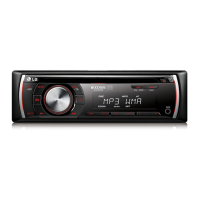
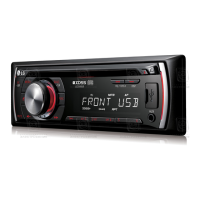
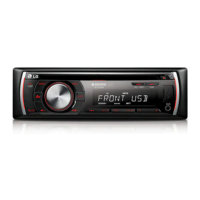
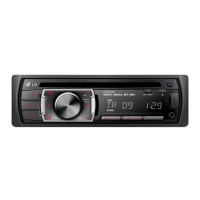
The front panel includes a SRC/OFF button for power and source selection, a volume knob for adjusting sound and confirming settings, a BAND button for tuner mode, an EQ/XDSS+ button for sound quality adjustments, a DISP button for clock and display light control, a MUTE button, a setting menu activator, skip/search/seek/tune buttons, a FUNC button for playback items, play/pause, intro scan, repeat, and shuffle buttons, numeric buttons for preset stations, an AUX input, and a USB port (optional). A remote sensor is also present for optional remote control use.
The optional remote control mirrors many of the front panel functions, including SRC/OFF, FUNC/MENU, BAND/DRV, play/pause, shuffle, mute, volume, skip/search/seek/tune, list navigation, and numeric preset buttons.
Operation
Basic Operations:
To turn on the unit, press any key. Select a source using the SRC button. Adjust volume with the knob or remote control. If a source is not connected, it will not be recognized.
Temporary Mute:
Press MUTE on the unit or remote to temporarily stop sound; press again to cancel.
EQ (Equalizer):
The EQ function enhances audio frequencies. Press EQ/XDSS+ repeatedly to cycle through preset EQ modes like POP, CLASSIC, ROCK, JAZZ, VOCAL, SALSA, SAMBA, REGGAE, RUSSY, USER 1, USER 2, and Off. When XDSS+ is off, users can adjust individual sound levels for BASS, MID, TRB, BAL (left/right), FAD (front/rear), and S-W (sub-woofer) in USER 1/2 modes. These settings are automatically stored.
XDSS+ (Extreme Dynamic Sound System):
This feature improves treble and bass sound. Press and hold EQ/XDSS+ to activate or deactivate it.
Clock and Display:
Press DISP to check the clock; press again to remove it. To turn the display light on or off, press and hold DISP. If the light is off, pressing any key will temporarily turn it on for a few seconds.
Resetting the Unit:
If the unit malfunctions, detach the control panel and press the RESET hole with a sharp object.
General Settings:
Users can adjust [SOUND], [LIGHT], and [OTHER] settings via the unit's volume knob or the remote control's FUNC/MENU and arrow buttons.
- [LIGHT] Settings: Adjust DIM (Dimmer) to OFF/ON/AUTO to change display brightness. DIM ON makes the display dark, DIM OFF makes it bright, and DIM AUTO operates according to the car's dimmer setting. DIM L (Dimmer Level) allows fine-tuning of dimmer levels (-2 to +2) when DIM is ON/AUTO.
- [SOUND] Settings: Adjust BASS, MID, TRB, BAL, FAD, and S-W levels. In USER 1/2 EQ modes, all these can be adjusted. In other EQ modes, only BAL, FAD, and S-W can be adjusted.
- [OTHER] Settings:
- AUX (Auxiliary) ON/OFF: Activates the auxiliary input for external devices.
- BEEP 2ND/ALL: Controls beep sounds. BEEP 2ND generates a beep for keys pressed longer than 2 seconds; BEEP ALL generates a beep for any key press.
- A-EQ (Auto EQ) ON/OFF: Automatically selects EQ mode based on music genre for supported music files.
- SW (Subwoofer) OFF/55 Hz/85 Hz/120 Hz: Enables and sets the subwoofer frequency.
- DEMO OFF/ON: Changes initial display indication to function name, EQ name, etc.
- CLK (Clock): Allows manual time adjustment if RDS CT information is not received or for non-RDS units.
Listening to a CD:
Insert a CD, then adjust the volume. To pause/resume playback, press the play/pause button on the unit or remote. To search within a track/file, press and hold the skip/search buttons.
Playing Tracks/Files:
Users can skip to another track/file using the skip buttons. To navigate folders and files, use the volume knob or ENTER button on the unit/remote, then select the desired item. Briefly pressing the skip backward button within 3 seconds of playing time will return to the previous track.
During MP3/WMA/CD TEXT playback, press DISP repeatedly to view Title, Artist, or Album tags. "NO TEXT" is displayed if no information is available.
The FUNC button allows setting playback items like INT (Intro Scan), RPT (Repeat), and SHF (Shuffle).
- INT (Intro Scan): Plays the first 10 seconds of all tracks/files or each file in the current folder.
- RPT (Repeat): Repeats the current track/file or folder.
- SHF (Shuffle): Plays files in the current folder or all tracks randomly. During shuffle, skipping backward will not return to the previous track.
Listening to Music from an External Device:
Connect an external device to the AUX jack, select AUX source, and play music from the device. Adjust volume as needed.
Preventing Radical Volume Changes:
When switching to AUX source, users can adjust the volume level (GAIN LOW or HIGH) to prevent sudden volume changes. This is done through the FUNC menu.
Listening to the Radio:
Select TUNER source, then select a desired band (FM/AM). For manual search, press and hold the seek buttons until "MANUAL" is displayed, then press repeatedly to select a frequency. For auto search, press seek buttons until "SEARCH" is displayed. Adjust volume.
Storing Frequencies Manually:
Select a band, then press and hold the seek buttons until a beep is heard. Press repeatedly to select a frequency, then press and hold one of the numeric preset buttons (1-6) to store it. Storing a new station on an occupied preset number will erase the previous one.
Listening to a Preset Station:
Select a band, then use the volume knob or ENTER to select a preset station, or directly press the desired numeric preset button.
- A/S (Auto Store): Automatically stores the six strongest broadcasting frequencies to presets 1-6.
- P/S (Preset Scan): Scans through each preset station.
- SENS (Tuner Sensitivity) MID/HI/LOW: Adjusts tuner sensitivity for weak signal reception.
- RDS (OPTIONAL) - PTY (Program Type): Searches radio stations by program type (e.g., NEWS, SPORTS, JAZZ).
- RDS (OPTIONAL) - AF (Alternative Frequency) ON/OFF: Automatically switches to a stronger station within the network if reception quality drops.
- RDS (OPTIONAL) - REG (Region) ON/OFF: Switches to another station within the same network broadcasting the same program when signals become weak. REG OFF allows switching to another station even if the program differs.
- RDS (OPTIONAL) - TA (Traffic Announcement) ALARM/SEEK: TA ALARM outputs a double beep if no TP information is received for 5 seconds. TA SEEK retunes to the next station with TP information if none is received for 5 seconds.
- RDS (OPTIONAL) - PI (Programme Identification) SOUND/MUTE: PI SOUND keeps the sound when switching to an AF with an unidentified PI. PI MUTE mutes the sound until the PI is identified.
- RDS (OPTIONAL) - CT (Clock Time) ON/OFF: Uses RDS CT information to update the time. If CT is OFF or not received, the clock can be set manually.
Using a USB Device (OPTIONAL):
Open the USB cover, connect the device, and select USB as the source. Adjust volume.
Moving to Another Drive:
If a multi-reader is connected, press BAND (or DRV on remote) to switch between drives.
Quick Search of a Desired File:
Use the volume knob or ENTER to select a ROOT or folder, then select the desired track/file.
Playable USB Device Requirements:
- Do not extract the USB device during operation.
- USB devices requiring additional software installation are not supported.
- Regular backup is recommended to prevent data loss.
- USB extension cables, hubs, multi-readers, or external HDDs may not be recognized.
- Only the first partition of a partitioned USB device is recognized.
- Some USB devices may not work.
- Digital cameras and mobile phones are not supported.
- The USB port cannot be connected to a PC or used as a storage device.
- Only FAT (16/32) file systems are supported; NTFS is not.
MP3/WMA Disc Compatibility:
- Sampling Frequency: 8-48 kHz (MP3), 22.05-48 kHz (WMA).
- Bit Rate: 8-320 kbps (MP3, VBR included), 32-320 kbps (WMA).
- CD-R/CD-RW file system should be "ISO 9660".
- Software that does not create a FILE SYSTEM (e.g., "Direct-CD") may result in unplayable MP3/WMA files. "Easy-CD Creator" is recommended.
- Discs must be formatted to [Mastered] for compatibility with LG players; Live File System is not supported.
- Users need permission to download MP3/WMA files and music from the internet.
Troubleshooting:
The manual includes a troubleshooting section with common symptoms, causes, and solutions, such as checking connections for power issues, replacing blown fuses, resetting the unit for microprocessor errors, securing loose cables for sound issues, cleaning dirty discs, checking disc type for playback problems, manually tuning radio stations for weak signals, presetting stations, and loading new batteries for remote control issues.


 To Next Page
 General