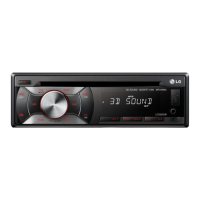
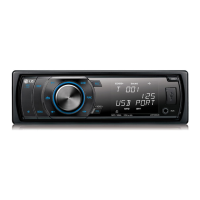
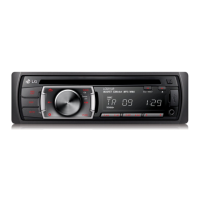
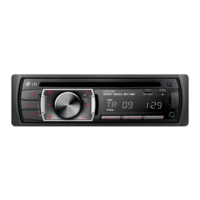
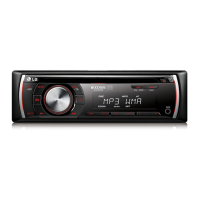
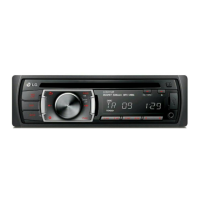
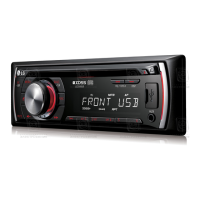
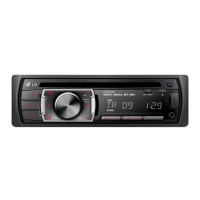
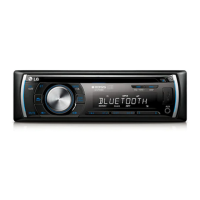
This document serves as the owner's manual for the LG SMART CAR AUDIO models LCS325UB, LCS321UB, LCS320UB, and LCS120AX. It provides comprehensive instructions for installation, operation, troubleshooting, and specifications.
Function Description
The LG SMART CAR AUDIO system is designed to provide in-car entertainment and audio control. It features a detachable control panel for security and ease of use. The unit supports various audio sources including CDs, USB devices (LCS320UB/LCS321UB/LCS325UB only), and external auxiliary devices. It also includes an FM/AM tuner with RDS (Radio Data System) capabilities for enhanced radio listening. Sound quality can be customized using a built-in equalizer (EQ) with preset modes like B-BOOST, POP, CLASSIC, ROCK, JAZZ, VOCAL, SALSA, SAMBA, REGGAE, RUSSY, and two user-definable modes. A 3D SOUND feature is available for an immersive audio experience when using CD or USB sources. The unit allows for basic operations such as volume control, muting, track/file skipping, searching, and repeat/shuffle playback modes. Clock display and display light control are also integrated.
Important Technical Specifications
- General:
- Output Power: 53 W x 4 CH (Max.)
- Power Source: DC 12 V
- Speaker Impedance: 4 Ω
- Ground System: Negative
- Dimensions (W x H x D): (178 x 50 x 168) mm (without Control Panel)
- Net Weight: 1.32 kg
- TUNER:
- FM Tuning Range: 87.5 MHz to 108.0 MHz
- FM S/N Ratio: 55 dB
- FM Distortion: 0.7%
- FM Usable Sensitivity: 12 dBuV
- AM (MW) Tuning Range: (520 to 1720) kHz or (522 to 1620) kHz
- AM S/N Ratio: 50 dB
- AM Distortion: 1.0%
- AM Usable Sensitivity: 28 dBuV
- CD:
- Frequency Response: 20 Hz to 20 kHz
- S/N Ratio: 80 dB
- Distortion: 0.12%
- Channel Separation (1 kHz): 55 dB
- AUX:
- Frequency Response: 20 Hz to 20 kHz
- S/N Ratio: 80 dB
- Distortion: 0.1%
- Channel Separation (1 kHz): 45 dB
- Max Input Level (1 kHz): 1.1 V
- USB (LCS320UB/LCS321UB/LCS325UB only):
- Version: USB 1.1 or USB 2.0 Full Speed
- Bus Power Supply (USB): DC 5 V ⎓ 1.5 A
- Supported File System: FAT (16/32) only. NTFS is not supported.
- Line OUT (Optional):
- Frequency Response: 20 Hz to 20 kHz
- Output Voltage: 2 V (Max.)
- Subwoofer (Optional):
- Frequency Response: 20 Hz to 120 Hz
- Output Voltage: 2 V (Max.)
Usage Features
- Control Panel: The unit features a front panel with various buttons and a volume knob for intuitive control. Models LCS320UB/LCS321UB/LCS325UB include a USB port on the front panel. The LCS120AX model has a different button layout but offers similar functionalities.
- Remote Control (Optional): An optional remote control provides convenient access to functions such as power on/off, source selection, volume adjustment, playback control (play/pause, skip, shuffle), and menu navigation.
- Basic Operations:
- Power On/Off: Press any key to turn on; press and hold SRC/OFF to turn off.
- Source Selection: Press SRC repeatedly to cycle through available sources (Tuner, CD, USB, AUX).
- Volume Control: Adjust using the volume knob on the unit or VOLUME A/V buttons on the remote.
- Mute: Temporarily stop sound by pressing MUTE on the unit or remote.
- Audio Customization:
- Equalizer (EQ): Cycle through preset EQ modes (B-BOOST, POP, CLASSIC, ROCK, JAZZ, VOCAL, SALSA, SAMBA, REGGAE, RUSSY, USER1, USER2) by pressing EQ. USER1/2 allow for custom bass, middle, and treble adjustments.
- 3D SOUND: Activate/deactivate for surround sound by pressing and holding EQ/3D. (Available for CD/USB sources only).
- Subwoofer Control (LCS321UB only): Adjust subwoofer volume and frequency (OFF/55Hz/85Hz/120Hz).
- Auto EQ: Automatically selects EQ mode based on music genre (POP, CLASSIC, ROCK, JAZZ) if supported by the music file.
- Display and Lighting:
- Clock Display: Press DISP to view the clock.
- Display Light On/Off: Press and hold DISP to toggle the display window and LED button lights.
- Dimmer (DIM): Adjust display brightness (ON/OFF) and level (-2 to +2) via the [LIGHT] settings.
- CD/USB Playback:
- Playback Control: Play/pause, skip tracks/files, search within a track/file, repeat (1 RPT for current track/file, RPT for folder), shuffle (SHF for current folder, SHF for all tracks/files), intro scan (INT for first 10 seconds).
- Folder/Drive Navigation: Move to previous/next folders or USB drives using A/V (unit) or / (remote).
- Quick Search: Use the volume knob or remote to select desired ROOT, folder, or track/file.
- MP3/WMA Compatibility: Supports specific sampling frequencies (8-48 kHz), bit rates (8-320 kbps), and ISO 9660 file system for CD-R/CD-RW. Direct-CD or Live File System formats are not supported.
- Radio (TUNER):
- Band Selection: Press BAND to select desired band (FM/AM).
- Tuning: Manual search (press and hold << /> then repeatedly press) or auto search (press << />).
- Preset Stations: Store up to 6 stations manually by selecting frequency, then pressing and holding a numeric button (1-6). Listen to presets by pressing the numeric button.
- RDS Features (Optional):
- PTY (Program Type): Search stations by program type (NEWS, FINANCE, SPORTS, JAZZ, etc.).
- A/S (Auto Store): Automatically stores the 6 strongest stations to presets 1-6.
- P/S (Preset Scan): Scans through preset stations.
- SENS (Tuner Sensitivity): Adjust sensitivity (MID/HI/LOW) for weak signal areas.
- AF (Alternative Frequency): Automatically switches to a stronger signal within the network.
- REG (Region): Controls switching to stations within the same program network.
- TA (Traffic Announcement): Provides traffic announcements with ALARM/SEEK options.
- PI (Programme Identification): Manages sound during AF switching with SOUND/MUTE options.
- CT (Clock Time): Updates time using RDS CT information.
- External Device Connection: Connect auxiliary devices to the AUX jack for playback. Adjust GAIN (0/+6) in FUNC settings to prevent radical volume changes when switching to AUX.
Maintenance Features
- Detachable Control Panel: The control panel can be detached for security. To detach, press the button, lift slightly, push right, and pull out. To attach, align the left side with the stopper, then push the right side until it clicks.
- Cleaning Contacts: Periodically wipe the contacts on the back of the control panel with an alcohol-moistened cotton swab. Ensure the ignition is off and the key is removed before cleaning.
- Battery Installation (Remote Control): Uses one CR2025 (3 V) lithium battery. Remove the battery if the remote is not used for a long period. Avoid hot/humid places, metallic tools, and metallic materials when handling the battery.
- Resetting the Unit: If the unit malfunctions, detach the control panel and press the RESET hole with a sharp object.
- Troubleshooting Guide: The manual includes a troubleshooting section to address common issues such as power failure, no sound, audio skipping, playback problems, radio tuning issues, and remote control unresponsiveness. Solutions range from checking connections and fuses to cleaning discs and replacing batteries.
- Installation: Detailed instructions are provided for basic installation and ISO-DIN installation, including removing existing units, making connections, and securing the new unit. It emphasizes disconnecting the car battery terminal before installation to avoid short-circuiting.
- Safety Information: Warnings regarding electric shock, fire hazards, and proper handling of the unit are provided. It advises against opening the enclosure, exposing the unit to moisture, or installing it in confined spaces. It also includes precautions for driving safely and handling the battery. The unit is a Class 1 Laser Product.



 To Next Page
 General