EasyManua.ls Logo

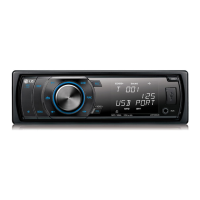
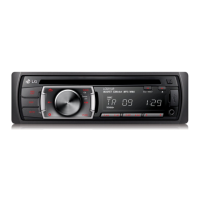
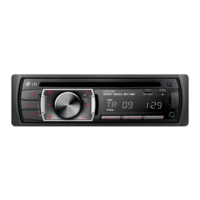
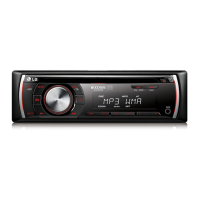
LG LCS320UB - User Manual

LG LCS320UB
17 pages
Print Icon
To Next Page IconTo Next Page
Loading...
лчиттничюнльтцию.
глтчн.Бзвыдны
www.sotmarket.ru
дбняинфмциятв,
тзывы,бзыиы
Инструкция
LG LCS320UB
Перейти в карточку товара
8 800 775 98 98

Questions and Answers

  • P
    porterpeterAug 19, 2025
    How to fix an LG LCS320UB that won't turn on?
    • N
      nicole23Aug 19, 2025
      If your LG Car Receiver isn't powering on, there are a few potential causes. First, ensure that all leads and connectors are properly connected. If they are not, correct the connections. Second, check the fuse; if it's blown, rectify the issue that caused it and replace it with a fuse of the same rating. Lastly, if noise is affecting the microprocessor, try turning the unit off and then on again.
  • K
    Kimberly RodriguezAug 21, 2025
    What to do if my LG LCS320UB Car Receiver has no sound?
    • S
      sheila58Aug 21, 2025
      If you're not getting any sound from your LG Car Receiver, the most likely cause is incorrect cable connections. Ensure that all cables are connected correctly.
  • C
    Christine FloresAug 23, 2025
    Why can't I tune into radio stations on my LG Car Receiver?
    • A
      Angela Smith MDAug 23, 2025
      There are two possible reasons why you can't tune into radio stations on your LG Car Receiver. If using automatic tuning, the signal strength of the stations may be too weak; try tuning in the stations manually. Alternatively, if tuning by scanning preset stations, no stations may be preset, or the preset stations may have been cleared; in this case, preset the stations.
  • J
    John RogersAug 26, 2025
    How to stop audio skipping on my LG LCS320UB Car Receiver?
    • C
      Craig ShannonAug 26, 2025
      If your LG Car Receiver is experiencing audio skipping, it may not be firmly secured. Make sure that the unit is firmly secured.
  • K
    katie86Aug 28, 2025
    What to do if my LG LCS320UB remote isn't working properly?
    • M
      Michael JacobsAug 28, 2025
      If your LG Car Receiver isn't responding to the remote control, the battery power may be low. Try loading a new battery into the remote.
  • D
    danielle41Aug 30, 2025
    Why is playback not possible on my LG LCS320UB Car Receiver?
    • C
      Catherine WheelerAug 30, 2025
      If playback isn't possible on your LG Car Receiver, it could be due to a dirty disc. Try cleaning the disc. Alternatively, the disc may be of an unplayable type; check the disc type to ensure it's compatible.
  • A
    Amy SmithSep 1, 2025
    What to do if playback is not possible on my LG LCS320UB Car Receiver?
    • A
      Angela KhanSep 1, 2025
      If playback isn't working on your LG Car Receiver, the disc may be dirty, clean the disc; or the disc of unplayable type is loaded, check what type the disc.
  • M
    mbakerSep 4, 2025
    What to do if my LG Car Stereo System power doesn't turn on?
    • K
      Kristen BowmanSep 4, 2025
      First, confirm that all connections are correct. If the issue persists, check the fuse; if it's blown, rectify the cause and replace it with a fuse of the same rating. If the problem remains, try turning the unit off and then on again.
  • M
    Mary CurrySep 6, 2025
    Why is there no sound coming from my LG Car Stereo System?
    • H
      holly85Sep 6, 2025
      The most likely cause is incorrect cable connections. Ensure all cables are correctly connected.
  • A
    April KimSep 8, 2025
    What to do if my LG Car Stereo System is skipping audio?
    • T
      Tara LangSep 8, 2025
      The unit might not be firmly secured. Make sure the unit is firmly secured.

Summary

Getting Started

Safety Information

General safety precautions and warnings for operating the car audio system.

Disposal of waste batteries;accumulators

Guidelines for the proper disposal of batteries according to environmental regulations.

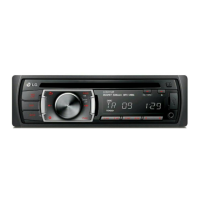
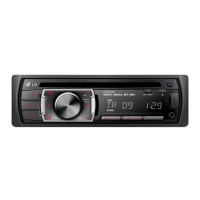
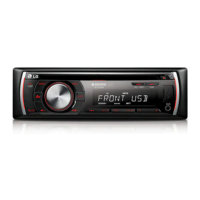
Front Panel

Overview and functions of the car audio system's front panel.

Remote Control (Optional)

Description of the functions and usage of the optional remote control.

Connecting

Installation

Steps for installing the car audio unit, including basic and ISO-DIN methods.

About detachable control panel

Instructions for detaching and attaching the control panel of the unit.

Connection

Detailed wiring diagrams and procedures for connecting the unit to a car.

Operating

Basic operations

How to turn on/off the unit, select sources, and adjust volume.

Turning off the sound temporarily

Muting the audio output of the car stereo system.

Using EQ (Equalizer)

Adjusting audio frequencies to enhance sound quality.

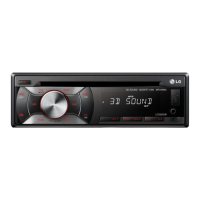
Using 3 D SOUND

Activating and deactivating the 3D surround sound mode.

Checking the clock

Displaying and verifying the current time on the unit.

Turning off the display light

How to disable the display screen and button illumination.

Resetting the unit

Procedure for resetting the system to factory defaults if issues occur.

Adjusting the general settings

Configuring sound, light, and other system parameters.

Listening to a CD

Instructions for playing audio CDs.

Pausing or restarting CD playback

How to pause and resume playback of a CD.

Searching for a section within a track; file

Locating specific parts within a track or audio file.

Skipping to another track;file

Moving to the next or previous track or audio file.

Moving to another MP3;WMA file;folder

Navigating between MP3/WMA files and folders.

Checking information about your music

Displaying music metadata such as title, artist, and album.

Playing back tracks; files in a way you want

Using playback functions like INT, RPT, and SHF for custom playback.

Using the FUNC button

Utilizing the FUNC button for various playback and setting options.

Listening to music from an external device

Connecting and playing audio from external devices via AUX.

Preventing radical changes in volume as switching sources

Adjusting source volume levels to ensure smooth transitions.

Listening to the radio

Tuning into radio stations, including manual and auto search.

Storing desired frequencies manually

Saving radio stations to preset memory locations.

Listening to a preset station

Accessing radio stations stored in the preset memory.

Adjusting TUNER settings

Configuring tuner settings like PTY, AF, REG, TA, PI, and CT.

Using an USB device (LCS320 UB;LCS321 UB only)

Connecting and playing music from USB devices.

Playable USB device Requirement

Specifications and compatibility requirements for USB devices.

Troubleshooting

Symptoms and Causes

Common issues with the unit and their potential causes.

Solutions

Step-by-step solutions for troubleshooting common problems.

Appendix

Specifications

Technical specifications of the car audio system components.

LG LCS320UB Specifications

General IconGeneral
MP3 playbackYes
CD-RW playback-
Playback disc formatsCD audio
Audio formats supportedMP3, WMA
Output power212 W
Product colorBlack
Ready for iPodNo
Volume controlRotary
Disc types supportedCD
Audio output channels4.0 channels
Equalizer bands quantity10
Display typeLED
File format systemFAT 16/32
Key illumination colorGreen
Number of optical discs1 discs

Related product manuals