EasyManua.ls Logo

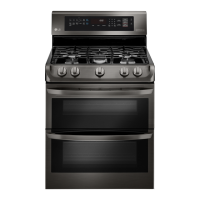
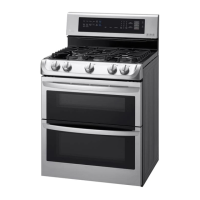
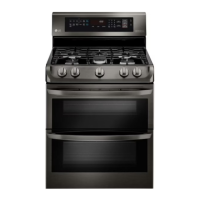
LG LDG4315BD - User Manual

LG LDG4315BD
62 pages
Print Icon
To Next Page IconTo Next Page
Loading...
ENGLISH
www.lg.com
MFL68920501_03
LDG4315ST LDG4315BD
LDG4313ST
LDG4311ST LDG4311SB LDG4311SW
OWNER’S MANUAL
GAS RANGE
Read this owner’s manual thoroughly before operating the appliance
and keep it handy for reference at all times.
Do not store or use gasoline or other flammable vapors and liquids in the
vicinity of this or any other appliance.
WHAT TO DO IF YOU SMELL GAS
- Do not try to light any appliance.
- Do not touch any electrical switch.
- Do not use any phone in your building.
- Immediately call your gas supplier from a neighbor's phone. Follow the
gas supplier's instructions.
- If you cannot reach your gas supplier, call the fire department.
Installation and service must be performed by a qualified installer, service
agency, or the gas supplier.
If the information in this manual is not followed exactly, a fire or explosion
may result causing property damage, personal injury or death.
WARNING

Other manuals for LG LDG4315BD

Questions and Answers

  • K
    Kimberly Leon DDSSep 23, 2025
    What to do if my LG LDG4315BD shows Sensing Fail, F1 (F4), F2 (F5)?
    • T
      Teresa PerkinsSep 23, 2025
      1. Reconnect. Is the Connector disconnected or loose? (Check connection of the Sensor) 2. Replace the Thermistor. Check: Pins 4 and 5 of CN60 and pins 5 and 6 of CN61 in main PCB Normal- approximately 1.09kΩ at 77°F(25°C).
  • M
    Maria WardAug 25, 2025
    Why is the clock flashing on my LG LDG4315BD?
    • J
      Jennifer PerezAug 25, 2025
      A flashing clock on your LG Ranges indicates a power outage or surge. Reset the clock. If the oven was in use, reset it by touching the Upper Clear/Off or Lower Clear/Off key. Then, reset the clock and any cooking functions.
  • M
    Michelle LandryAug 25, 2025
    What to do if clock is flashing on LG LDG4315BD?
    • A
      Adam VegaAug 26, 2025
      Power outage or surge. Reset the clock. If the oven was in use, you must reset it by touching the Upper Clear/Off or Lower Clear/Off key. Reset the clock and any cooking functions.
  • C
    carlkempAug 27, 2025
    What to do if LG LDG4315BD oven does NOT heat, F9, F19?
    • J
      John NorrisAug 27, 2025
      1. Check Electrical Wiring 2. Check igniter’s Resistance. 3. Check the Sensor.
  • K
    Kristen MortonAug 27, 2025
    What to do if the Self Clean function is not working on my LG LDG4315BD?
    • M
      margaretfloresAug 27, 2025
      If the Self Clean function isn't working on your LG Ranges, it may be because the oven temperature is too high. Allow the range to cool down to room temperature before resetting the controls. Also, make sure you are using the correct oven control settings.
  • L
    lreedSep 14, 2025
    Why are the fan and burner operating in the oven at normal bake in my LG LDG4315BD?
    • P
      Patrick LiuSep 14, 2025
      It is normal for the fan to run during preheating and periodically during a regular bake cycle in LG Ranges. This ensures even baking. The bake burner turns off if the door is left open longer than 30 seconds, but turns back on automatically once the door is closed.
  • K
    Kyle NewmanSep 12, 2025
    Why is there a “burning” or “oily” odor emitting from the vent of my new LG Ranges?
    • M
      Michael MoralesSep 12, 2025
      A 'burning' or 'oily' odor from the vent is normal in a new LG Ranges oven. To speed up the dissipation of the odor, set a Self Clean cycle for at least three hours.
  • N
    natalie83Sep 13, 2025
    Why are the burners not lighting properly after cleaning the cooktop surface of my LG Ranges?
    • I
      isnowSep 13, 2025
      If the burners on your LG Ranges are not lighting properly after cleaning the cooktop, ensure that the burner heads and caps are completely dry and properly positioned.
  • C
    Carrie JacobsSep 5, 2025
    Why is food not baking or roasting properly in my LG Ranges oven?
    • S
      Shannon MooreSep 5, 2025
      If food isn't baking or roasting correctly in your LG Ranges oven, check the following: * Ensure you are using the correct oven control settings. * Verify the rack position is correct. * Confirm you are using appropriate cookware. * Consider adjusting the oven thermostat if needed. * Make sure the clock is set correctly. * Avoid improper use of aluminum foil in the oven.
  • A
    Amy StephensSep 2, 2025
    How to fix an LG LDG4315BD oven light that does not work?
    • P
      Paul Zhang MDSep 2, 2025
      If the oven light in your LG Ranges is not working, first check if the bulb is loose or defective; tighten or replace it as needed. Also, ensure the range's electrical plug is fully inserted into a properly grounded outlet.

Summary

Important Safety Instructions

Anti-Tip Device

Instructions for installing and verifying the anti-tip device for range stability.

Installation Safety Precautions

Safety guidelines for proper installation, grounding, and adjustment of the range.

Surface Burners

Safety precautions and guidelines for using the gas surface burners.

Broiler

Guidelines and safety precautions for using the broiler function.

Self-Cleaning Oven

Precautions and instructions for using the self-cleaning oven feature.

Oven

Safety warnings and operating guidelines for the oven.

Energy Saving Tips

Tips for efficient operation and energy conservation.

Product Overview

Parts

Identification of the various components of the gas range.

Accessories

List of included and optional accessories for the gas range.

Installation

Before Installing the Range

Initial checks and preparation before installing the gas range.

Preparing for Installation

Tools and materials required for the installation process.

Installing the Range

Instructions for unpacking, moving, and positioning the range.

Installing the Anti-tip Device

Steps for securing the range to prevent tipping.

Connecting the Range to Gas

Procedure for safely connecting the range to the gas supply line.

Electrical Connections

Requirements for electrical hookup, grounding, and circuit protection.

Leveling the Range

Instructions for adjusting the leveling legs to ensure the range is stable and level.

Operation

Gas Surface Burners

Basic operation and safety precautions for using the gas surface burners.

Using the Gas Surface Burners

Step-by-step guide on how to ignite and use the surface burners.

Bake

Instructions for using the bake function and temperature settings.

Convection Bake

Instructions for using the convection bake function.

Convection Roast

Instructions for using the convection roast function for meats and poultry.

Broil

Instructions and safety for using the broil function.

Pizza

Instructions for cooking pizza using specialized oven settings.

Smart Features

Before Using Tag On

Prerequisites and setup for using the Tag On smart phone feature.

Using the Tag On Function

How to use the Tag On feature to interact with the oven via smart phone.

Maintenance

Removing and Replacing the Gas Surface Burners

Instructions for removing and reinstalling burner components for cleaning.

Cleaning the Cooktop Surface

Instructions for cleaning the cooktop surface safely and effectively.

EasyClean

Explanation of the EasyClean® feature for quick oven cleaning.

Self Clean

Overview of the self-cleaning cycle, its operation, and safety.

Changing the Oven Light

Instructions for replacing the oven light bulb.

Removing and Replacing the Lift-Off Oven Doors

Procedure for removing and reinstalling the oven doors.

Troubleshooting

FAQs

Answers to frequently asked questions about the range's operation and features.

Before Calling for Service

Common issues and their solutions to help avoid unnecessary service calls.

Smart Diagnosis

Using Smart Diagnosis

How to use the Smart Diagnosis feature for troubleshooting.

Smart Diagnosis Using Your Smart Phone

Steps to use the LG Smart Oven app for diagnosis.

Smart Diagnosis Through the Call Center

How to use the call center for diagnosis assistance.

Warranty (USA)

Obtain Warranty Service and Additional Information

How to get warranty service and find more information about the product.

LG LDG4315BD Specifications

General IconGeneral
Styledouble oven, freestanding
Colorblack stainless steel
Main Capacity4.3 cubic feet
Extra Capacity2.6 cubic feet
Number of Main Compartment Racks0
Number of Extra Compartment Racks0
Number of Main Compartment Rack Positions4
Number of Extra Compartment Rack Positions2
Interior Lightyes
Fuelgas, natural gas
Weight and Dimensions IconWeight and Dimensions
Depth28 15/16 inches
Height47 5/16 inches
Width30 inches
Net Weight224.9 pounds

Related product manuals