EasyManua.ls Logo

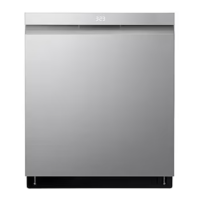
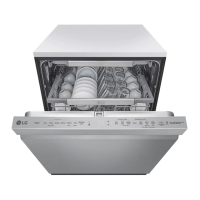
LG LDP77 Series0 - User Manual

LG LDP77 Series0
68 pages
Print Icon
To Next Page IconTo Next Page
Loading...
OWNER'S MANUAL
DISHWASHER
Read this owner's manual thoroughly before operating the
appliance and keep it handy for reference at all times.
ENGLISH
LDP681*** LDTS555** LDT780#** LDP770*** LDT680*** LDP680*** LDPS684***
LDP780***
MFL71917401
Rev.02_061523
www.lg.com
Copyright © 2022-2023 LG Electronics Inc. All Rights Reserved.
Scan to see the online manual.

Questions and Answers

  • S
    Shelly NunezAug 18, 2025
    What to do if my LG LDP77 Series0 will not start?
    • C
      Cynthia BarronAug 18, 2025
      If your LG Dishwasher isn't starting, there are several things to check: * Ensure you've pressed the Start button. * Verify the door is completely closed and latched. * Confirm the power supply is properly connected. * Check for a blown fuse or tripped circuit breaker and replace/reset if necessary. * Make sure the Control Lock is deactivated.
  • R
    Ronald ParksAug 20, 2025
    What to do if water remains in the tub of my LG LDP77 Series0 after the cycle?
    • H
      Hannah RobertsAug 20, 2025
      If water remains in the tub of your LG Dishwasher after the cycle is complete, check the drain hose for kinks or clogs. Adjust the hose or clear any blockages.
  • B
    bsparksAug 23, 2025
    Why is the LED blinking and my LG LDP77 Series0 Dishwasher not starting?
    • J
      johnsonvictorAug 23, 2025
      If an LED is blinking, the machine is chiming, and your LG Dishwasher won't start, it means the door wasn't closed quickly enough after pressing the Start button. Open the door and either close it and press Start, or press Start and close the door within four seconds.
  • K
    Kenneth GarciaAug 26, 2025
    How to remove cloudy film from dishes in my LG LDP77 Series0 Dishwasher?
    • S
      Sara MillerAug 26, 2025
      If your dishes have a cloudy, white film after washing in your LG Dishwasher, it's likely due to minerals in the water reacting with the detergent. First, make sure you're not using too much detergent. Adding an extra rinse to the cycle can also help. If you have hard water, consider using a performance booster designed for hard water conditions.
  • A
    Alison PriceAug 28, 2025
    How to improve drying performance of my LG LDP77 Series0?
    • K
      Kristen BurnsAug 28, 2025
      If your LG Dishwasher's drying performance is inadequate: 1. Run the hot water tap in the sink before starting a wash cycle to ensure a consistent supply of hot water. 2. Use a rinse aid to maximize water sheeting. 3. For plastic items, select the Extra Dry or Night Dry option. 4. Allow the dishwasher to completely finish the dry cycle before opening the door.
  • S
    sheenabrownAug 30, 2025
    How to prevent cloudiness on glassware in my LG LDP77 Series0 Dishwasher?
    • S
      Stephen RuizAug 30, 2025
      Cloudiness on glassware from your LG Dishwasher is often due to a combination of excessive detergent and hard water. Try using less detergent and add a rinse aid to help minimize the problem.
  • M
    Mrs. Brenda Meyer MDSep 2, 2025
    Why is my LG LDP77 Series0 Dishwasher leaking in the front?
    • D
      dennismaciasSep 2, 2025
      If your LG Dishwasher is leaking in the front, ensure the appliance is level from side to side and front to back. Also, check if you are using the correct detergent. If excessive sudsing is causing the leak, allow the foam to subside for 24 hours and then clean the inside of the tub with milk.
  • D
    daniel07Sep 4, 2025
    How to remove white film on the tub of my LG LDP77 Series0?
    • J
      Joseph FullerSep 5, 2025
      To remove white film on the tub of your LG Dishwasher, measure 3 tablespoons (40 g) of citric acid powder and use it to fill the main detergent compartment. Run a Machine Clean cycle without detergent.
  • W
    William ThompsonSep 7, 2025
    Why is my LG LDP77 Series0 Dishwasher showing the OE error?
    • L
      Logan PerezSep 7, 2025
      The OE error code on your LG Dishwasher typically indicates a drainage problem. This could be due to a clogged, kinked, or frozen drain hose. Alternatively, the air gap or disposal might be clogged, or the filters need cleaning. Try cleaning the air gap or disposal, or cleaning the filters. Also check the drain hose.
  • J
    Joseph WilkinsSep 10, 2025
    What to do if my LG LDP77 Series0 Dishwasher displays the IE error?
    • J
      Jack LawsonSep 10, 2025
      The IE error code on your LG Dishwasher indicates a water inlet problem. First, check for any clogs, kinks, or freezing in the water inlet hose. Also, verify that the water supply is functioning correctly.

LG LDP77 Series0 Specifications

General IconGeneral
BrandLG
ModelLDP77 Series0
CategoryDishwasher
LanguageEnglish

Related product manuals