EasyManua.ls Logo

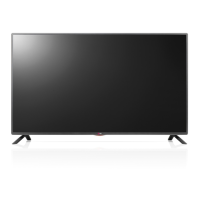
LG LF51 SERIES - User Manual

LG LF51 SERIES
48 pages
Print Icon
To Next Page IconTo Next Page
Loading...
P/No: MFL68683734 (1510-REV04)
Printed in Korea
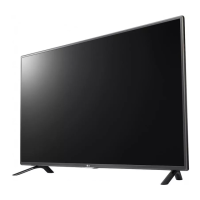
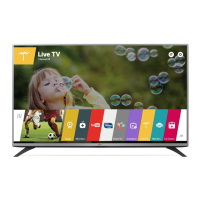
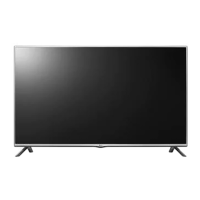
LED TV
LF51**
www.lg.com
: Depending on model / Selon le modèle / Dependendo do modelo /
AAA
AAA
X 4
(M4 X L14)

Other manuals for LG LF51 SERIES

Questions and Answers

  • A
    anthony92Aug 2, 2025
    Why does my LG TV turn off suddenly?
    • C
      cobrienAug 2, 2025
      If your LG TV turns off suddenly, it could be due to a few reasons. First, examine the power control settings to ensure there are no interruptions in the power supply. Also, verify if the Automatic Standby, Sleep Timer, or Off Time function is activated within the TIME settings. Finally, be aware that the TV will automatically shut down after 15 minutes of inactivity if no signal is detected while it's on.
  • K
    Kimberly MartinAug 10, 2025
    What to do if LG TV says ‘No signal’ or ‘Invalid Format’ when connecting to PC (HDMI)?
    • E
      emma87Aug 10, 2025
      If you're seeing a ‘No signal’ or ‘Invalid Format’ message when connecting your PC to your LG TV via HDMI, try these steps: First, turn the TV off and then on again using the remote control. If that doesn't work, try reconnecting the HDMI cable. As a final step, restart your PC while the TV is powered on.
  • D
    Danielle GrahamAug 17, 2025
    How to fix LG TV remote control not working?
    • W
      Whitney RussellAug 17, 2025
      If your LG TV remote isn't working, start by checking the remote control sensor on the TV and ensure nothing is blocking it. Next, make sure there are no obstacles between the remote and the TV. Lastly, check the batteries in the remote to confirm they are working and properly installed.
  • S
    Samantha BeckerAug 25, 2025
    What to do if my LG TV has no image and sound?
    • F
      Frederick GriffinAug 26, 2025
      If your LG TV isn't displaying an image and there's no sound, first ensure that the TV is powered on. Next, check that the power cord is securely connected to a functioning wall outlet. To verify the outlet is working, try connecting other devices to it.

Summary

Safety Instructions

Environmental Precautions

Avoid placing TV in direct sunlight, high humidity, near heat sources, water, or dust.

Power Cable Safety

Ensure proper connection, avoid damage, and keep away from heat and heavy objects.

Electrical Safety

Connect to grounded socket, avoid wet hands, and ensure proper insulation.

General Electrical and Fire Hazards

Child Safety and Product Handling

Prevent children climbing, keep packing material away, and handle with care.

Lightning and Gas Safety

Avoid contact during storms and in case of gas leaks.

Product Maintenance and Repair Safety

Installation Environment Safety

Avoid water, oil, unstable surfaces, and ensure proper ventilation.

TV Stability and Mounting Safety

Battery and Remote Control Safety

Handle batteries properly and ensure clear remote sensor path.

Ventilation and Cord Care

Cleaning and Product Handling Safety

Clean with soft cloth, avoid chemicals, protect panel and cables.

Servicing and Moving Precautions

Unplug before moving, work in pairs, and schedule annual service.

Viewing 3 D Imaging

Viewing Environment

Guidelines for safe and comfortable viewing environments, including time limits.

Those with Seizures or Illness

Warnings for users with photosensitive epilepsy or chronic health conditions.

Symptoms Requiring Discontinuation

Advice on when to stop watching 3D content and consult a doctor.

3 D Glasses Usage Cautions

Instructions for safe and proper use of 3D glasses.

Preparing

Installation and Setup Precautions

Warnings regarding unapproved items, stand attachment, and screw tightening.

Maintenance

Cleaning your TV

Instructions for regular TV cleaning to maintain performance and lifespan.

Screen, Frame, Cabinet and Stand Cleaning

Detailed steps for cleaning the TV's exterior parts.

Lifting and Moving the TV

Safe Transportation Guidelines

Recommendations for safely moving the TV to prevent damage or injury.

Handling Precautions

Specific guidance on holding, moving, and protecting the TV during handling.

Using the Joystick Button

Mounting on a Table

Table Mounting and Safety

Steps for mounting the TV on a table and associated safety warnings.

Using the Kensington Security System

Securing the TV to a Wall

Instructions for securing the TV to a wall using a security system.

Connections (Notifications)

External Device Connection Guide

Information on connecting various external devices and supported formats.

Antenna Connection

Instructions for connecting a TV antenna for signal reception.

Adapter Connection

Remote Control

Remote Control Buttons A

Explanation of the functions of buttons labeled A on the remote control.

Remote Control Buttons B

Explanation of the functions of buttons labeled B on the remote control.

Settings

To Use SIMPLINK

Troubleshooting

Specifications

3 D Supported Mode

HDMI-DTV Supported Mode

HDMI-PC Supported Mode

EXTERNAL CONTROL DEVICE SETUP

Command Reference List

LG LF51 SERIES Specifications

General IconGeneral
BrandLG
ModelLF51 SERIES
CategoryLED TV
LanguageEnglish

Related product manuals