EasyManua.ls Logo

LG LF63 Series - User Manual

LG LF63 Series
32 pages
Print Icon
To Next Page IconTo Next Page
Loading...
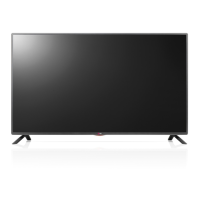
LED TV
LF63**
AA
FREEZE
RATIO
L/R SELECT
ENTER
BACK
EXIT
Q.MENU
INFO
MENU
CHVOL
P
A
G
E
FAV
3D
MUTE
123
456
78
0
9
MARK
LIST
FLASHBK
ENERGY
SAVING
TV
AV MODE
INPUT
AAA
a
X 6
(M4 X L10)
32LF63**
b
X 6
(M4 X L14)
40LF63**
b
X 8
(M4 X L14)
43/49/55LF63**
c
X 8
(M4 X L16)
60/65LF63**
d
e
www.lg.com
P/No: MFL68684013(1506-REV02)
Printed in Korea
: Depending on model / Selon le modèle / Dependendo do modelo /

Questions and Answers

  • A
    Andrea BarajasAug 9, 2025
    What to do if my LG LF63 LED TV turns off suddenly?
    • S
      Steven HughesAug 9, 2025
      If your LG LED TV turns off unexpectedly, it could be due to a few reasons. First, the power supply might be interrupted, so check the power control settings. Second, the Sleep Timer or Timer Power off function may be activated in the Timers settings. Finally, if the TV doesn't receive a signal for 15 minutes, it will automatically turn off.
  • K
    katiejonesAug 12, 2025
    What to do if my LG LF63 has no image and sound?
    • T
      Thomas JonesAug 12, 2025
      If your LG LED TV is not displaying an image and there is no sound, first ensure that the TV is powered on. Next, verify that the power cord is securely connected to a functioning wall outlet. You can test the outlet by plugging in another device to see if it works.
  • D
    David HallAug 17, 2025
    Why does my LG LF63 LED TV turn off suddenly?
    • K
      Kristy GuzmanAug 17, 2025
      If your LG LED TV turns off suddenly, the power supply may be interrupted, so check the power control settings. Also, check if the Sleep Timer or Timer Power Off feature is enabled within the Timers settings. If the TV is on but not receiving a signal, it will automatically turn off after 15 minutes of inactivity.
  • N
    Nathan MooreAug 21, 2025
    How to fix LG LF63 LED TV remote control not working?
    • D
      destiny29Aug 21, 2025
      If you cannot control your LG LED TV with the remote, first check the remote control sensor on the TV and try again. Ensure there are no obstructions between the remote and the TV. Also, verify that the batteries in the remote are working and properly installed.
  • A
    Angela JenkinsAug 26, 2025
    Why my LG LF63 remote control is not working?
    • S
      Sean HughesAug 27, 2025
      If you cannot control your LG LED TV with the remote, there might be a few reasons. Ensure that there are no obstacles blocking the path between the remote and the TV's sensor. Also, verify that the batteries in the remote are working and properly installed. Finally, check the remote control sensor on the TV and try again.
  • D
    davidreyesAug 30, 2025
    Why does my LG TV tilt forward after installing it?
    • M
      Marissa SteinAug 30, 2025
      If your LG TV tilts forward after installation, ensure that all screws are securely tightened.
  • J
    Joseph WilsonSep 3, 2025
    How to prevent my LG TV from getting scratched or damaged during a move?
    • J
      jasminepetersenSep 3, 2025
      If you need to move your LG TV, it is recommended to use the original box or packing material to prevent scratches or damage.

LG LF63 Series Specifications

General IconGeneral
BrandLG
ModelLF63 Series
CategoryLED TV
LanguageEnglish

Related product manuals