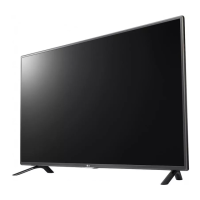
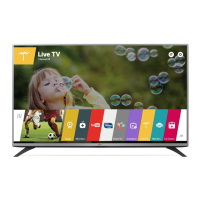
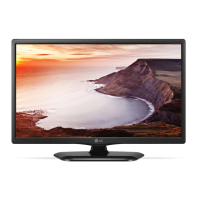
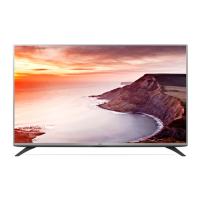
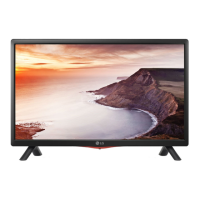
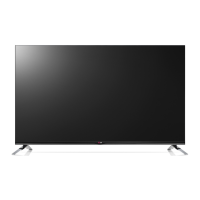
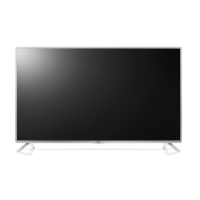
This document describes the LG LED TV, models LF55** and LF56**, including safety instructions, setup, connections, and technical specifications.
Function Description
The LG LED TV is a display device that uses an LCD screen with LED backlights. It supports various input sources, including antenna, satellite dish, HDMI, and USB. The TV can display 2D and 3D content (on 3D models) and offers a range of picture and sound settings for customization. It also features SIMPLINK for controlling compatible multimedia devices and an external control device setup for advanced integration.
Important Technical Specifications
- Power Requirement: AC 100-240 V ~ 50/60 Hz.
- Operating Temperature: 0 °C to 40 °C.
- Operating Humidity: Less than 80%.
- Storage Temperature: -20 °C to 60 °C.
- Storage Humidity: Less than 85%.
- External Antenna Impedance: 75 Ω.
- Supported DTV Audio: MPEG, Dolby Digital, Dolby Digital Plus, HE-AAC.
- HDMI ULTRA HD Deep Colour: Supports 4K @ 50/60 Hz (4:4:4, 4:2:2, 4:2:0) when turned "On". All HDMI ports support HDCP 2.2.
- Supported HDMI Audio Formats: Dolby Digital (32 kHz, 44.1 kHz, 48 kHz), DTS (44.1 kHz, 48 kHz), PCM (32 kHz, 44.1 kHz, 48 kHz, 96 kHz, 192 kHz).
- USB Storage Devices: Recommended for USB memory sticks of 32 GB or less and USB HDDs of 2 TB or less, formatted with Windows FAT32 or NTFS File System. External USB HDDs should have a rated voltage of less than 5 V and a rated current of less than 500 mA.
- External Control Device Setup:
- Communication Parameters: Baud rate: 9600 bps (UART), Data length: 8 bits, Parity: None, Stop bit: 1 bit, Communication code: ASCII code.
- USB to Serial Converter: Supports PL2303 chip-based (Vendor ID: 0x0557, Product ID: 0x2008) USB to serial converter.
- RS-232C: DE9 (D-Sub 9pin) type cable required for PC to TV connection.
Usage Features
- Setup: The TV comes with a stand that needs to be assembled using screws (M4 x L14 for 42/49/55LF55** and 42/50/55/60LF56**; M4 x L20 for 32LF55** and 32LF56**). Wall mounting is also an option, with VESA standard mounting interfaces available (e.g., 200x200, 300x300, 400x400 mm depending on model).
- Connections:
- Antenna/Satellite: Connects to a wall antenna socket or satellite dish using a 75 Ω RF cable.
- HDMI: Multiple HDMI IN ports are available for connecting HD receivers, DVD players, gaming devices, etc. HDMI cables should have bezels less than 10 mm thick and 18 mm width.
- USB: USB IN ports for USB storage devices. An extension cable supporting USB 2.0 is recommended if the USB device does not fit.
- PCMCIA Card Slot: For CI modules to view encrypted digital TV services.
- Optical Digital Audio Out: For connecting external audio devices.
- Headphone Out: For connecting headphones.
- Component In / AV In: For connecting older devices using component or composite video/audio cables.
- Remote Control: Operates the TV functions, including power, channel, volume, input source, menu navigation, and special functions (e.g., Teletext, 3D option, SIMPLINK, recording). Batteries (1.5 V AAA) are required.
- Joystick Button: Located on the TV, it allows basic operations like power on/off, volume adjustment, and program scrolling.
- Menu Adjustment: Access main menus for settings like picture mode (Vivid, Standard, Eco/APS, Cinema/Game, Soccer), sound (Digital Sound Out, LG Sound Sync, Headphone), and system settings (password, factory reset).
- Energy Saving: Features like Auto, Minimum, Medium, Maximum, and Screen Off to reduce power consumption.
- HDMI ULTRA HD Deep Colour Settings: Allows enabling/disabling deep colour support for optimal 4K video quality.
- SIMPLINK: Enables control of compatible LG multimedia devices via the TV remote.
- USB Device Management: Allows safe removal of USB storage devices.
- 3D Imaging (Only 3D models): Provides settings for 3D viewing, including viewing environment recommendations (e.g., breaks every hour), age restrictions for children, and cautions for users with photosensitive seizures or chronic illnesses. Specific LG 3D glasses are required.
- My Media Support: Supports various video (e.g., .asf, .wmv, .divx, .avi, .ts, .trp, .tp, .mts, .m2ts, .vob, .mp4, .m4v, .mov, .mkv, .mpg, .mpeg, .mpe, .dat, .flv, .rm, .rmvb, .3gp, .3gp2) and audio (e.g., .mp3, .aac, .m4a, .wma, .ogg) formats, as well as photo formats (jpeg, jpg, jpe, jps, bmp, png, mpo).
Maintenance Features
- Cleaning: Regularly clean the TV to maintain performance and extend lifespan. Unplug the power cord before cleaning. Use a dry, soft cloth for dust and light dirt. For major dirt, use a soft cloth dampened with clean water or a mild detergent, then wipe dry immediately. Avoid harsh chemicals, excessive force, or spraying liquid directly onto the screen.
- Power Cord: Regularly remove accumulated dust or dirt from the power cord.
- Ferrite Core: Use the provided ferrite core on component and AV cables to reduce electromagnetic interference.
- Battery Replacement: Replace remote control batteries (1.5 V AAA) when needed, ensuring correct polarity.
- Long-Term Storage: Disconnect the power cord from the wall outlet if the TV will be unused for a long time to prevent damage from lightning or power surges.
- Service: Do not disassemble, repair, or modify the product. Contact the service center for check, calibration, or repair.

 Need help?

 To Next Page
 General