EasyManua.ls Logo

LG LH-W760IA - User Manual

LG LH-W760IA
30 pages
Print Icon
To Next Page IconTo Next Page
Loading...
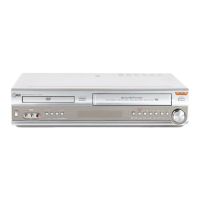
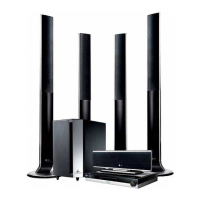
WIRELESS DVD
RECEIVER SYSTEM
MODEL: LH-W760IA
(Main Unit: LH-W760
Speakers: LHS-76IAS, LHS-76IAC,
LHS-76IAW, ACC96R,
ACC96T)
Before connecting up, operating or repairing this product,
please read this instruction booklet carefully and
completely.
LH-W7634IA_JA3GLLD_ENG
R
USB

Questions and Answers

  • M
    moraalisonAug 20, 2025
    Why is there no sound from my LG LH-W760IA Receiver, or only very low-level sound?
    • S
      Shelly BallAug 20, 2025
      If you're experiencing sound issues, make sure the equipment connected with the audio cable is set to receive DVD audio signal output. Ensure the audio cables are securely connected. Verify the connected equipment is powered on. If the audio connecting cable is damaged, replace it.
  • D
    Devin MitchellAug 22, 2025
    How to fix LG LH-W760IA Receiver remote control that is not working properly?
    • J
      John FosterAug 22, 2025
      If your remote isn't working, make sure to point it directly at the remote sensor on the LG DVD/CD Receiver and stay within 23 ft (7 m). Remove any obstacles between the remote and the receiver. If the batteries are flat, replace them.
  • M
    Mary OrtizAug 25, 2025
    How to fix LG Receiver remote control that is not working?
    • M
      Michelle Taylor MDAug 25, 2025
      If the remote control for your LG Receiver isn't working correctly, make sure: 1. You are pointing it at the remote sensor on the receiver. 2. You are within 23 ft (7 m) of the receiver. 3. There are no obstacles blocking the path between the remote and the receiver. 4. The batteries in the remote are not flat. If they are, replace them with new ones.
  • J
    James TurnerAug 26, 2025
    Why is there no sound from my LG LH-W760IA?
    • D
      David BooneAug 27, 2025
      If you're experiencing no sound or very low sound from your LG Receiver, verify that the equipment connected with the audio cable is set to receive the DVD audio signal output. Ensure the audio cables are securely connected to the jacks. Check that the equipment connected with the audio cable is turned on. If the issue persists, the audio connecting cable might be damaged and should be replaced.
  • S
    Shannon BallardAug 28, 2025
    Why is there no picture on my LG Receiver?
    • T
      Tina BerryAug 28, 2025
      There are several reasons why you might not see a picture. Ensure your TV is set to the correct video input mode to receive the DVD signal. Check that the video cable is securely connected to the jacks. Also, verify that your TV is turned on.
  • C
    Christina NguyenAug 30, 2025
    What to do if my LG DVD/CD Receiver does not start playback?
    • J
      Joseph EdwardsAug 30, 2025
      If your LG DVD/CD Receiver isn't playing, first ensure a playable disc is inserted correctly, with the playback side down and placed within the guide. Check the disc type, color system and regional code. Clean the disc if it's dirty. If a menu is on the screen, press the SETUP button to turn it off. Also, verify that the Rating level is not set, or change the rating level.
  • D
    Dale PughSep 1, 2025
    Why am I hearing a loud hum or noise from my LG LH-W760IA Receiver?
    • W
      wooddebraSep 1, 2025
      If you're hearing a loud hum or noise, clean the disc. Ensure the speakers and components are securely connected. Try moving your TV away from the audio components.
  • A
    Ann SotoSep 3, 2025
    Why can't I tune in radio stations on my LG LH-W760IA?
    • I
      Isaac MaddoxSep 3, 2025
      If you're having trouble tuning in radio stations, ensure the antenna is securely connected. If tuning with automatic tuning, try tuning in the station manually if the signal strength is weak. If tuning by scanning preset stations, preset the stations.
  • J
    Joshua TuckerSep 5, 2025
    How to fix the dim front panel display on my LG Receiver?
    • T
      tracy54Sep 5, 2025
      If the front panel display is too dim, press DIMMER on the remote control.
  • W
    wdavisSep 7, 2025
    What to do if there is no picture on my LG Receiver?
    • D
      Darren HillSep 7, 2025
      If there is no picture on your TV when using the LG Receiver, ensure that your TV is set to the correct video input mode to receive the DVD signal output. Also, check that the video cable is securely connected to the jacks. Finally, make sure your TV is powered on.

LG LH-W760IA Specifications

General IconGeneral
TypeHome Theater System
Channels5.1
USBYes
HDMIYes
Optical InputYes
FM TunerYes

Related product manuals