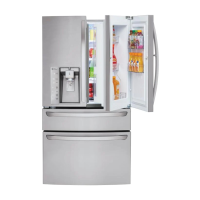
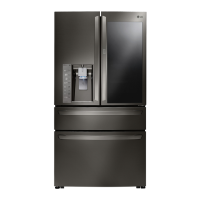
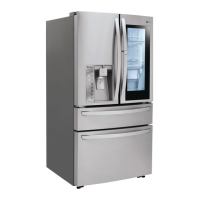
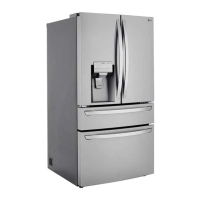
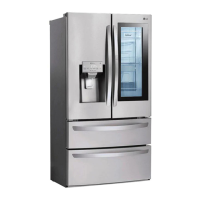
EasyManua.ls Logo

LG LMXS30776D - User Manual

LG LMXS30776D
61 pages
Print Icon
To Next Page IconTo Next Page
Loading...
OWNER’S MANUAL
FRENCH DOOR
REFRIGERATOR
Please read this owner's manual thoroughly before
operating and keep it handy for reference at all times.
LMXS30776*
www.lg.com
ENGLISH FRANÇAIS ESPAÑOL

Table of Contents

Questions and Answers

  • L
    Lisa MarshAug 18, 2025
    Why is my LG LMXS30776D not cooling?
    • J
      James RamirezAug 18, 2025
      Your LG Refrigerator might not be cooling because the control is set to OFF. Turn the control ON. Also, if your refrigerator was recently installed, it may take up to 24 hours for each compartment to reach the desired temperature. If the refrigerator was stored for a long period of time or moved on its side, it is necessary for the refrigerator to stand upright for 24 hours before connecting it to power. Finally, the refrigerator may be in the defrost cycle. Wait 30 minutes and confirm the proper temperature has been restored once the defrost cycle has completed.
  • P
    Peter Campbell DDSAug 20, 2025
    Why is my LG Refrigerator icemaker not making enough ice?
    • K
      Kristi KiddAug 20, 2025
      Several factors can cause your LG refrigerator's icemaker to not make enough ice. The icemaker will produce approximately 70~182 cubes in a 24 hour period. Connect the refrigerator to a cold water supply with adequate pressure and turn the water shutoff valve fully open. If the problem persists, it may be necessary to contact a plumber. It is recommended that you replace the water filter approximately every six months, when the water filter indicator turns on, when the water dispenser output decreases, or when the ice cubes are smaller than normal. Straighten or repair the water supply line and arrange it to prevent future kinks.
  • S
    sfrazierAug 23, 2025
    What to do if my LG Refrigerator or Freezer section is too warm?
    • A
      Ashley IngramAug 23, 2025
      If your LG Refrigerator or Freezer section is too warm, it may take up to 24 hours for each compartment to reach the desired temperature, especially if the refrigerator was recently installed. Make sure to rearrange items to allow air to flow throughout the compartment. To lessen the effect, reduce the frequency and duration of door openings. The refrigerator should not be operated in temperatures above 110°F. Allowing hot food to cool to room temperature before putting it in the refrigerator will reduce this effect. Wait 30 minutes and confirm the proper temperature has been restored once the defrost cycle has completed. If the temperature is too warm, adjust the control one increment at a time and wait for the temperature to stabilize.
  • L
    ltaylorAug 26, 2025
    Why is my LG LMXS30776D not dispensing water?
    • E
      Erin TorresAug 26, 2025
      If your LG Refrigerator is not dispensing water, dispense 2.5 gallons of water (flush for approximately 5 minutes) to remove trapped air and contaminants from the system, especially if it is a new installation or the water line was recently connected. Make sure that the control panel is set for the proper operation. Press the Water button on the control panel to dispense water. Water will not dispense if any of the refrigerator doors are left open. Straighten or repair the water supply line and arrange it to prevent future kinks.
  • E
    edwardsmatthewAug 28, 2025
    Why is my LG Refrigerator icemaker not making ice?
    • S
      Shawn HayesAug 28, 2025
      If your LG Refrigerator icemaker is not making ice, it may take up to 24 hours for each compartment to reach the desired temperature and for the icemaker to begin making ice, especially if the refrigerator was recently installed or the icemaker was recently connected. Locate the icemaker on/off switch and confirm that it is in the ON (I) position. Make sure that the sensor area is clean at all times for proper operation. Connect refrigerator to the water supply and turn the water shutoff valve fully open. If your icemaker is equipped with an ice shutoff arm, make sure that the arm moves freely.
  • S
    Stacy FordAug 30, 2025
    Why is my LG LMXS30776D Refrigerator not dispensing ice?
    • J
      Jesse SimsAug 31, 2025
      If your LG Refrigerator is not dispensing ice, ice will not dispense if any of the refrigerator doors are left open. Check the ice bin for ice cubes clumping/sticking together. If they are, break up the ice cubes to allow for proper operation. Eliminate the frost or ice fragments by removing the ice bin and clearing the chute with a plastic utensil. Press and hold the Lock button for three seconds to unlock the control panel and dispenser. Make sure that the shutoff (arm/sensor) is not obstructed.
  • H
    hbeltranSep 2, 2025
    Why does my LG LMXS30776D cooling system run so much?
    • J
      Jonathan SnyderSep 2, 2025
      There are several reasons why your LG Refrigerator's cooling system might be running too much. If your refrigerator is replacing an older model, modern refrigerators require more operating time but use less energy due to more efficient technology. If the refrigerator was recently plugged in or power restored, it will take up to 24 hours to cool completely. Make sure the doors are closed completely. Firmly push the doors shut. The refrigerator should not be operated above 110°F. Use a vacuum cleaner with an attachment to clean the condenser cover and vents. Do not remove the panel covering the condenser coil area. To conserve energy, try to get everything you need out of the refrigerator at once, keep food organized so it is easy to find, and close the door as soon as the food is removed.
  • A
    awatsonSep 4, 2025
    Why is there interior moisture buildup in my LG Refrigerator?
    • M
      Micheal HarveySep 4, 2025
      If you notice interior moisture buildup in your LG Refrigerator, reduce the frequency and duration of door openings. Maintaining a reasonable level of humidity in the home will help to control the amount of moisture that can enter the compartments. Wait 30 minutes and confirm that the proper temperature has been restored once the defrost cycle has been completed. Wipe all containers dry and store food in sealed packaging to prevent condensation and frost.
  • G
    Gary DavisSep 7, 2025
    Why does the ice from my LG LMXS30776D have a bad taste or odor?
    • M
      mariesparksSep 7, 2025
      If the ice from your LG Refrigerator has a bad taste or odor, a water filter may need to be installed to eliminate taste and odor problems. Discard the first few batches of ice to avoid discolored or bad tasting ice, especially if the icemaker was recently installed. Throw away old ice and make a new supply. Rewrap the food. Empty and wash the bin (discard old cubes). Make sure that the bin is completely dry before reinstalling it.
  • B
    bartonalexanderSep 9, 2025
    Why is food freezing in my LG Refrigerator compartment?
    • A
      Anna SpearsSep 9, 2025
      If food is freezing in your LG Refrigerator compartment, rearrange items with high water content away from air vents. If the temperature is too cold, adjust the control one increment at a time and wait for the temperature to stabilize. The refrigerator should not be operated in temperatures below 55°F (13°C).

Summary

PRODUCT FEATURES

FILTERED WATER AND ICE DISPENSER

Dispenses purified water and ice.

DOOR ALARM

Alerts when refrigerator or freezer door is left open for too long.

CUSTOMCHILL DRAWER

Variable temperature control compartment for storing meat, drinks, or snacks.

ICE PLUS

Increases ice production by approximately 20 percent.

IMPORTANT SAFETY INSTRUCTIONS

Power

Safety precautions related to the power cord and outlet.

Installation

Safety precautions for installing and relocating the refrigerator.

Use

Safety precautions for operating the refrigerator and preventing injury.

COMPONENTS

Refrigerator Exterior

Identifies and describes the external parts of the refrigerator.

Refrigerator Interior

Identifies and describes the internal components and features of the refrigerator.

INSTALLATION

Installation Overview

Provides a general overview of the installation process steps.

Specifications

Details the dimensions and net weight of the refrigerator.

Unpacking Your Refrigerator

Instructions and safety warnings for unpacking the refrigerator.

Choosing the Proper Location

Guidance on selecting an appropriate location for installation.

Flooring

Requirements for the floor surface and stability during installation.

Ambient Temperature

Recommended ambient temperature range for optimal refrigerator performance.

Measuring the Clearances

Specifies required clearances around the refrigerator for proper ventilation.

Removing;Assembling the Refrigerator Door Handles

Step-by-step guide to removing and attaching refrigerator door handles.

Removing;Assembling the Freezer Drawer Handle

Instructions for removing and attaching the freezer drawer handle.

Removing;Assembling the Doors and Drawers

Procedures for removing and reinstalling refrigerator doors and drawers.

Removing the Left Refrigerator Door

Detailed steps for safely removing the left refrigerator door.

Removing the Right Refrigerator Door

Detailed steps for safely removing the right refrigerator door.

Assembling the Right Refrigerator Door

Instructions for reattaching the right refrigerator door.

Assembling the Left Refrigerator Door

Instructions for reattaching the left refrigerator door.

Removing the CustomChill Drawer

Steps to safely remove the CustomChill™ Drawer.

Assembling the CustomChill Drawer

Steps to safely reassemble the CustomChill™ Drawer.

Removing the Freezer Drawer

Procedures for removing the main freezer drawer.

Assembling the Freezer Drawer

Procedures for reassembling the main freezer drawer.

Connecting the Water Line

Covers preliminary steps, water pressure, and required items for water line connection.

Water Line Installation Instructions

Step-by-step guide for installing the water line.

Turning On The Power

Instructions for connecting the refrigerator to power and safety precautions.

START THE ICEMAKER

How to turn on the icemaker after installation.

Leveling

Instructions for leveling the refrigerator for stability and proper door closure.

Door Alignment

Procedures for aligning the refrigerator doors for proper fit and function.

HOW TO USE

Before use

Initial setup steps and cleaning before using the refrigerator.

Control Panel Features

Overview of the refrigerator's control panel buttons and indicators.

Fresh Air Filter

Explanation of the Fresh Air Filter function and settings.

Change Filter

Instructions for replacing the air filter and resetting the indicator.

Ice Plus

How to use the Ice Plus function for increased ice production.

Light

Description of the dispenser light function.

Change Water Filter

Instructions for replacing the water filter and resetting the indicator.

Door Alarm

How the door alarm functions and how to activate/deactivate it.

Lock

How to lock and unlock the control panel buttons.

Power Saving Mode

Information about the refrigerator's power saving mode.

Display Mode (For Store Use Only)

Explanation of the display mode for retail store use.

Detaching the In-Door Ice Bin

Steps to remove the ice bin from the door.

Assembling the In-Door Ice Bin

Steps to reinstall the ice bin into the door.

Turning the Automatic Icemaker On or Off

How to turn the automatic icemaker on and off.

When You Should Turn the Icemaker Off

Situations when the icemaker should be turned off.

Normal Sounds You May Hear

Explanation of normal operating sounds of the icemaker.

Preparing for Vacation

Steps to take for the icemaker when preparing for a vacation.

Dispenser

How to use the water and ice dispenser.

Locking the Dispenser

How to lock and unlock the dispenser controls.

Cleaning the Dispenser Stand

Instructions for cleaning the dispenser stand.

Food Preservation Location

Guide to optimal storage locations for different food types within the refrigerator.

Storing Frozen Food

Guidance on how to properly store frozen food.

Packaging

Recommendations for packaging food for freezing to maintain quality.

GlideNAccess

Description of the Glide'N'Access™ sliding shelf feature.

EasyReach

Description of the EasyReach™ compartments for convenient storage.

GlideNAccess Crisper

How to remove and install the Glide'N'Access™ Crisper.

To Remove GlideNAccess

Steps to remove the Glide'N'Access™ shelf.

Door Bins

How to remove and replace door bins for cleaning.

Door-In-Door Compartment

How to access the Door-In-Door compartment.

Door-In-Door Case

How to open and remove the Door-In-Door case.

Door-In-Door Door Bins

How to remove and replace door bins within the Door-In-Door section.

Setting the Temperature

How to adjust the temperature settings for the CustomChill™ Drawer.

Control Lock

How to lock and unlock the control panel to prevent accidental changes.

Detaching the Shelf

Steps to remove refrigerator shelves.

Assembling the Shelf

Steps to reassemble refrigerator shelves.

Using the Folding Shelf

How to use the folding shelf feature for storing taller items.

MAINTENANCE

Cleaning

General instructions for cleaning the refrigerator's interior and exterior.

General Cleaning Tips

Tips for safe and effective cleaning of refrigerator parts.

Exterior

Specific cleaning and waxing instructions for the refrigerator's exterior.

Inside Walls (allow freezer to warm up so the cloth will not stick)

Method for cleaning interior walls and removing odors using baking soda.

Door Liners and Gaskets

Cleaning instructions for door liners and gaskets.

Plastic Parts (covers and panels)

Cleaning instructions for plastic parts like covers and panels.

Condenser Coils

How to clean the condenser coils for efficient operation.

Replacing the Fresh Air Filter

Instructions for replacing the fresh air filter.

Replacing the Water Filter

Instructions for replacing the water filter.

SAFETY INFORMATION

Critical safety warnings and precautions related to water filter installation and use.

SMART DIAGNOSIS

Using Smart Diagnosis

Step-by-step guide for using the Smart Diagnosis™ feature to troubleshoot issues.

TROUBLESHOOTING

Refrigerator and Freezer section are not cooling

Troubleshooting steps for when the refrigerator and freezer are not cooling properly.

Cooling System runs too much

Troubleshooting steps for when the cooling system operates excessively.

Refrigerator or Freezer section is too warm

Troubleshooting steps for when the refrigerator or freezer section is too warm.

Interior moisture buildup

Troubleshooting steps for excessive moisture buildup inside the refrigerator.

Food is freezing in the refrigerator compartment

Troubleshooting steps for food freezing in the refrigerator compartment.

Frost or ice crystal form on frozen food (outside of package)

Troubleshooting steps for frost or ice crystals forming on frozen food packaging.

Icemaker is not making enough ice

Troubleshooting steps for insufficient ice production.

Dispensing water slowly

Troubleshooting steps for slow water dispensing from the unit.

Not dispensing ice

Troubleshooting steps when the ice dispenser is not functioning.

Icemaker is not making ice

Further troubleshooting for insufficient ice production, including water supply issues.

Not dispensing water

Troubleshooting steps when the water dispenser is not functioning.

Ice has bad taste or odor

Troubleshooting steps for ice with bad taste or odor.

Dispensing warm water

Troubleshooting steps for dispensing warm water instead of cold.

Water has bad taste or odor

Troubleshooting steps for water with bad taste or odor.

Icemaker is making too much ice

Troubleshooting steps for excessive ice production.

Clicking

Explanation of normal clicking sounds during operation.

Rattling

Explanation of normal rattling sounds during operation.

Whooshing

Explanation of normal whooshing sounds during operation.

Gurgling

Explanation of normal gurgling sounds during operation.

Popping

Explanation of normal popping sounds during operation.

Sizzling

Explanation of normal sizzling sounds during operation.

Vibrating

Explanation of normal vibrating sounds during operation.

Dripping

Explanation of normal dripping sounds during operation.

Pulsating or High-Pitched Sound

Explanation of normal pulsating or high-pitched sounds during operation.

Doors will not close correctly or pop open

Troubleshooting steps for doors that do not close properly or pop open.

Doors are difficult to open

Troubleshooting steps for doors that are difficult to open.

Refrigerator wobbles or seems unstable

Troubleshooting steps for an unstable or wobbly refrigerator.

Lights do not work

Troubleshooting steps for when the interior lights are not working.

Refrigerator has an unusual odor

Troubleshooting steps for unusual odors within the refrigerator.

WARRANTY (USA)

WARRANTY (Canada)

LG LMXS30776D Specifications

General IconGeneral
BrandLG
ModelLMXS30776D
CategoryRefrigerator
LanguageEnglish

Related product manuals