– 41 –
7.2 Control
¤
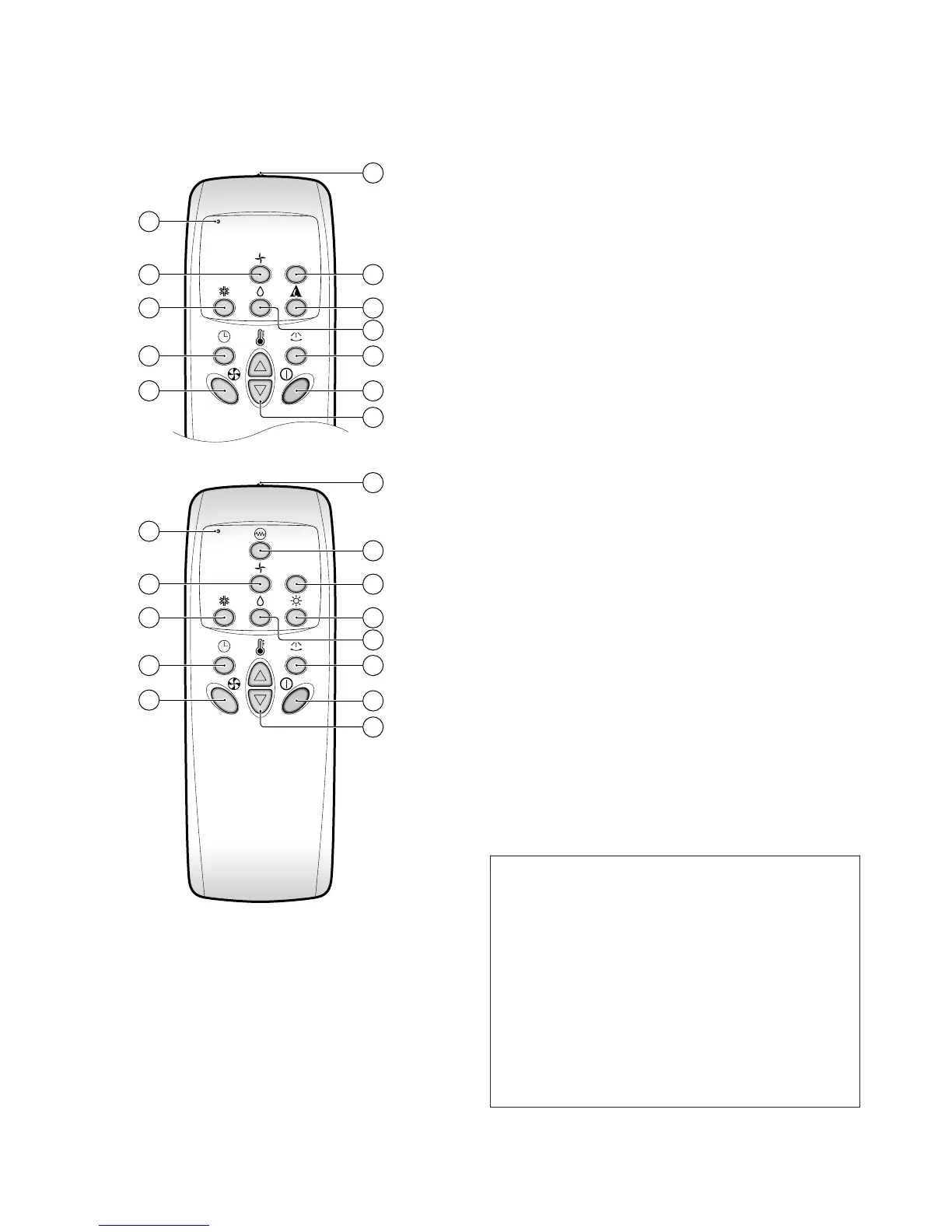
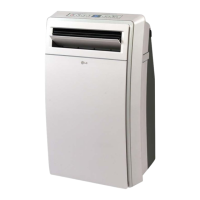
Signal Transmitter
• Transmits the signals to the package air conditioner
¤Ł
Operation Display of the Remote Control
¤Ø
Indoor Fan Speed Selection Button
• To select the desired fan speed in three steps [Low,
Med, High]
¤Œ
Cooling ON Button
¤º
Temperature Setting Buttons
¤
Power ON/OFF Button
• Operation will start when this button is pressed, and
stop when the button is pressed again.
¤
Timer Set Button
• Each time the button is pressed, the mode is changed
in the following process.
Timer set (1, 2, 3, 4, 5, 6, 7 hours)
If you select “0:00” the off Timer function will be can-
celled.
¤
Auto Airflow Direction Control Button
• The vertical louvers swing left and right.
• The horizontal louvers can be adjusted manually.
¤
Auto Mode Operation Button (Cooling Model Only)
¤
Plasma Air purifying Button (Option)
¤æ
Indoor Fan Operation Button
¤
Heating Button (Heat Pump Model)
¤
Electric Heater ON/OFF Button (Option)
¤
Soft Dry Operation Button
Wireless Remote Control Puts all functions at your fin-
gertips
Handling the remote control
• Aim at the signal receptor on the package air con-
ditioner when operating.
• The remote control signal can be received at a
distance of up to about 7meters.
• Be sure that there are no obstructions between
the remote controller and the signal receptor.
• Do not drop or throw the remote controller.
• Do not place the remote controller in a location
exposed to direct sunlight, or next to a heating
unit, or other heat source.



 To Next Page