EasyManua.ls Logo

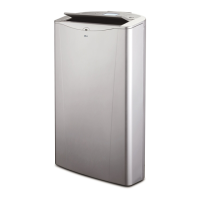
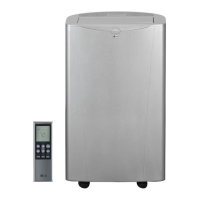
LG LP1419IVSM - User Manual

LG LP1419IVSM
31 pages
Print Icon
To Next Page IconTo Next Page
Loading...
www.lg.com
EN ENGLISH
*MFL70521405*
Copyright © 2018 - 2021 LG Electronics Inc. All Rights Reserved
MFL70521405
Rev.05_091421
AIR CONDITIONER
Read this owner’s manual thoroughly before operating the appliance
and keep it handy for reference at all times.
OWNER’S MANUAL
TYPE : PORTABLE AIR CONDITIONER (INVERTER)
LP1419IVSM
LP1022FVSM

Questions and Answers

  • W
    wgrahamAug 20, 2025
    How to troubleshoot LG Air Conditioner that does not start?
    • M
      Matthew KingAug 20, 2025
      If your LG Air Conditioner isn't starting, first ensure it's fully plugged into the outlet. Then, check your house's fuse or circuit breaker box and replace the fuse or reset the breaker if needed. If a power failure occurred, turn the mode control to off, and wait 3 minutes after power is restored before restarting to protect the compressor. Also, check the current interrupter device by pressing the RESET button on the power cord plug. If ‘FL’ appears in the display, it means the water collection tank is full; drain it and reset your settings.
  • C
    Connie RomeroAug 22, 2025
    What to do if my LG LP1419IVSM does not cool properly?
    • J
      justin40Aug 22, 2025
      If your LG Air Conditioner isn't cooling properly, make sure curtains, blinds, or furniture aren't blocking the front of the unit. Adjust the temperature to a setting lower than the current room temperature. If the unit was just turned on, allow time for the room to cool down. Check for escaping cold air around registers and cold air returns. Finally, if the cooling coils are iced up, refer to the section on 'Air conditioner freezing up'.
  • R
    Robert WestAug 25, 2025
    Why is my LG Air Conditioner making noise when cooling?
    • F
      frogersAug 25, 2025
      The noise you hear when your LG unit is cooling is normal air movement sound. If it's too loud, adjust the fan speed to low.
  • J
    Jessica VasquezAug 26, 2025
    Why won't my LG LP1419IVSM Air Conditioner turn on?
    • B
      Briana HayesAug 26, 2025
      If your LG Air Conditioner doesn't start, first, ensure it's fully plugged into the outlet. Then, check your house's fuse or circuit breaker and replace the fuse or reset the breaker if needed. If a power failure occurred, turn the mode control to off, and wait 3 minutes after power is restored before restarting to protect the compressor. Also, check the current interrupter device by pressing the RESET button on the power cord plug; discontinue use and consult a technician if it won't stay engaged. Finally, if 'FL' appears on the display, the water collection tank is full, so drain it and reset your settings.
  • J
    Jennifer LeAug 28, 2025
    What to do if my LG LP1419IVSM is not cooling enough?
    • M
      Megan FernandezAug 28, 2025
      If your LG Air Conditioner isn't cooling properly, make sure that curtains, blinds, or furniture are not blocking the front of the unit. Ensure the set temperature is lower than the current room temperature. Also, allow sufficient time for the room to cool down after the unit is turned on, and seal any registers and cold air returns to prevent cold air from escaping. Finally, check if the cooling coils have iced up; if so, refer to the section on 'Air conditioner freezing up'.
  • N
    Nathaniel AdkinsAug 30, 2025
    Why is my LG Air Conditioner freezing up?
    • H
      hayesmarilynAug 30, 2025
      If your LG Air Conditioner is freezing up, it means the cooling coils are iced over. To resolve this, ensure nothing is obstructing the air conditioner from properly cooling the room. Set the mode control to High Fan or High Cool.
  • J
    Jessica McconnellSep 1, 2025
    Why does water collect in the base pan of my LG LP1419IVSM?
    • M
      Michelle GomezSep 1, 2025
      This is normal if your LG Air Conditioner is collecting water in the base pan. It happens when moisture is removed from the air. It's normal for a short period in areas with little humidity and for a longer period in very humid areas.
  • J
    jonathan60Sep 3, 2025
    Why LG LP1419IVSM Air Conditioner is not connecting to the Wi-Fi?
    • A
      Alicia ChaneySep 3, 2025
      If your LG Air Conditioner is not connecting to Wi-Fi, try moving the router closer to the air conditioner. Alternatively, you can purchase and install a Wi-Fi repeater (signal booster). Also, ensure you are selecting the correct wireless router from the list and that the router is set to 2.4 GHz.
  • G
    Gary CruzSep 5, 2025
    Why is my LG LP1419IVSM making the room too cold?
    • L
      leemckenzieSep 5, 2025
      If the room is too cold when using your LG Air Conditioner, the set temperature is likely too low. Increase the set temperature to make the room more comfortable.
  • S
    Sharon GarciaSep 7, 2025
    Why I am having trouble connecting my LG LP1419IVSM and smartphone to Wi-Fi network?
    • C
      Cody LyonsSep 7, 2025
      If you are having trouble connecting your LG Air Conditioner and smartphone to a Wi-Fi network, ensure that you have entered the correct password for your Wi-Fi network. If you have not, delete your home Wi-Fi network and begin the registration process again. Also, turn off the Mobile data on your smartphone before registering the appliance. The wireless network name (SSID) should be a combination of English letters and numbers (without special characters). Only a 2.4 GHz router frequency is supported, so set the wireless router to 2.4 GHz. If the appliance is too far from the router, move the router closer or install a Wi-Fi repeater.

Summary

Safety Instructions

IMPORTANT SAFETY INSTRUCTIONS

Crucial safety guidelines for appliance operation.

Operation

GROUNDING INSTRUCTIONS

Essential safety measures for proper electrical grounding.

CAUTION

Important warnings to prevent minor injuries or product damage.

Product Overview

Key Parts and Components

Identification and description of the air conditioner's main parts.

Installation

Electrical Data

Power requirements and electrical safety specifications.

Before Installation the Air Conditioner

Preparatory steps and important notes before setup.

PREPARING FOR INSTALLATION

Details on included materials and required installation tools.

SELECTION OF INSTALLATION LOCATION

Guidelines for choosing the best placement for the unit.

WINDOW VENT PANEL AND EXTENSIONS

How to assemble and use window panels for ventilation.

INSTALLATION (VERTICAL)

Step-by-step guide for vertical window installation.

INSTALLATION (HORIZONTAL)

Step-by-step guide for horizontal window installation.

Smart Functions

LG ThinQ Application

Connecting the appliance to a smartphone for enhanced features.

Smart Diagnosis

Feature for diagnosing and solving appliance problems.

FCC Notice

FCC RF Radiation Exposure Statement

Information on RF radiation exposure compliance for the device.

Maintenance

Emptying the Water Collection Tank

Procedure for draining excess water from the collection tank.

Cleaning the Case

Guidelines for cleaning the exterior of the air conditioner.

Cleaning the Air Filter

Steps for cleaning the air filter to ensure optimal performance.

Troubleshooting

Before Calling for Service

Initial checks and common solutions before contacting support.

Normal Sounds You May Hear

Explanation of typical sounds produced during appliance operation.

Warranty

WHAT THIS WARRANTY COVERS

Details what defects and issues are included in the warranty coverage.

THIS LIMITED WARRANTY DOES NOT COVER

Lists exclusions and conditions not protected by the limited warranty.

Arbitration Notice

PROCEDURE FOR RESOLVING DISPUTES

Outlines the process for resolving disputes via binding arbitration.

Fees;Costs

Information regarding arbitration fees and associated costs.

Opt Out

Instructions on how to decline participation in the arbitration process.

LG LP1419IVSM Specifications

General IconGeneral
Typeportable
Operating Area Size500.5 square feet
Cooling Settings3
Seasonally Adjusted Cooling Capacity10000 british thermal units
Heaterno
Fan Speeds4
Fan Airflow Rate233.1 cubic feet per minute
Hosesingle
Remote Controlyes
Wireless Connectivitywi-fi
Timeryes
Sleeping Modeno

Videos

How to Connect Your LG LP1419IVSM Air Conditioner to Wi-Fi

Related product manuals