EasyManua.ls Logo

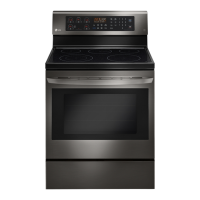
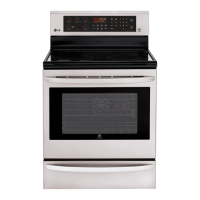
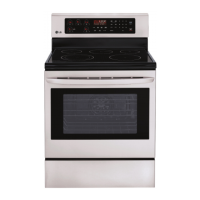
LG LREL6323 Series - User Manual

LG LREL6323 Series
117 pages
Print Icon
To Next Page IconTo Next Page
Loading...
Part No. MFL57206021
Product: Project:
Brand: Customer:
Trim Size (mm):
Printing Color:
Paper Type:
- Cover:
- Content:
Printing Method:
Bindery Type:
Language:
Number of Pages: 116
Number of Sheets: 57
This part should comply with the criteria of Level A-I, A-II restricted hazardous substances which
refers to LGE standard LG(10)-A-9023 and the hazardous substance management manual for the
suppliers.
Electronics Monterrey, México S.A. de C.V.
:ETAD12060275LFM :REBMUN TRAP
April 30th, 2021

Table of Contents

Other manuals for LG LREL6323 Series

Questions and Answers

  • H
    Heather LeeSep 23, 2025
    What to do if LG Ranges oven racks fit too tight?
    • B
      Brandy AllenSep 23, 2025
      If the oven racks fit too tightly, and they were cleaned in a self-clean cycle, apply a small amount of vegetable oil to a paper towel and wipe the edges of the oven racks. Do not use lubricant sprays. This issue may also be due to tolerance buildup in the oven liner.
  • A
    Ashley DavisAug 25, 2025
    What to do if my LG Ranges oven is excessively smoking during a self-clean cycle?
    • R
      Robert EdwardsAug 25, 2025
      If your LG Ranges oven is smoking excessively during a self-clean cycle, press the CLEAR/OFF pad. Open the windows to ventilate the room. Wait for the cycle to cancel, then wipe up any excess soil and reset the clean.
  • B
    billy76Aug 25, 2025
    Why is my LG Cookers clock and timer not working?
    • P
      pcastroAug 26, 2025
      If the clock and timer on your LG Cookers are not working, first verify that power is present at the unit. Also, check that the circuit breaker is not tripped and replace the household fuse, ensuring you do not exceed the fuse capacity. For further assistance, refer to the instructions in your Owner’s manual.
  • R
    rsmithAug 27, 2025
    Why does my LG Cookers convection fan make a noise?
    • M
      Mark MillerAug 27, 2025
      A convection fan in LG Cookers may automatically turn on and off, and a low level of noise is considered normal. However, if the noise is excessive, check for a loose nut on the convection fan and re-fasten it. A deformed convection fan can also cause noise, in which case you should replace the convection fan.
  • R
    rrobinsonAug 27, 2025
    How to fix LG LREL6323 oven when it does not bake?
    • A
      amandarandallAug 27, 2025
      If your LG Ranges oven isn't baking, verify all connections are clean and tight, and replace any broken wires. Test and, if necessary, replace the bake element. You may also need to replace the Main PCB or Relay PCB. Check the door switch and its contact point with the door.
  • F
    fromeroSep 15, 2025
    Why won't the electronic timer accept programming on my LG Cookers?
    • E
      ethomasSep 15, 2025
      If the electronic timer on your LG Cookers won't accept programming, it's likely due to a failed main PCB. In this case, replace the main PCB.
  • P
    pearsondanielSep 12, 2025
    Why does my new LG Cookers oven smell and smoke during first uses?
    • V
      vpageSep 12, 2025
      Minor smoking or odor is normal for the first few uses of your new LG Cookers oven. Ventilate the area well and perform a self-clean cycle to mitigate this.
  • A
    ajimenezSep 14, 2025
    What causes damaged oven door gasket on LG Cookers?
    • K
      kristin00Sep 14, 2025
      A damaged oven door gasket on your LG Cookers can be caused by improper self-cleaning. Avoid using harsh abrasives or scouring pads.
  • W
    whubbardSep 5, 2025
    What to do if my LG Cookers oven does not broil?
    • A
      Andrea LangSep 5, 2025
      If your LG Cookers oven isn't broiling, it could be due to loose or bad wiring. Make sure all connections are clean and tight, and replace any broken wires. Another potential cause is a defective BROIL element, which should be tested and possibly replaced. It can also be a defective main PCB or relay PCB, requiring replacement.
  • A
    Ariel CombsSep 2, 2025
    What to do if my LG Cookers oven does not bake?
    • M
      Mrs. Dana McdowellSep 2, 2025
      If your LG Cookers oven isn't baking, even when set to BAKE or TIMED BAKE, check for loose or bad wiring and ensure all connections are clean and tight, replacing any broken wires. It could also be a defective BAKE element, which would need testing and potential replacement. A defective electronic clock or a door switch sensing error could also be the cause. In the first case replace main PCB or relay PCB. In the second case test the door switch and check the contact point between the door and the door switch.

Summary

Owners Manual Description

Important Safety Instructions

Anti-Tip Device Safety

Instructions for securing the appliance to prevent tipping and related hazards.

Child Safety Precautions

Precautions for keeping children safe around the appliance during operation and cooling.

Glass-Ceramic Cooktop Safety

Safety warnings and precautions for the glass cooktop surface.

Safety During Use

Guidelines for safe operation of the appliance, including handling hot surfaces.

Safety When Cleaning

Precautions and procedures for cleaning the appliance safely.

Energy Saving Tips

Product Overview

Appliance Parts Identification

Identification of the appliance's main parts like controller, oven door, and cooktop.

Included and Optional Accessories

List of accessories included with the unit and those available for purchase.

Installation

Installation Overview and Requirements

General overview of the installation process and initial requirements.

Product Specifications

Technical details and dimensions of the appliance models.

Pre-Installation Steps and Tools

Preparatory steps and list of tools required before beginning the installation.

Unpacking, Moving, and Location

Instructions on how to safely unpack, move, and select a location for the appliance.

Anti-Tip Device and Leveling

Steps for installing the anti-tip device and leveling the appliance.

Electrical Connection

Procedures for safely connecting the appliance to the electrical supply.

Connecting the Power Cord and Conduit

Detailed steps for connecting the power cord or conduit to the appliance.

3-Wire Connection Procedures

Specific instructions for connecting a 3-wire power cord or conduit.

Engaging Anti-Tip Device and Test Run

How to ensure the anti-tip device is engaged and perform a test run.

Dimensions and Clearances

Operation

Control Panel Overview

Explanation of the appliance's control panel layout and buttons.

Secondary Function and Clock Settings

How to access secondary functions and set the clock.

Timer Functions

How to use the timer function for cooking alerts and timing.

Appliance Settings and Hour Mode

Accessing and adjusting various appliance settings and clock modes.

Convection Auto Conversion and Oven Temp Adjustment

Guide to converting temperatures for convection and adjusting oven temp.

Preheat Alarm, Beeper, and Temperature Scales

How to control preheat alarm, beeper volume, and temperature units.

Lockout Feature

How to activate and deactivate the control lockout feature.

Cook Time (Timed Cook)

Start Time and InstaView

How to set a delayed start for cooking and information on InstaView™.

InstaView Feature Details

Details and warnings for the InstaView™ internal oven light feature.

Using the Cooktop

Cooktop Areas and Elements

Identifying cooktop zones and instructions for operating heating elements.

Single, Dual, and Triple Element Operation

How to operate the single, dual, and triple element cooktop burners.

Warming Zone Operation

Instructions for using the cooktop's warming zone to keep food warm.

Using the Proper Cookware

Cookware Selection and Canning Tips

Recommendations for cookware and advice for home canning.

Using the Oven

Oven Operation Basics and Bake Function

Initial steps, oven vent info, rack usage, and how to use the bake function.

Baking and Convection Tips

General advice for baking and tips for using convection modes.

Recommended Baking and Roasting Guide

Rack and Pan Placement Guide

Visual guide for optimal rack and pan positioning in the oven.

Broil

Broiling Operation and Smoking

How to use the broil function and manage smoke.

Recommended Broiling Guide

Broiling Tips and Warm;Proof Functions

Warm;Keep Warm and Proof Functions

How to use the warm and proof functions for food.

Sabbath Mode

Favorite Settings and Wi-Fi Setup

How to use favorite settings and connect to Wi-Fi.

Smart Functions

LG ThinQ Application Overview

Overview of the LG ThinQ mobile application for appliance control.

Smart Diagnosis and App Features

Feature for diagnosing issues and other app functionalities.

LG ThinQ App Setup and Notices

Steps for setting up the app and important notices.

Diagnosing Issues with ThinQ and Audio

How to use the app for troubleshooting via ThinQ or audible diagnosis.

Maintenance

Cleaning the Glass-Ceramic Cooktop

Step-by-step guide for cleaning the glass-ceramic cooktop surface.

Cooktop Marks, Scratches, and EasyClean

How to deal with cooktop marks, scratches, and use EasyClean®.

EasyClean Instruction Guide

Detailed steps for performing the EasyClean® cleaning cycle.

Cleaning Tips and Self Clean Overview

General tips for oven cleaning and an overview of the Self Clean function.

Self Clean Preparation and Setup

Preparatory steps and instructions for setting up the self-clean cycle.

Self Clean with Delayed Start, During, and After

How to schedule, manage, and complete the self-clean cycle.

Changing the Oven Light

How to replace the oven light bulb.

Exterior Cleaning and Oven Door Care

How to clean exterior surfaces, oven door, and knobs.

Broiler Pan, Oven Racks, and Door Care

Cleaning instructions for broiler pan, oven racks, and door glass.

Door and Drawer Removal;Replacement

Procedures for removing and reinstalling oven doors and drawers.

Troubleshooting

FAQs About Appliance Operation

Frequently asked questions about cookware, temperature, and fan operation.

Cookware, Temperature, and Fan FAQs

Answers to common questions regarding cookware, oven temp, and fan noise.

Pre-Call Service Checks

Guidance on troubleshooting steps before contacting service personnel.

Troubleshooting Common Issues

Common causes and solutions for appliance malfunctions.

Troubleshooting Cooktop and Oven Performance

Solutions for issues related to cooktop and oven performance.

Troubleshooting Self Clean and Vent Issues

Solutions for problems with self-clean cycles and oven vents.

LG LREL6323 Series Specifications

General IconGeneral
BrandLG
ModelLREL6323 Series
CategoryRanges
LanguageEnglish

Related product manuals