EasyManua.ls Logo

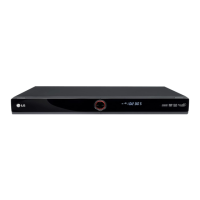
LG LRH-880 - User Manual

LG LRH-880
56 pages
Print Icon
To Next Page IconTo Next Page
Loading...
HDD/DVD
RECORDER
OWNER’S MANUAL
MODEL: LRH-880
Before connecting, operating or adjusting this product,
please read this instruction booklet carefully and completely.
RH265-MM_NA1CLLB_ENG_MFL36926588
http://www.LG.ca
Call us and we will
guide you through
your first recording,
for free.
1-888-542-2623
(LGCANADA)

Table of Contents

Questions and Answers

  • T
    Tracy HansenAug 12, 2025
    What to do if my LG LRH-880 remote control does not work properly?
    • J
      Jessica AndersonAug 13, 2025
      If the remote control is not working, ensure that it is pointed at the remote sensor on the recorder and that you are within 7 meters of the unit. Also, check for any obstacles between the remote and the recorder, and replace the batteries with new ones if they are exhausted.
  • K
    Katie LeeAug 16, 2025
    Why is there no sound from my LG LRH-880?
    • C
      Charles MatthewsAug 17, 2025
      If there is no sound, ensure that the equipment connected with the audio cable is set to receive the audio signal output by selecting the correct input mode on the audio receiver. Also, check that the audio cables are securely connected, the connected equipment is turned on, and the audio connecting cord is not damaged (replace if necessary).
  • R
    Ryan ArcherAug 20, 2025
    What to do if my LG LRH-880 does not start playback?
    • A
      Aaron GonzalezAug 20, 2025
      If the recorder does not start playback, first, insert a disc and ensure the disc indicator is lit. Check that the disc is playable (correct type, color system, and regional code) and placed with the playback side down, correctly on the disc tray guide. Also, ensure the disc is clean. Finally, cancel the Rating function or change the rating level if it is set.
  • N
    Nicholas BakerAug 25, 2025
    Why is there no picture on my LG DVD Recorder?
    • S
      Sarah JamesAug 25, 2025
      If there is no picture, make sure that the TV/DVD mode for the recorder is set to TV by pressing the TV/DVD button on the remote control. Verify that the TV is set to receive the recorder signal output by selecting the appropriate video input mode. Check that the video cable is securely connected and that the connected TV is turned on.
  • S
    Steven HaynesAug 27, 2025
    Why is timer recording not possible on my LG LRH-880?
    • C
      Christopher DavisAug 27, 2025
      If timer recording is not working, ensure that the clock in the recorder is set to the correct time. If the clock is set correctly, reprogram the timer. If the timer record indicator light does not appear after programming, try reprogramming the timer again.
  • D
    Destiny GonzalezAug 31, 2025
    How to fix poor playback picture on LG LRH-880 DVD Recorder?
    • C
      Cindy ShawAug 31, 2025
      If the playback picture is poor, the disc may be dirty. Clean the disc.
  • L
    luke29Sep 4, 2025
    What to do if my LG LRH-880 DVD Recorder has no power?
    • M
      Melanie LopezSep 4, 2025
      If there is no power, the power cord may be disconnected. Plug the power cord into the wall outlet securely.
  • R
    Reginald BernardSep 8, 2025
    Why are some channels skipped on my LG LRH-880?
    • B
      Bryan JenningsSep 8, 2025
      Those channels are not stored in the recorder.

LG LRH-880 Specifications

General IconGeneral
TypeDVD Recorder
Audio OutputDolby Digital, DTS
Remote ControlYes
Hard DriveNo
Recordable MediaDVD-RW, DVD+RW, DVD-R, DVD+R
Disc CompatibilityDVD-R, DVD-RW, DVD+R, DVD+RW, CD-R, CD-RW
Video Recording SystemMPEG2
Audio Recording SystemDolby Digital
Input PortsS-Video
Output PortsComposite, S-Video, SCART, HDMI

Related product manuals