EasyManua.ls Logo

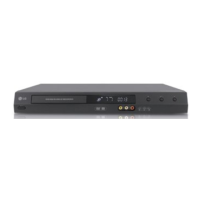
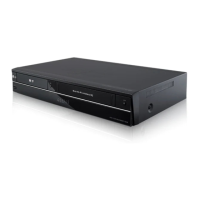
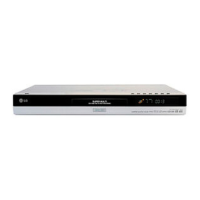
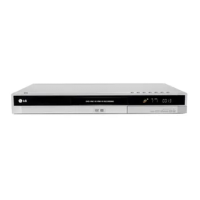
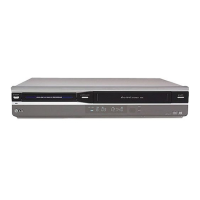
LG LRY-517 - User Manual

LG LRY-517
64 pages
Print Icon
To Next Page IconTo Next Page
Loading...
Before connecting, operating or adjusting this product, please
read this owners manual carefully and completely.
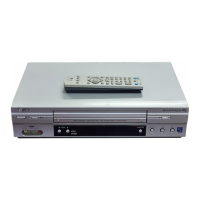
VCR & DVD
RECORDER
OWNER’S MANUAL
MODEL: LRY-517

Other manuals for LG LRY-517

Questions and Answers

  • E
    Edward MorganAug 14, 2025
    Why can't I copy a disc on my LG LRY-517 DVD Recorder?
    • L
      Linda HughesAug 14, 2025
      If you can't copy a disc with your LG DVD Recorder, it's likely because the DVD is copy protected. To resolve this, use a disc that is not copy protected.
  • S
    Sarah HurleyAug 17, 2025
    What to do if my LG DVD Recorder won't copy a tape?
    • A
      Autumn BowmanAug 17, 2025
      If you are unable to copy a tape using your LG DVD Recorder, it is probably because the VHS tape is copy protected. Use a tape that is not copy protected instead.
  • E
    Erika HarperAug 21, 2025
    Why is my LG LRY-517 DVD Recorder not completing recordings?
    • M
      Michele JacksonAug 21, 2025
      If your LG DVD Recorder isn't completing recordings successfully, the disc might be damaged. Inspect the disc for any damage and replace it if necessary.
  • L
    lorisanchezAug 25, 2025
    What to do if I see 'Confirmation is not possible' on my LG LRY-517 DVD Recorder with DVD-RW or DVD-R?
    • L
      lhannaAug 25, 2025
      The 'Confirmation is not possible' message on your LG DVD Recorder appears because there are already 49 titles recorded on the disc. To resolve this, remove some titles or use a new disc.
  • A
    Amy RiversAug 27, 2025
    What to do if I see 'Confirmation is not possible' on my LG LRY-517 DVD Recorder with DVD+RW or DVD+R?
    • E
      Eric MoraAug 27, 2025
      The 'Confirmation is not possible' message on your LG DVD Recorder appears because there are already 49 titles recorded on the disc. To resolve this, remove some titles or use a new disc.
  • S
    stevensjordanAug 30, 2025
    Why won't my LG DVD VCR Combo record when the timer is set?
    • C
      Christy JordanAug 30, 2025
      If your LG DVD VCR Combo won't record even with the timer set, it might be due to several reasons. First, ensure that a disc or tape is properly loaded. Second, verify that you are using a recordable disc or tape, and replace it if not. Third, check if 'Disc Protect' is turned on in the Disc menu and, if so, turn it off. Lastly, if the disc already contains 99 titles (for DVD-RW, DVD-R, DVD-RAM) or 49 titles (for DVD+RW, DVD+R(DL)), delete some titles to create space for new recordings.
  • E
    Eileen ReeseSep 3, 2025
    Why can't I set a timer program on my LG DVD VCR Combo?
    • S
      Stephanie MaciasSep 3, 2025
      If you're having trouble entering a timer program on your LG DVD VCR Combo, it could be because a recording is currently in progress. Stop the current recording before setting a new timer program. Alternatively, the time you are trying to set might have already passed, so select a future time. Finally, you may have reached the limit of 8 timer programs. Delete one or more existing programs to add a new one.
  • M
    Maurice BoyerSep 6, 2025
    What happens if timer programs overlap on my LG DVD VCR Combo?
    • S
      Sandra SmithSep 6, 2025
      When two or more timer programs overlap on your LG DVD VCR Combo, the earlier program takes priority. Be aware that the earlier program will record first. When the earlier program finishes, the later program starts. If two programs are set to start at exactly the same time, the program entered first takes priority. To avoid conflicts, enter timers with different start times.
  • J
    James VazquezSep 10, 2025
    What to do if recording fails on my LG DVD VCR Combo because the disc is damaged?
    • M
      Matthew OlsonSep 10, 2025
      If the disc is damaged, the recording may not complete successfully on your LG DVD VCR Combo. Replace the damaged disc.

Summary

Important Safety Instructions

Safety Precautions Overview

Read and observe all warnings and instructions for installation, use, and servicing.

Recordable and Playable Discs

Recordable Disc Types

Details on DVD-RW, DVD-R, DVD-RAM, DVD+RW, DVD+R formats and their capabilities.

Playable Discs

Playable Disc Formats

Lists and describes the types of discs playable on the unit: DVD, VCD, Audio CD, CD-R/CD-RW.

Regional Code Information

Explains DVD regional coding and compatibility for playback.

Front Panel Overview

Front Panel Buttons and Indicators

Detailed explanation of each button and display element on the front panel.

Remote Control Functions

Remote Control Button Operations

Detailed descriptions of the functions for each button on the remote control.

Rear Panel Connections

Rear Panel Input;Output Terminals

Identification and description of all input and output jacks on the rear panel.

Audio and Parental Control Settings

Parental Control (Movie Rating)

Setting movie ratings to restrict content access for children.

Recording Mode and Security Settings

Recording Mode Selection

Choosing recording quality modes for DVD, VCR, and DV.

Disc Management Functions

Disc Initialization and Finalization

Formatting blank discs and finalizing recorded discs for playback.

Playback Operations

VCR Tape Playback Functions

Instructions for basic playback, auto/manual tracking, search, and slow motion.

Playing DivX Movies and Memory Cards

Playing DivX Movie Files

Instructions for playing DivX movies from discs, including file compatibility.

Playing Audio CDs and MP3;WMA Discs

Audio CD and MP3;WMA Playback

Playing audio CDs and MP3/WMA files from discs or memory cards.

Programmed Playback and File Management

Programmed Playback Setup

Storing favorite tracks to create custom playback sequences.

Basic Recording Operations

Basic Recording from TV

Instructions for recording TV programs, selecting modes and audio channels.

Instant Timer Recording

Making easy recordings of a preset length without using the program timer.

Recording Time and Program Management

Timer Recording and Management

Setting up, checking, and canceling timer recordings.

Recording Troubleshooting and Dubbing

Timer Recording Troubleshooting

Resolving issues where timer recordings fail to start or confirm.

Dubbing from DVD to VCR

Copying content from a DVD to a VHS tape.

Dubbing and External Component Recording

Dubbing from VCR to DVD

Copying content from a VHS tape to a DVD±R or DVD±RW disc.

DV Recording and Related Messages

DV Input Troubleshooting and Messages

Interpreting DV-related messages and troubleshooting connection issues.

Editing Title and Chapter Lists

Using Title List-Original Menu

Building and editing original titles and chapters on the disc.

Playlist and Title List Editing

Using Title List-Playlist and Chapter List-Playlist Menus

Managing and editing titles and chapters within playlists.

Editing Title Lists (+RW;+R)

Using Title List Menu (+RW)

Managing titles, including playback, naming, deleting, and protecting.

Title and Chapter Editing Operations

Using Title List Menu (+R)

Managing titles on DVD+R discs, including playback and editing.

Playlist and Title Editing Functions

Making and Adding to Playlists

Creating new playlists and adding original titles or chapters.

Deleting Titles, Chapters, and Parts

Playlist and Title Protection

TV Control with Supplied Remote

Troubleshooting Guide

Common Operational Issues and Solutions

Troubleshooting common problems related to power, picture, and sound.

Playback and Recording Problem Resolution

Solutions for playback errors, remote control issues, and recording failures.

Resetting the VCR;DVD Recorder

Troubleshooting Recording and Playback

Resolving issues with weak signals, copy protection, and stereo playback.

Specifications

General and Recording Specifications

Technical details including power, dimensions, operating conditions, and recording formats.

VCR and DVD Specifications

Technical details for VCR and DVD playback, including audio and video formats.

Input and Output Terminal Specifications

DVD Specifications and Inputs

Technical details for DVD laser, frequency response, and input terminals.

LG LRY-517 Specifications

General IconGeneral
BrandLG
ModelLRY-517
CategoryDVD Recorder
LanguageEnglish

Related product manuals