EasyManua.ls Logo

LG LRA-850 - User Manual

LG LRA-850
94 pages
Print Icon
To Next Page IconTo Next Page
Loading...
DR275M_NA1CLL_ENG
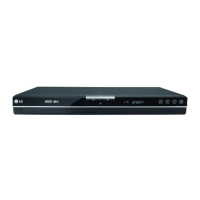
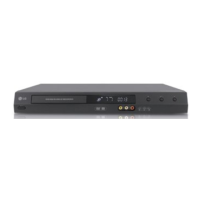
DVD RECORDER
OWNER’S MANUAL
MODEL: LRA-850
Before connecting, operating or adjusting this product,
please read this instruction booklet carefully and completely.
http://www.LG.ca
Call us and we will
guide you through
your first recording,
for free.
1-888-542-2623
(LGCANADA)

Table of Contents

Questions and Answers

  • B
    Brittany WhiteAug 16, 2025
    Why can't other players read discs from my LG LRA-850?
    • P
      Patrick GrantAug 16, 2025
      If a disc recorded on your LG DVD Recorder won't play on another player, it may be because the disc was recorded in Video mode. In this case, finalize the disc. If the disc was recorded in VR mode, the other player must be RW compatible to play it.
  • J
    Jay RobertsAug 19, 2025
    How to fix LG DVD Recorder remote control not working?
    • P
      Peter MontgomeryAug 19, 2025
      If the LG DVD Recorder remote isn't working, make sure you're pointing it directly at the recorder's remote sensor and that you are within 7 meters. Remove any obstacles between the remote and the recorder. If it still fails, replace the remote batteries with new ones.
  • G
    gravesmckenzieAug 22, 2025
    Why is there no picture on my LG LRA-850 DVD Recorder?
    • J
      Jeremy GomezAug 22, 2025
      If you're not getting a picture on your LG DVD Recorder, make sure your TV is set to the correct video input mode to receive the recorder's signal. Check that the video cable is securely connected. Also, ensure that your TV is powered on.
  • A
    Alison SantiagoAug 26, 2025
    Why is there no sound coming from my LG LRA-850?
    • M
      Megan PalmerAug 26, 2025
      If there is no sound from your LG DVD Recorder, ensure the equipment connected with the audio cable is set to receive audio signal output. Check that the audio cables are securely connected and that the connected equipment is turned on. If the issue persists, the audio connecting cord may be damaged and should be replaced.
  • K
    kayla13Aug 28, 2025
    How to troubleshoot no power on LG DVD Recorder?
    • O
      othorntonAug 28, 2025
      If your LG DVD Recorder has no power, ensure the power cord is securely plugged into the wall outlet.
  • A
    andreabrownAug 31, 2025
    What to do if LG LRA-850 DVD Recorder cannot record?
    • M
      Matthew MasseyAug 31, 2025
      If your LG DVD Recorder isn't recording, it could be due to several reasons. Ensure there's sufficient blank space on the disc, or try using another disc. The source you're attempting to record may be copy-protected, in which case, recording is not possible. If setting the recording channel, make sure to select the channel on the recorder’s built-in TV tuner. Also, if recording to a Video mode disc, copy-once protected programs cannot be recorded; use a VR mode formatted disc instead.
  • W
    whitney78Sep 3, 2025
    Why won't my LG LRA-850 start playing?
    • E
      Erica EdwardsSep 3, 2025
      If your LG DVD Recorder won't start playback, first ensure that a disc is inserted correctly with the playback side down and is placed correctly inside the guide. Make sure the disc is a playable type, considering the disc type, color system, and regional code. Clean the disc if it's dirty. Also, check if the Rating level is set and, if so, cancel the Rating function or change the rating level.
  • J
    Jessica HernandezSep 6, 2025
    How to fix LG LRA-850 DVD Recorder timer recording not working?
    • T
      Tony JonesSep 6, 2025
      If timer recording isn't working on your LG DVD Recorder: - Ensure the clock in the recorder is set to the correct time. - Reprogram the timer, making sure the settings are correct. - If the timer record indicator light doesn't appear after programming, try reprogramming the timer again.
  • D
    Dr. Eugene PeckSep 9, 2025
    Why is the broadcast signal weak on my LG LRA-850?
    • Z
      Zachary LiuSep 9, 2025
      If the picture or sound of a broadcasting channel on your LG DVD Recorder is weak or missing, check the antenna or cables. Tighten any loose connections or replace the cable.
  • W
    William MccartySep 12, 2025
    How to stop LG LRA-850 DVD Recorder from skipping channels?
    • D
      Dustin Franco DVMSep 12, 2025
      If some channels are skipped when using PR/CH (+/-) on your LG DVD Recorder, it's because those channels are not stored in the recorder. Use the Channel Edit feature to restore channels.

Summary

IMPORTANT SAFETY INSTRUCTIONS

Recordable and Playable Discs

DVD Disc Types and Formats

Details the characteristics and compatibility of DVD-R, DVD-RW, DVD+R, and DVD+RW discs.

Playable Discs

Supported Disc Formats

Lists all disc types (DVD, Audio CD, VCD, CD-R/RW) playable by the recorder.

Front Panel Overview

Hookup and Settings

Rear Panel Connections

Details all input and output terminals located on the rear of the recorder for hookup.

Connecting Antenna or Cable TV

Cable TV Connection

Instructions for connecting cable TV, with or without a converter box.

Connections to Your TV

Component Video Connection

Instructions for connecting the recorder to a TV using component video cables for high quality.

Connecting to an Amplifier

Digital Audio;Multi-channel Connection

Instructions for connecting digital audio outputs to amplifiers with multi-channel decoders.

Auto Set Up Wizard

Initial Setup Procedure

Step-by-step guide for the initial setup wizard to configure language, channels, and time.

Initial Settings

Audio Settings

Digital Audio Output Formats (Dolby;DTS;MPEG)

Setting the digital audio output format (Bitstream or PCM) for connected audio systems.

Parental Control Settings

Disc Rating System

Blocks playback of rated DVDs based on content, requiring a security code.

Recording Settings

Recording Quality Modes (Rec Mode Set)

Options to select recording quality (XP, SP, LP, EP, MLP) affecting picture quality and disc space.

Disc Settings

Disc Initialization

Process for initializing blank discs (DVD-R, DVD-RW, DVD+RW) before recording.

Disc Management Options

Disc Finalization Process

Steps to finalize discs, making them playable on most DVD players and computers.

Playback Operations

General Playback Controls

Basic operations like PLAY, STOP, PAUSE/STEP, OPEN/CLOSE for disc playback.

Playing DivX Movie Files

DivX File Playback Procedure

Steps to play DivX movie files, including navigating the movie list and using playback functions.

DivX File Format Requirements

Specifications for DivX file extensions, resolution, codec, audio, and file structure.

Playing Audio CDs and MP3;WMA Files

Audio CD;MP3;WMA Playback

How to play Audio CDs and MP3/WMA files, including navigating music lists.

MP3;WMA File Format Requirements

Specifications for MP3/WMA file extensions, sampling frequency, bit rate, and format.

Viewing JPEG Image Files

JPEG File Playback Procedure

Steps to view JPEG image files, including navigating photo lists and full-screen display.

JPEG File Format Requirements

Specifications for JPEG file extensions, size, compression, and media format.

Viewing Slide Shows

Starting and Controlling Slide Shows

How to start, set speed, and control slide shows of JPEG images.

DVD Recording Basics

Recording Time and Picture Quality Modes

Details on recording modes (XP, SP, LP, EP, MLP) affecting quality and time available on disc.

Recording Restrictions and Copyright

Copy Protection and CPRM

Information on copy-once protection, CPRM compatibility, and recording copy-protected programs.

Copyright Guidelines

Legal advice and warnings regarding the lawful use of recording equipment and copyright materials.

Basic TV Recording

Recording TV Programs

Step-by-step instructions for recording TV programs directly from the tuner.

Instant Timer Recording

Setting Instant Timer Recordings

How to make recordings for a preset duration without using the program timer.

Timer Recording Setup

Programming Timer Recordings

Setting up programs for unattended recording by specifying channel, date, and time.

Timer Recording Management

Checking and Canceling Timer Recordings

How to verify programmed timer recordings and cancel them before they start.

Troubleshooting Timer Recording

Common reasons why timer recordings may fail and how to resolve them.

Recording from External Input

Connecting External Components

Instructions for connecting external devices like camcorders or VCRs for recording.

Editing Video Content

Title;Chapter List Menu Overview

Introduction to the editing interface for managing titles and chapters on discs.

VR Mode Editing: Original vs. Playlist

Editing Titles, Chapters, and Parts

How to add, delete, or modify titles, chapters, and parts within VR mode discs.

Playlist Creation and Management

Deleting Titles, Chapters, and Parts

Editing Title Structure

Reference Information

Troubleshooting Common Issues

Power, Picture, and Sound Problems

Troubleshooting steps for issues related to power, picture display, and audio output.

Playback and Input Signal Issues

Solutions for problems like poor picture quality, playback errors, distorted input, and weak signals.

Advanced Troubleshooting and Reset

Disc Playback and Recording Issues

Troubleshooting for discs not playing on other players or recording failures.

Timer and Remote Control Issues

Solutions for timer recording failures and remote control malfunctions.

Resetting the Recorder

Procedures for resetting the unit to factory defaults to resolve operational problems.

Technical Specifications

LG LRA-850 Specifications

General IconGeneral
TypeDVD Recorder
ModelLRA-850
Video Recording FormatMPEG2
Audio Recording FormatDolby Digital
Video ModesXP, SP, LP, EP, MLP
Output Resolution480p
Disc CompatibilityDVD-R, DVD-RW, DVD+R, DVD+RW
InputsComposite video, S-Video
OutputsComposite, Component
Weight3.6 kg

Related product manuals