EasyManua.ls Logo

LG DR165 - User Manual

LG DR165
49 pages
Print Icon
To Next Page IconTo Next Page
Loading...
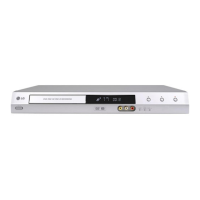
DVD RECORDER
OWNER’S MANUAL
MODEL: DR165
Before connecting, operating or adjusting this product,
please read this instruction booklet carefully and completely.
DR165W_HA2ILL_ENG

Table of Contents

Other manuals for LG DR165

Questions and Answers

  • A
    Alicia GoodmanAug 19, 2025
    Why is there no sound from my LG DR165 DVD Recorder?
    • L
      Luis WhiteAug 19, 2025
      If you're not getting any sound, first check that the equipment connected with the audio cable is set to receive audio signal output by selecting the correct input mode on the audio receiver. Also, make sure the audio cables are securely connected and that the connected equipment is powered on. If the issue persists, the audio connecting cord may be damaged; consider replacing it.
  • R
    Rachael NewtonAug 21, 2025
    Why does the remote control for my LG DR165 not work?
    • J
      jessica36Aug 21, 2025
      If the remote isn't working, ensure it's pointed at the remote sensor on the recorder and that you are within 7 meters. Also, check for any obstacles between the remote and the recorder. If it still doesn't work, replace the batteries with new ones.
  • O
    oblackAug 23, 2025
    Why is there no picture on my LG DVD Recorder?
    • D
      David FowlerAug 23, 2025
      There are several reasons why you might not see a picture. First, ensure your TV is set to the correct video input mode to receive the signal from the recorder. Second, check that the video cable is securely connected. Finally, verify that your TV is turned on.
  • C
    Cindy WallaceAug 26, 2025
    What to do if my LG DR165 DVD Recorder has no power?
    • B
      Brenda JohnsonAug 26, 2025
      If your device has no power, the power cord might be disconnected. Make sure to plug the power cord securely into the wall outlet.
  • P
    Patrick PrestonAug 28, 2025
    What to do if my LG DR165 does not start playback?
    • S
      Steven GarciaAug 28, 2025
      If the recorder doesn't start playback, make sure a disc is inserted and that the disc indicator in the display window is lit. Ensure that you are using a playable disc, checking its type, color system, and regional code. Also, verify the disc is placed correctly with the playback side down on the disc tray guide. Clean the disc if it is dirty. Lastly, check if the Rating level is set and, if so, cancel the Rating function or change the rating level.
  • E
    Elizabeth RyanAug 30, 2025
    Why can't I record with my LG DR165 DVD Recorder or did not record successfully?
    • C
      Cynthia FletcherAug 30, 2025
      There are several reasons that could prevent recording. The disc may not have enough blank space, so try using another disc. The source you're trying to record might be copy protected, meaning you cannot record it. If you're setting the recording channel, ensure the channel is tuned on the recorder’s built-in TV tuner, not the TV's tuner. Also, when recording to a Video mode disc, copy-once material cannot be recorded; use a VR mode formatted disc instead.
  • A
    Alexander RogersSep 2, 2025
    Why is timer recording not possible on my LG DR165 DVD Recorder?
    • C
      Chad LloydSep 2, 2025
      Timer recording may not work if the clock in the recorder is not set to the correct time. Also, the timer may have been programmed incorrectly, so reprogram the Timer. If the timer record indicator light does not appear after programming, try to reprogram the Timer.
  • D
    Daniel HardingSep 4, 2025
    Why is the playback picture poor on my LG DVD Recorder?
    • D
      David FrySep 4, 2025
      If the playback picture quality is poor, the disc may be dirty. Try cleaning the disc.
  • C
    Curtis MillerSep 6, 2025
    Why is the picture from the external recorder distorted on my LG DR165?
    • M
      Mr. Jeff SmithSep 6, 2025
      If the picture from an external recorder is distorted, it may be because the video signal from the external component is copy-protected. Try connecting the component directly to your TV.
  • T
    Tracy HendersonSep 9, 2025
    Why are some channels skipped over when using PR/CH (+/-) on my LG DVD Recorder?
    • C
      cody17Sep 9, 2025
      Those channels are not stored in the recorder.

Summary

Hookup and Settings

Rear Panel Connections

Illustrates and describes all input and output jacks on the recorder's rear panel for connectivity.

Connecting to Your TV

Details various TV connection methods including Video, S-Video, and Component Video for optimal picture quality.

Initial Setup and Home Menu Navigation

Guides through initial setup wizards, language selection, clock setting, and Home Menu operations for accessing functions.

Audio Settings and Parental Controls

Details audio output configurations and how to set up parental controls, including rating, password, and area code.

Parental Control and Recording Modes

Covers setting passwords, area codes for parental control, and selecting recording modes (XP, SP, LP, EP).

Playback

General Playback Features and Controls

Covers basic playback operations like play, pause, stop, skip, scan, and zoom for various disc types.

Playing DivX Movie Files

Guides on how to play DivX movie files, including requirements and subtitle display settings.

Playing Audio CDs and MP3;WMA Files

Explains how to play audio CDs and MP3/WMA files, including file requirements and random playback.

Viewing JPEG Files and Slideshows

Details how to view JPEG files, including full screen display, slideshows, skipping, and rotating images.

Recording

DVD Recording Basics and Disc Formats

Provides essential notes on DVD recording, disc types, recording modes (VR, Video), and their implications.

Copy Restrictions and Copyright Laws

Discusses restrictions on recording copy-once protected material and copyright considerations for users.

Editing

Reference

Troubleshooting Common Issues

Offers solutions for common problems like no power, no picture, no sound, and playback errors.

Troubleshooting Playback and Recorder Reset

Provides solutions for disc playback/recording issues, timer errors, and instructions for resetting the recorder.

LG DR165 Specifications

General IconGeneral
TypeDVD Recorder
Recording FormatDVD-R, DVD-RW, DVD+R, DVD+RW
Video OutputComposite, S-Video, Component
Remote ControlYes
Video Recording SystemMPEG-2
Audio Recording SystemDolby Digital
Playback FormatsDVD-Video, DVD-R, DVD-RW, CD-R, CD-RW
Audio OutputDigital Optical
ConnectionsComposite, S-Video, Component, Stereo RCA, Digital Optical
Recording TimeUp to 6 hours (depending on recording mode)
Video ModesSP, LP, EP
Disc CompatibilityDVD-R, DVD-RW, CD-R, CD-RW

Related product manuals