EasyManua.ls Logo

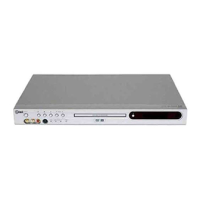
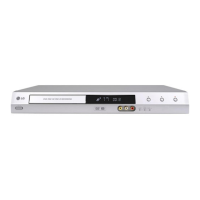
LG DR165 - User Manual

LG DR165
49 pages
Print Icon
To Next Page IconTo Next Page
Loading...
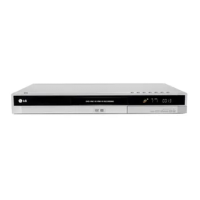
DVD RECORDER
OWNER’S MANUAL
MODEL: DR165
Before connecting, operating or adjusting this product,
please read this instruction booklet carefully and completely.
DR165W_HA2ILL_ENG

Table of Contents

Other manuals for LG DR165

Questions and Answers

  • G
    Gary LeblancSep 12, 2025
    Why is the picture or sound of broadcasting channel weak or missing on my LG DR165?
    • D
      darius94Sep 12, 2025
      If the picture or sound of a broadcasting channel is weak or missing, the aerial or cables may be loose. Try tightening the connections or replacing the cable.
  • G
    Gerald SalazarSep 13, 2025
    Why is the camcorder image not shown on my LG DVD Recorder?
    • L
      Leah MartinezSep 13, 2025
      If the camcorder image is not shown, ensure the camcorder is turned on and operating properly. Also, check that the recorder’s source is correctly selected using AV/INPUT to choose the appropriate input channel (AV1, AV2, DV, etc.).
  • J
    Jeffrey FritzSep 15, 2025
    Why can't I play a disc recorded using this LG DR165 on another player?
    • P
      pruittkarenSep 15, 2025
      If you cannot play a disc recorded on this recorder on another player, it might be because the disc was recorded in Video mode. Alternatively, if the disc was recorded in VR mode, the other player must be RW compatible to play it.

Summary

Hookup and Settings

Rear Panel Connections

Illustrates and describes all input and output jacks on the recorder's rear panel for connectivity.

Connecting to Your TV

Details various TV connection methods including Video, S-Video, and Component Video for optimal picture quality.

Initial Setup and Home Menu Navigation

Guides through initial setup wizards, language selection, clock setting, and Home Menu operations for accessing functions.

Audio Settings and Parental Controls

Details audio output configurations and how to set up parental controls, including rating, password, and area code.

Parental Control and Recording Modes

Covers setting passwords, area codes for parental control, and selecting recording modes (XP, SP, LP, EP).

Playback

General Playback Features and Controls

Covers basic playback operations like play, pause, stop, skip, scan, and zoom for various disc types.

Playing DivX Movie Files

Guides on how to play DivX movie files, including requirements and subtitle display settings.

Playing Audio CDs and MP3;WMA Files

Explains how to play audio CDs and MP3/WMA files, including file requirements and random playback.

Viewing JPEG Files and Slideshows

Details how to view JPEG files, including full screen display, slideshows, skipping, and rotating images.

Recording

DVD Recording Basics and Disc Formats

Provides essential notes on DVD recording, disc types, recording modes (VR, Video), and their implications.

Copy Restrictions and Copyright Laws

Discusses restrictions on recording copy-once protected material and copyright considerations for users.

Editing

Reference

Troubleshooting Common Issues

Offers solutions for common problems like no power, no picture, no sound, and playback errors.

Troubleshooting Playback and Recorder Reset

Provides solutions for disc playback/recording issues, timer errors, and instructions for resetting the recorder.

LG DR165 Specifications

General IconGeneral
TypeDVD Recorder
Recording FormatDVD-R, DVD-RW, DVD+R, DVD+RW
Video OutputComposite, S-Video, Component
Remote ControlYes
Video Recording SystemMPEG-2
Audio Recording SystemDolby Digital
Playback FormatsDVD-Video, DVD-R, DVD-RW, CD-R, CD-RW
Audio OutputDigital Optical
ConnectionsComposite, S-Video, Component, Stereo RCA, Digital Optical
Recording TimeUp to 6 hours (depending on recording mode)
Video ModesSP, LP, EP
Disc CompatibilityDVD-R, DVD-RW, CD-R, CD-RW

Related product manuals