EasyManua.ls Logo

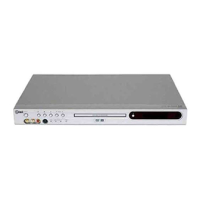
LG DR7400 - User Manual

LG DR7400
48 pages
Print Icon
To Next Page IconTo Next Page
Loading...
DVD RECORDER
OWNER’S MANUAL
MODEL : DR7400
Before connecting, operating or adjusting this product,
please read this instruction booklet carefully and completely.
DR7400NSM _HA7BLL_ENG

Table of Contents

Questions and Answers

  • H
    Hunter HurleyAug 18, 2025
    How to troubleshoot no sound on LG DR7400?
    • K
      Kaitlin Butler MDAug 18, 2025
      If there is no sound from your LG DVD Recorder, consider the following: * Ensure that the equipment connected with the audio cable is set to receive audio signal output. * Check that the audio cables are securely connected. * Verify that the power of the equipment connected with the audio cable is turned on. * If the audio connecting cord is damaged, replace it with a new one.
  • B
    Brandy BushAug 20, 2025
    Why is there no stereo sound from my LG DR7400?
    • G
      greerannetteAug 21, 2025
      If you're not getting stereo sound from your LG DVD Recorder, it could be due to several reasons: * The TV may not be Stereo-compatible. * The broadcast program may not be in stereo format. * The recorder A/V Out jacks may not be connected to TV A/V In jacks; make A/V connections. * The recorder's TV audio channel may be set to mono; set the TV audio channel mode to Stereo.
  • T
    tgibsonAug 23, 2025
    How to fix no power on my LG DR7400?
    • J
      Jessica MooreAug 23, 2025
      If your LG DVD Recorder has no power, the power cord might be disconnected. Ensure that the power cord is securely plugged into the wall outlet.
  • N
    Nicole WilsonAug 26, 2025
    What to do if the LG DR7400 DVD Recorder remote control is not working?
    • L
      Lindsey ThomasAug 26, 2025
      If the remote control for your LG DVD Recorder isn't working properly, try these steps: * Point the remote control at the remote sensor of the recorder. * Make sure you are within 7 meters of the recorder. * Remove any obstacles between the remote control and the recorder. * Replace the batteries in the remote control with new ones.
  • S
    Shawn JohnstonAug 27, 2025
    Why is there no picture on my LG DR7400?
    • J
      Jill AllenAug 27, 2025
      If you're not getting a picture from your LG DVD Recorder, here are a few things to check: 1. Ensure that your TV is set to the correct video input mode to receive the signal from the recorder. 2. Verify that the video cable is securely connected. 3. Make sure the connected TV is turned on.
  • J
    Jenna HarrisAug 30, 2025
    What to do if LG DR7400 cannot record?
    • S
      schroederericAug 30, 2025
      If your LG DVD Recorder cannot record, it could be due to the following reasons: * The remaining blank space on the disc is insufficient; try using another disc. * The source you are trying to record is copy protected; you cannot record the source. * When setting the recording channel, ensure the channel is selected on the recorder’s built-in TV tuner.
  • H
    hwhiteSep 1, 2025
    Why won't my LG DR7400 DVD Recorder start playback?
    • J
      Julie JohnsonSep 1, 2025
      If your LG DVD Recorder isn't starting playback, here are some possible reasons: * No disc is inserted; insert a disc and check that the disc indicator in the display window is lit. * An unplayable disc is inserted; insert a playable disc and check the disc type, color system, and regional code. * The disc is placed upside down; place the disc with the playback side down. * The disc is not placed within the guide correctly inside the guide; place the disc on the disc tray guide. * The disc is dirty; clean the disc. * The Rating level is set; cancel the Rating function or change the rating level.
  • J
    jennifercarlsonSep 3, 2025
    Why is timer recording not possible on my LG DVD Recorder?
    • V
      Vanessa DanielSep 4, 2025
      Timer recording may not be possible on your LG DVD Recorder if the clock in the recorder is not set to the correct time. Set the clock to the correct time. Also, the timer may have been programmed incorrectly, so reprogram the Timer.
  • W
    William EvansSep 5, 2025
    How to improve poor playback picture on LG DR7400?
    • T
      Theresa HoffmanSep 6, 2025
      If the playback picture on your LG DVD Recorder is poor, the disc may be dirty. Clean the disc to resolve this issue.
  • T
    Timothy GaySep 8, 2025
    Why is the picture or sound weak on my LG DVD Recorder?
    • M
      Mary HughesSep 8, 2025
      If the picture or sound of a broadcasting channel is weak or missing on your LG DVD Recorder, the aerial or cables may be loose. Tighten the connections or replace the cable.

LG DR7400 Specifications

General IconGeneral
BrandLG
ModelDR7400
CategoryDVD Recorder
LanguageEnglish

Related product manuals