EasyManua.ls Logo

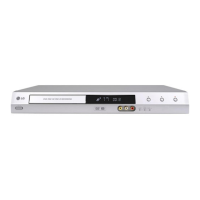
LG DR788 - User Manual

LG DR788
151 pages
Print Icon
To Next Page IconTo Next Page
Loading...
DVD êÖäéêÑÖê
ßçëíêìäñßü á
ÖäëèãìÄíÄñß∫
åéÑÖãú: DR788 / DR799
DRK789
èÂ¯ Ì¥Ê ‚ÏË͇ÚË, ‚ËÍÓËÒÚÓ‚Û‚‡ÚË ˜Ë ̇ÒÚÓ˛‚‡ÚË ˆÂÈ ÔËÒÚ¥È,
·Û‰¸ ·Ò͇, Û‚‡ÊÌÓ ÔÓ˜ËÚ‡ÈÚ ˆ˛ ¥ÌÒÚÛ͈¥˛.
DR289/99H-P2_HA8UKLS_Ukr
ßÌÚÂÌÂÚ ‡‰ÂÒ‡: http://ua.lge.com
ßÌÙÓχˆ¥È̇ ÒÎÛÊ·‡ LG: (380-44) 490-7777
ÅÂÁÍÓ¯Úӂ̇ ¥ÌÙÓχˆ¥È̇ Υ̥fl: 8-800-303-0000

Table of Contents

Questions and Answers

  • R
    Robert ClarkAug 19, 2025
    Why is there no sound coming from my LG DR788?
    • V
      vandersonAug 19, 2025
      If your LG DVD recorder isn't producing any sound, here are a few things to check: * The equipment connected to the audio cable may not be set to receive the audio signal. Select the correct input mode on the audio receiver. * The audio cables may not be securely connected. Ensure the audio cables are properly connected. * The equipment connected to the audio cable may be turned off. Turn on the equipment. * The audio connecting cord may be damaged. Replace it with a new one.
  • R
    Ryan MorrisAug 21, 2025
    How to fix LG DR788 DVD Recorder remote control not working?
    • J
      Jordan WatsonAug 21, 2025
      If your LG DVD Recorder's remote control isn't working correctly, consider the following: * Make sure the remote is pointed directly at the remote sensor on the recorder. * Ensure you are within 7 meters of the recorder. * Remove any obstacles between the remote and the recorder. * The batteries in the remote may be dead. Replace them with new ones.
  • K
    Kenneth PerezAug 23, 2025
    What to do if my LG DVD Recorder does not start playback?
    • C
      Christopher GarnerAug 23, 2025
      If your LG DVD Recorder is not starting playback, here are some possible reasons: * No disc is inserted. Insert a disc, and check if the disc indicator in the display window is lit. * The inserted disc is unplayable. Insert a playable disc, ensuring you check the disc type, color system, and regional code. * The disc is placed upside down. Place the disc with the playback side down. * The disc is not placed correctly inside the guide. Place the disc on the disc tray guide. * The disc is dirty. Clean the disc. * The Rating level is set. Cancel the Rating function or change the rating level.
  • C
    Carrie DoyleAug 26, 2025
    How to troubleshoot no power on LG DR788?
    • D
      Dawn MunozAug 26, 2025
      If your LG DVD Recorder has no power, it might be due to the power cord being disconnected. Ensure the power cord is securely plugged into the wall outlet.
  • J
    John BowenAug 28, 2025
    Why is there no picture on my LG DVD Recorder?
    • R
      Ryan DavisAug 28, 2025
      If your LG DVD Recorder isn't displaying a picture, there could be several reasons: * The recorder might be in TV/DVD mode. Press the TV/DVD button on the remote to switch it to TV mode. * The TV might not be set to receive the recorder's signal. Select the correct video input mode on your TV. * The video cable might not be securely connected. Ensure the video cable is properly connected. * The TV might be turned off. Make sure your TV is powered on.
  • P
    Pamela PadillaAug 30, 2025
    Why can't I record on my LG DR788?
    • K
      kevin62Aug 30, 2025
      If your LG DVD recorder won't record or didn't record successfully, here's what could be happening: * There might not be enough free space on the disc. Try using another disc. * The source you're trying to record might be copy-protected. You cannot record copy-protected sources. * The channel might be tuned on the TV's own tuner instead of the recorder's. Select the channel on the recorder’s built-in TV tuner. * If recording to a Video mode disc, copy-once material cannot be recorded. Use a VR mode formatted disc for copy-once material.
  • M
    Martin DaltonSep 1, 2025
    Why can't I play LG DR788 DVD Recorder discs on other players?
    • L
      logandanielSep 1, 2025
      If you can't play a disc recorded on your LG DVD recorder on another player, it could be due to: * The disc being recorded in Video mode. Finalize the disc. * The disc being recorded in VR mode. The other player must be RW compatible.
  • R
    Renee FosterSep 4, 2025
    Why is timer recording not working on my LG DVD Recorder?
    • T
      Timothy WilliamsSep 4, 2025
      If the timer recording isn't working on your LG DVD recorder, check these things: * The clock in the recorder might not be set to the correct time. Set the clock to the correct time. * The timer may have been programmed incorrectly. Reprogram the Timer. * The timer record indicator light may not appear after programming the timer. Reprogram the Timer.
  • B
    Brandi MendozaSep 6, 2025
    Why is the external input picture distorted on my LG DVD Recorder?
    • M
      Miguel HigginsSep 6, 2025
      If the picture from the external input on your LG DVD Recorder is distorted, it's likely because the video signal from the external component is copy-protected. You cannot connect via this external recorder.
  • W
    william58Sep 8, 2025
    Why is the playback picture quality poor on my LG DR788?
    • A
      Alan WongSep 9, 2025
      If the playback picture on your LG DVD recorder is poor, it might be because the disc is dirty. Clean the disc.

LG DR788 Specifications

General IconGeneral
TypeDVD Recorder
Video InputComposite, S-Video
Video OutputComposite, S-Video, Component
Progressive ScanYes
Recording FormatsDVD-RW, DVD-R
Playback FormatsDVD-Video, DVD-R, DVD-RW, CD, CD-R, CD-RW
Audio InputStereo RCA
Audio OutputStereo RCA
Video SystemPAL, NTSC
Recording ModesSP, LP, EP
Video Recording SystemMPEG-2
Audio Recording SystemDolby Digital
InputsComposite, S-Video, Stereo RCA
OutputsComposite, S-Video, Component, Stereo RCA
Disc CompatibilityCD-R, CD-RW

Related product manuals