EasyManua.ls Logo

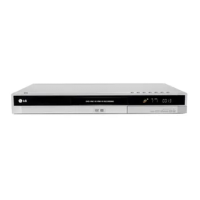
LG DR197 - User Manual

LG DR197
50 pages
Print Icon
To Next Page IconTo Next Page
Loading...
DVD RECORDER
OWNER’S MANUAL
MODEL: DR197
DR198H
Before connecting, operating or adjusting this product,
please read this instruction booklet carefully and completely.
DR197_198P1_AA6PLL_ENG

Table of Contents

Questions and Answers

  • L
    Lisa WhiteAug 19, 2025
    What to do if there is no picture on my LG DR197?
    • S
      Sandra RobinsonAug 19, 2025
      If you're not getting a picture, first, ensure the TV/DVD mode is correctly set by pressing the TV/DVD button on the remote to select DVD mode. Then, make sure your TV is set to the correct video input to receive the recorder's signal. Check that the video cable is securely connected. Finally, verify that your TV is turned on.
  • D
    Deborah ReedAug 22, 2025
    How to fix LG DR197 when it has no power?
    • D
      Daniel SotoAug 22, 2025
      If your device has no power, ensure the power cord is securely plugged into the wall outlet.
  • J
    Jeffery HuntAug 25, 2025
    What to do if my LG DVD Recorder remote control does not work properly?
    • J
      Jason PerezAug 25, 2025
      If the remote isn't working, start by pointing it directly at the remote sensor on the recorder. Ensure you are within 7 meters of the unit and that there are no obstructions between the remote and the recorder. If the issue persists, replace the batteries in the remote with new ones.
  • B
    Brandon LongAug 26, 2025
    Why is there no sound from my LG DVD Recorder?
    • K
      Kevin ShepherdAug 26, 2025
      If there's no sound, first, check that the equipment connected to the audio cable is set to receive the audio signal output by selecting the correct input mode. Ensure the audio cables are securely connected. Confirm that the equipment connected to the audio cable is powered on. If the issue continues, the audio connecting cord may be damaged and should be replaced.
  • S
    shepardstanleyAug 28, 2025
    What to do if my LG DR197 does not start playback?
    • J
      Jason KeithAug 28, 2025
      If the recorder won't start playback, make sure a disc is inserted and that the disc indicator light is on. Ensure you're using a playable disc, checking the disc type, color system, and regional code. The disc should be placed with the playback side down and correctly aligned on the disc tray guide. Also, verify the disc is clean. Finally, ensure that the Rating level is not set, or adjust it accordingly.
  • L
    Lucas FriedmanAug 30, 2025
    What to do if timer recording is not possible on LG DR197 DVD Recorder?
    • T
      Timothy KaiserAug 30, 2025
      If timer recording isn't working, ensure the clock on the recorder is set to the correct time. If the clock is correct, reprogram the timer. If the timer record indicator light doesn't appear after programming, try reprogramming the timer again.
  • H
    hgillespieSep 1, 2025
    What to do if the playback picture from my LG DR197 DVD Recorder is poor?
    • B
      Barry WilkersonSep 1, 2025
      If the playback picture quality is poor, try cleaning the disc.
  • Z
    zschultzSep 3, 2025
    What to do if the unit is plugged in, but the power will not turn on or off on my LG DR197?
    • D
      dwalshSep 3, 2025
      If the unit is plugged in but won't power on or off, press and hold the POWER button for at least five seconds. This should force the unit to power off, then allow you to turn it back on.
  • A
    Amanda PorterSep 5, 2025
    Why are some channels skipped over when using PR/CH (+/-) on my LG DR197 DVD Recorder?
    • B
      Brenda MichaelSep 6, 2025
      If some channels are skipped, it means those channels are not stored in the recorder. You should restore channels.
  • K
    Kevin RubioSep 7, 2025
    What to do if I cannot record or did not record successfully with my LG DR197?
    • K
      Kevin HensonSep 8, 2025
      If you cannot record, it might be due to several reasons. First, check if there is sufficient blank space on the disc; if not, use another disc. Also, the source you are trying to record might be copy protected, which prevents recording. Ensure you're selecting the channel on the recorder’s built-in TV tuner. If recording to a Video mode disc, remember that copy-once materials require a VR mode formatted disc.

Summary

Introduction and Device Basics

Symbol Guide and Disc Notes

Explains manual symbols, notes, tips, disc handling, storing, cleaning, and moisture condensation.

Disc Types and Compatibility

Details various DVD disc types and their recording/playback compatibility.

Playable Media and Regional Codes

Lists playable disc formats and explains DVD regional codes and compatibility.

Device Hardware Overview

Front Panel Layout

Identifies buttons, indicators, and ports on the front of the recorder.

Remote Control Functions

Details remote control buttons, operations, and battery installation.

Setup and Connections

Rear Panel Connections

Describes all input and output terminals on the rear of the recorder.

Connecting to Aerial

Instructions for connecting the aerial to the recorder and TV.

Connecting to TV

Guides on connecting the recorder to TVs via SCART, Component, S-Video, and Video/Audio inputs.

HDMI Connection (DR198 H Only)

Details the procedure and requirements for connecting via HDMI.

Connecting to Amplifier

Guides connecting the recorder to amplifiers for audio output.

Accessory A;V Connections

Guides connecting PAY-TV decoders, VCRs, and other AV devices via EURO AV jacks.

Connecting Other AV Sources

Guides connecting to AV IN 3/4 jacks and digital camcorders via DV IN.

Initial Setup Wizard

Step-by-step process for initial language, channel, and clock setup.

Using the Home Menu

Navigates the Home Menu to access setup, media playback, and disc management.

System Settings Configuration

General Operation and Settings

Covers auto programming, TV aspect, AV connections, power save, and factory reset.

Program Editing and Management

Allows manual editing of channels, renaming stations, and managing program lists.

Clock and Input Settings

Configures auto/manual clock settings and AV input selection for decoders.

Language and Audio Settings

Sets display language, disc menu language, and audio output formats (Dolby, DTS).

Parental Controls and Recording Setup

Parental Lock Configuration

Sets rating, password, and area code to restrict playback of certain content.

Recording Mode Selection

Chooses recording quality (XP, SP, LP, EP) and disc record modes for optimal results.

Disc Initialization and Finalization

Guides on preparing discs for recording and making them playable on other devices.

Recording Procedures

Instructions for basic recording, timer recording, and recording from DV input.

Copy Protection and Copyright

Details on copy-once protection and copyright guidelines for recording.

Playback Operations

General Playback Controls

Explains basic playback controls like play, pause, skip, scan, and repeat modes.

Media File Playback

Covers playback of DivX movies, audio CDs, MP3/WMA files, JPEG images, and slide shows.

Navigating Disc Content

Guides on using menus, searching by time, chapter, markers, and camera angles.

Editing Recorded Content

Title List and Chapter Management

Instructions for creating playlists, adding/deleting titles, chapters, and parts.

Advanced Editing Tools

Details on naming titles, time search, dividing titles, combining chapters, and protecting content.

Reference Information

Additional Recording Features

Covers overwriting recording, viewing title lists on other players, and finalizing discs.

Language and Area Codes

Lists language and area codes for setting disc preferences.

Remote TV Control

How to control your LG TV or other brands with the supplied remote.

Troubleshooting and Specifications

Solving Common Problems

Solutions for common issues like no power, no picture, no sound, and playback errors.

Device Technical Specifications

Technical details including power, dimensions, recording formats, and input/output specifications.

LG DR197 Specifications

General IconGeneral
TypeDVD Recorder
Recording FormatDVD-R, DVD-RW, DVD+R, DVD+RW
Video D/A Converter10-bit / 27MHz
Progressive ScanYes
Remote ControlYes
Video Recording FormatMPEG2
Audio Recording FormatDolby Digital
USB PortNo
Playback FormatsDVD-Video, DVD-R, DVD-RW, DVD+R, DVD+RW, CD, CD-R, CD-RW
Video OutputComposite, S-Video, Component
Audio OutputAnalog Audio (RCA), Digital Audio (Optical)
ConnectivityComposite, S-Video, Component, Optical
Dimensions430 x 49 x 255 mm
Weight3.3 kg
Audio D/A Converter24-bit/192 kHz
Video InputComposite, S-Video
Audio InputStereo RCA
Disc CompatibilityAudio CD, CD-R, CD-RW
InputsComposite, S-Video
OutputsComposite, Component, S-Video, Digital Optical

Related product manuals