EasyManua.ls Logo

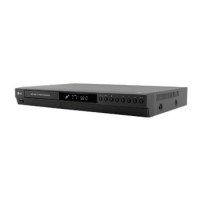
LG DR265 - User Manual

LG DR265
48 pages
Print Icon
To Next Page IconTo Next Page
Loading...
DVD RECORDER
OWNER’S MANUAL
MODEL: DR275/DR265
Before connecting, operating or adjusting this product,
please read this instruction booklet carefully and completely.
DR275.265-P1_CAUTLLS_ENG

Table of Contents

Questions and Answers

  • M
    Monica NewtonSep 10, 2025
    Why can't I play a disc recorded on my LG DVD Recorder on another player?
    • T
      Tiffany SotoSep 10, 2025
      If you're having trouble playing a disc recorded on your LG DVD Recorder on another player: * If the disc was recorded in Video mode, finalize the disc. * Note that some players will not play even a finalized disc recorded in Video mode. * If the disc was recorded in VR mode, the other player must be RW compatible to play it. * Discs recorded with copy-once material cannot be played on other players.
  • D
    David JonesAug 22, 2025
    What to do if my LG DVD Recorder has no sound?
    • J
      jasonrichardAug 22, 2025
      If you're not getting any sound from your LG DVD Recorder, here are some things to check: * Ensure the equipment connected to the audio cable is set to receive audio signal output by selecting the correct input mode. * Verify that the audio cables are securely connected. * Confirm that the equipment connected to the audio cable is powered on. * If the audio connecting cord is damaged, replace it with a new one.
  • J
    Joshua McguireAug 25, 2025
    What to do if LG DR265 won't turn on or off?
    • A
      Antonio LeonAug 25, 2025
      Press and hold the POWER button for at least five seconds. This will force the unit to power off then turn the unit back on.
  • J
    Joshua JohnsonAug 26, 2025
    What to do if my LG DVD Recorder has no power?
    • C
      Cynthia McmillanAug 27, 2025
      If your LG DVD Recorder isn't turning on, the power cord might be disconnected. Ensure that the power cord is securely plugged into the wall outlet.
  • N
    Nicholas GarciaAug 27, 2025
    What to do if my LG DR265 remote control does not work properly?
    • P
      Patricia IngramAug 28, 2025
      If the remote control for your LG DVD Recorder isn't working correctly: * Make sure to point the remote control at the remote sensor on the recorder. * Ensure you are within 7 meters of the recorder. * Remove any obstacles between the remote and the recorder. * Try replacing the batteries in the remote control with new ones.
  • N
    Nancy DeanAug 29, 2025
    Why is there no picture on my LG DVD Recorder?
    • T
      Toni MccoyAug 29, 2025
      If you're not getting a picture from your LG DVD Recorder, here are a few things to check: * Ensure the recorder is set to TV mode by pressing the TV/DVD button on the remote control. * Make sure your TV is set to the correct video input mode to receive the signal from the recorder. * Verify the video cable is securely connected. * Confirm that your TV is turned on.
  • M
    moorephilipSep 18, 2025
    Why is timer recording not working on my LG DVD Recorder?
    • A
      Ashlee KleinSep 18, 2025
      If timer recording isn't working on your LG DVD Recorder, possible causes include: * The recorder's clock is not set to the correct time. * The timer has been programmed incorrectly - reprogram the timer. * The timer record indicator light does not appear after programming - reprogram the timer.
  • M
    msmithSep 12, 2025
    What to do if my LG DR265 DVD Recorder has no picture?
    • A
      Ashley WalterSep 12, 2025
      If your LG DVD Recorder isn't displaying a picture, there are several possible reasons: * Ensure your TV is set to the correct video input mode to receive the signal from the recorder. * Check that the video cable is securely connected. * Make sure the TV is turned on.
  • S
    Stephanie SmithSep 8, 2025
    Why does my LG DR265 DVD Recorder skip channels when using PR/CH (+/-)?
    • M
      mary48Sep 8, 2025
      If your LG DVD Recorder skips some channels when using PR/CH (+/-), it's likely because those channels are not stored in the recorder.
  • W
    wellschelseaSep 5, 2025
    Why is the picture from my LG DVD Recorder distorted?
    • D
      Dr. Malik RiveraSep 5, 2025
      If the picture from your LG DVD Recorder is distorted, it may be due to the video signal from the external input being copy-protected. You cannot connect via this recorder in such cases.

LG DR265 Specifications

General IconGeneral
TypeDVD Recorder
Audio Recording FormatDolby Digital
Video OutputComposite, S-Video, Component
Progressive ScanYes
Remote ControlYes
Hard DriveNo
Recording FormatsDVD-RW, DVD+RW, DVD+R, DVD-R
Playback FormatsDVD-Video, DVD-R, DVD-RW, DVD+R, DVD+RW, CD-R, CD-RW, MP3
Video Recording FormatMPEG2
InputsComposite, S-Video
OutputsComposite, S-Video, Component

Related product manuals