7
Introduction
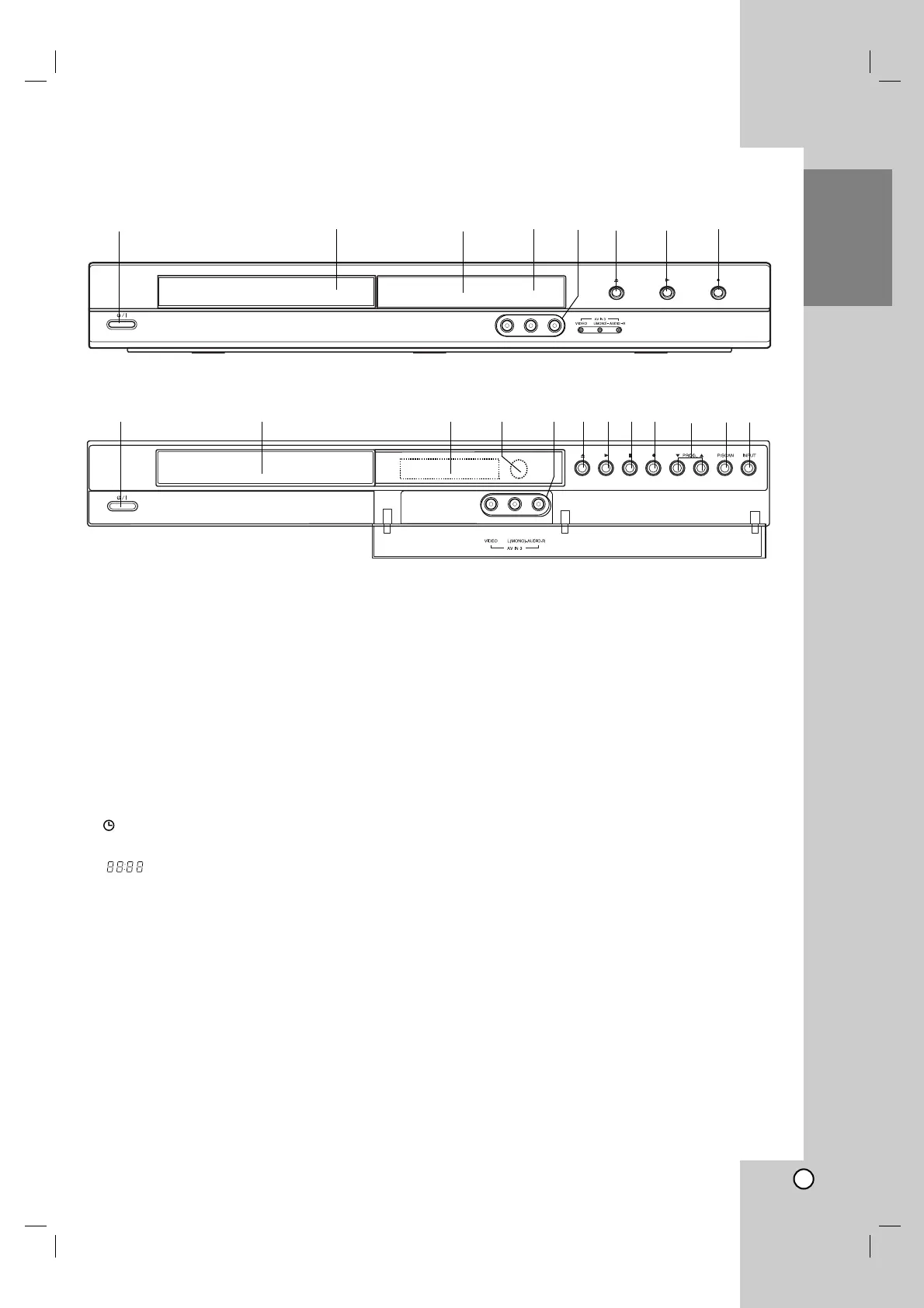
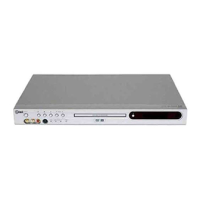
a
11
/ I (POWER button)
Switches the recorder ON or OFF.
b Disc Tray
Insert a disc here.
c Display window
Shows the current status of the recorder.
REC: The recorder is recording.
TV: Indicates when the recorder is in TV tuner
mode.
: Indicates when the recorder is in timer
recording or a timer recording is programmed.
: Shows the current status of the recorder
(clock, program number, etc).
d Remote Sensor
Point the recorder remote control here.
e AV IN 3 (VIDEO IN/AUDIO IN (Left/Right))
Connect the audio/video output of an external
source (Audio system, TV/ Monitor, VCR,
Camcorder, etc.).
f Z (OPEN/CLOSE)
Opens or closes the disc tray.
g N (PLAY)
Starts playback.
h x (STOP) (DR265)
Stops playback or recording.
i z (REC)
Starts recording. Press repeatedly to set the
recording time.
j PROG. (V/v) (DR265)
Scans up or down through memorized channels.
k PROGRESSIVE SCAN (DR265)
Switches the progressive mode ON or OFF.
l IN PUT (DR265)
Changes the input to use for recording (Tuner,
AV1-3).
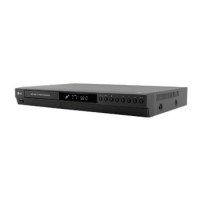
Front Panel
abcdefgi
ab cdefghijkl
DR265
DR275


 To Next Page