19
Hookup and
Settings
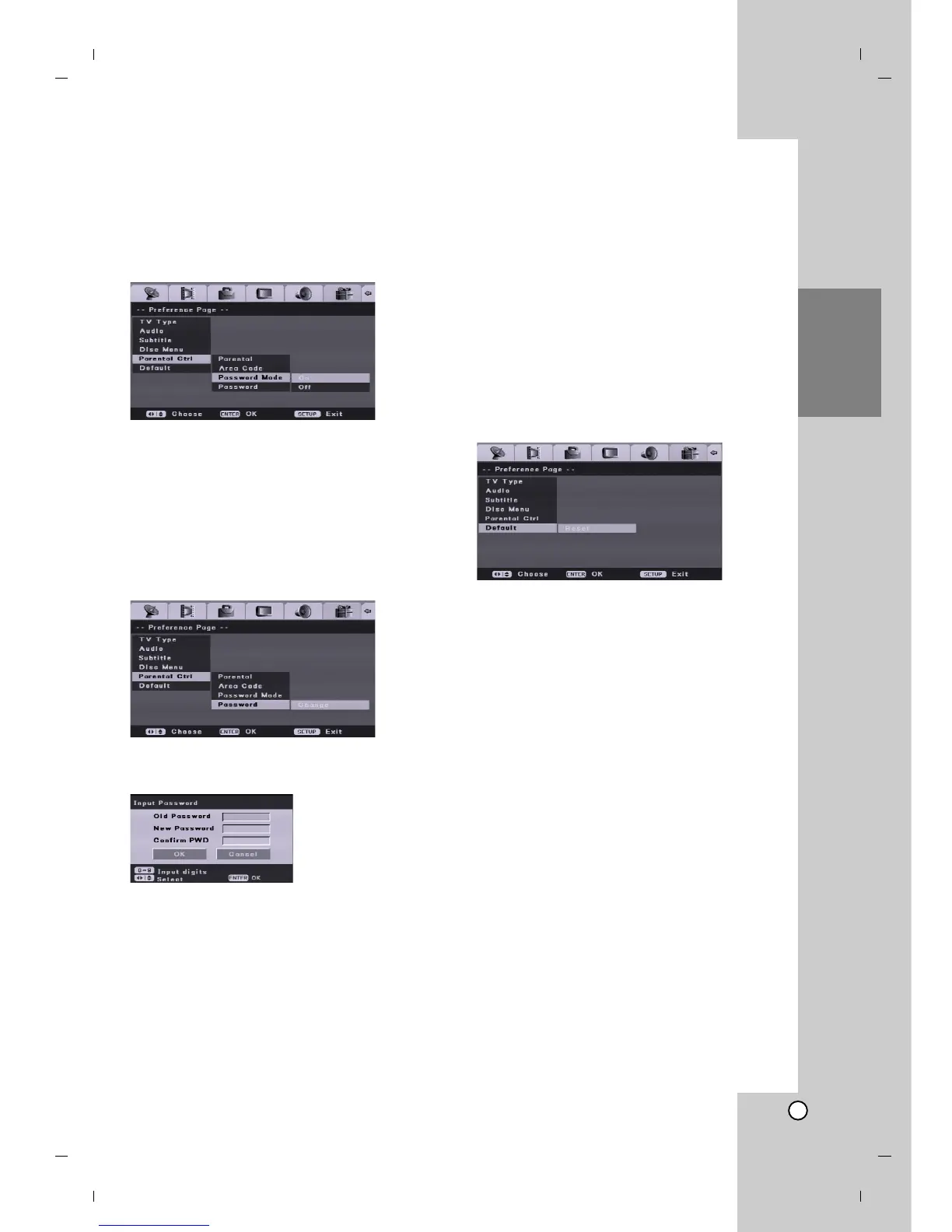
- Password Mode
Activates or disables the Parantal Control feature.
[On] To play back a rated movies or to change setting
an Parental Control options (Parantal, Area Code,
etc.), you must enter the 4-digit password.
[Off] Parental control is not active and the disc plays
in full.
Note:
Password needs to change the setting.
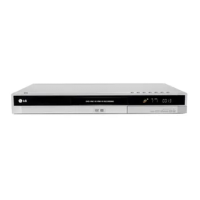
- Password
Changes the password for Parental Control features.
1. Select [Parental Ctrl] option then press B on the
[Initial Setup] menu
2. Press v / V to select the [Password] option then
press B.
3. Press ENTER while [Change] is highlighted.
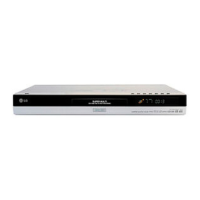
[Input Password] menu appears.
4. Enter old four-digit password using the number
buttons.
If you have not entered a password yet, [Old
Password] column is disabled.
5. Enter new four-digit password using the number
buttons. Enter the password again to confirm, and
press ENTER while [OK] is selected.
The password is stored.
If you forget your password
If you forget your password, to clear the current
password, follow the procedure below.
1. Press SETUP to display the [DVD Recorder Initial
Setup] menu.
2. Use the Number buttons to enter the 6-digit
number “210499”. Confirm message will appear.
3. Select [Yes] then press ENTER. The 4-digit
password is cleared. Enter a new code.
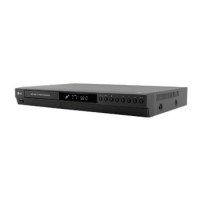
Default
Select this to reset the recorder to all its default
settings. The [Parental Control] settings remain as
stored. [Initial Setup Wizard] menu screen appears.
See “Auto Set Up” on page 11.


 To Next Page