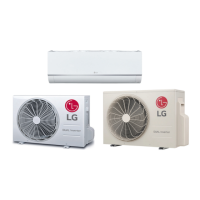
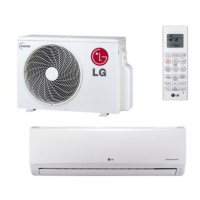
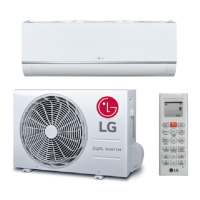
This document is an owner's manual for LG Single Zone Mega and Mega 115V Wall Mounted air conditioning systems. It provides comprehensive information on the device's functions, usage, and maintenance.
Function Description:
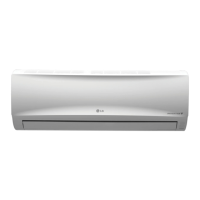
The LG Single Zone Mega and Mega 115V Wall Mounted systems are air conditioning units designed for single-zone applications. They offer various operational modes including cooling, heating, dehumidifying, and air circulation. The systems are controlled via a remote controller, which allows users to adjust temperature, fan speed, and air flow direction, as well as set timers for automatic operation. Some models feature "Jet Cool" and "Jet Heat" operations for rapid temperature changes, "Auto Changeover" to automatically maintain a set temperature, and an "Energy Saving" mode to minimize power consumption during cooling. The units also include an "Auto Clean" function for indoor air purification and a "Self-diagnosis" function to alert users to potential issues.
Important Technical Specifications:
The manual lists several models for both Single Zone Mega and Mega 115V systems, including:
- Single Zone Mega:
- Outdoor Units: LSU090HEV1, LSU120HEV1, LSU180HEV1, LSU240HEV1
- Indoor Units: LSN090HEV1, LSN120HEV1, LSN180HEV1, LSN240HEV1
- Controller: AKB73835318
- Single Zone Mega 115V:
- Outdoor Units: LSU090HXV, LSU120HXV
- Indoor Units: LSN090HXV, LSN120HXV
- Controller: AKB73456121
The cooling temperature range is 64 °F (18 °C) - 86 °F (30 °C). For heating, the temperature range is 60.8 °F (16 °C) - 86 °F (30 °C). In sleep mode, the temperature increases by 1.8 °F (1 °C) after 30 minutes and an additional 1.8 °F (1 °C) after another 30 minutes, for a total increase of up to 3.6 °F (2 °C) from the present temperature. The auto changeover function maintains a set temperature within ± 3.6 °F (± 2 °C). The remote controller uses AAA (1.5V) batteries.
Usage Features:
- Remote Controller Operation: The manual details the functions of various buttons on the remote controller, including On/Off, Temperature Adjustment, Operation Mode Selection (Cooling, Auto, Dehumidifying, Heating), Fan Speed, Surge (rapid heating/cooling), Air Flow Direction (Swing), Room Temperature Display (°C/°F toggle), Sleep Mode Auto, and 1 Touch Soft Air (deflects supply air).
- Timer Settings: Users can program the unit to turn on and off automatically at set times, which helps save energy. The "Sleep Mode Auto" feature allows setting a countdown timer for up to 7 hours before the unit automatically turns off.
- Air Flow Adjustment: The "Swing" buttons allow users to adjust the vertical and horizontal air flow directions. The "1 Touch Soft Air" button sets the vane to a preset position to deflect air away from occupants.
- Manual Operation: In case the remote control is unavailable, the unit can be operated manually using the On/Off button located on the indoor unit. When operating manually, the fan speed is automatically set to high.
- Auto Restart: The unit can be programmed to automatically restart with previous settings after a power failure. This is a factory default setting but can be disabled or re-enabled.
- Temperature Display: The system can display temperature in either Celsius (°C) or Fahrenheit (°F).
Maintenance Features:
- Cleaning Intervals: Regular cleaning is recommended to maintain optimal performance.
- Air Filter: Should be cleaned every 2 weeks or more often if necessary. Cleaning involves removing the filter, washing it with a vacuum cleaner or warm water (with detergent if needed), drying it completely, and re-installing. Water hotter than 104 °F (40 °C) should not be used.
- Indoor Unit Surface: Should be cleaned regularly with a soft dry cloth. Bleach or abrasives should not be used.
- Outdoor Unit: Heat exchanger coils and panel vents should be cleaned regularly using steam. For proper outdoor unit care, consulting a technician is recommended.
- Battery Replacement: Batteries in the remote controller should be replaced when the display screen starts to fade. When batteries are removed, the temperature unit resets to Celsius as the default.
- General Safety: The manual emphasizes the importance of turning off power and unplugging the cord before performing any maintenance to avoid electric shock. It also warns against using strong cleaning agents or solvents.


 To Next Page


 General