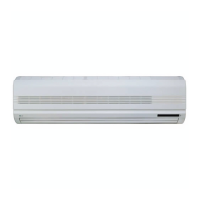
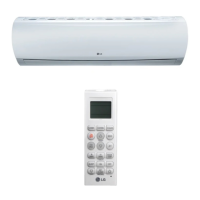
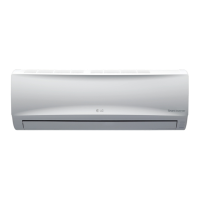
This document is an owner's manual for an LG wall-mounted air conditioner, model number MFL39817401. It provides comprehensive information on safety precautions, product introduction, operating instructions, and maintenance.
Function Description
The LG air conditioner is designed to provide cooling, heating (for heat pump models), dehumidification, and air circulation for indoor spaces. It features various operation modes and advanced purification technologies to enhance comfort and air quality.
Core Functions:
- Cooling Operation: Reduces room temperature to a desired level.
- Heating Operation (Heat Pump Models): Warms up the room.
- Healthy Dehumidification Operation: Automatically sets room temperature and airflow to optimal conditions for dehumidification, maintaining a healthy and comfortable environment, especially in humid seasons.
- Auto Operation (Cooling Only Model): Automatically adjusts setting temperature and fan speed based on current room temperature using electronic control logic.
- Auto Changeover Operation (Heat Pump Model): Automatically switches between heating and cooling modes to maintain the temperature within ±2°C of the setting temperature.
- Jet Cool/Heat Operation: Provides rapid cooling in hot weather or quick heating (for some models) by operating at super high fan speed and specific temperature settings (18°C/64°F for cooling, 30°C/86°F for heating).
- NEO PLASMA Purification Operation (Optional): Utilizes plasma technology to eliminate microscopic contaminants, generating high-charge electrons to kill and destroy pollutants for clean and hygienic air.
- Auto Clean (Optional): Removes moisture left in indoor units after cooling or healthy dehumidification operations, preventing mold and odors. The indoor fan runs for about 30 minutes internally after the unit is turned off.
- Energy-Saving Cooling Mode (Optional): Optimizes energy consumption during cooling and healthy dehumidification by adjusting temperature based on body-adaptation time.
- Air Circulation Mode: Circulates room air without cooling or heating, with adjustable fan speeds.
- Auto Restart Function: Restores previous operating conditions after a power failure.
Important Technical Specifications
While specific technical specifications like power consumption or BTU ratings are not detailed in this general manual, the document highlights several operational parameters and features:
Temperature Settings:
- Cooling: 18°C~30°C (64°F~86°F)
- Heating: 16°C~30°C (60°F~86°F)
- Auto Changeover: Maintains temperature within ±2°C of the setting.
- Jet Cool: 18°C (64°F)
- Jet Heat: 30°C (86°F)
- Sleep Mode (Cooling/Dehumidification): Setting temperature rises by 1°C (2°F) over 30 minutes, then another 1°C (2°F) in the next 30 minutes (total 2°C/4°F in 1 hour).
Fan Speed:
- Four steps: Low, Medium, High, and CHAOS.
- CHAOS Air: Simulates natural breeze by automatically changing fan speed.
- Sleep Mode: Operates at slow speed in cooling mode and medium speed in heating mode.
- Jet Cool/Heat: Operates at super high fan speed.
- Forced Operation: High speed fan.
Timer Settings:
- Sleep Mode Auto Button: Programmable in one-hour increments for 1 to 7 hours.
- On/Off Timer Buttons: Allows setting of start and stop times for operation.
Filters:
- Air Filters: Located behind the front panel/grill.
- Plasma Filters (Optional): For air purification.
- Deodorizer Filters: For removing odors and formaldehyde.
Safety Features:
- Proper grounding required.
- Use of correctly rated circuit breaker and fuse.
- Protection against electric shock, fire, and injury through various warnings and instructions.
- Self-diagnosis function for thermistor failures, indicated by LED blinks.
Usage Features
The air conditioner is operated primarily via a wireless remote controller, with an emergency ON/OFF button on the indoor unit for forced operation.
Remote Controller Features:
- START/STOP BUTTON: Turns the unit on/off.
- OPERATION MODE SELECTION BUTTON: Selects among cooling, heating, dehumidification, and auto modes.
- ROOM TEMPERATURE SETTING BUTTONS: Adjusts the desired room temperature.
- INDOOR FAN SPEED SELECTOR BUTTON: Chooses fan speed (Low, Medium, High, CHAOS).
- JET COOL BUTTON: Activates rapid cooling/heating.
- CHAOS SWING BUTTON: Controls vertical airflow direction (up/down louver movement).
- ON/OFF TIMER BUTTONS: Sets operation start/stop times.
- TIME SETTING BUTTONS: Adjusts the current time.
- TIMER SET/CANCEL BUTTON: Confirms or cancels timer settings.
- SLEEP MODE AUTO BUTTON: Activates sleep mode.
- AIR CIRCULATION BUTTON: Initiates air circulation.
- ENERGY-SAVING COOLING MODE BUTTON (Optional): Activates energy-saving cooling.
- ROOM TEMPERATURE CHECKING BUTTON: Displays room temperature.
- PLASMA BUTTON (Optional): Starts/stops plasma purification.
- HORIZONTAL AIRFLOW DIRECTION CONTROL BUTTON (Optional): Sets horizontal airflow direction.
- RESET BUTTON: Resets time.
- 2nd F BUTTON: Activates functions printed in blue on the remote controller.
- AUTO CLEAN BUTTON (Optional): Initiates auto clean mode.
- °C TO °F SWITCHING BUTTON: Toggles temperature display between Celsius and Fahrenheit.
Display Luminosity (Optional):
- Adjustable brightness for the unit's display via the remote controller.
Forced Operation:
- Allows basic operation (cooling at high fan speed, 22°C/71.6°F) when the remote control is unavailable, by pressing the ON/OFF button on the indoor unit.
Installation Considerations:
- Requires professional installation by an authorized service technician.
- Outdoor unit should be installed on a stable base, away from sea wind or areas where noise/hot air could disturb neighbors.
- Proper drain hose installation is crucial to prevent water leakage.
Maintenance Features
Regular maintenance is essential for optimal performance and longevity of the air conditioner.
Indoor Unit Maintenance:
- Cleaning: Wipe with a soft, dry cloth. Avoid harsh detergents, solvents, or water splashing.
- Air Filters: Check and clean every two weeks or more often. Can be cleaned with a vacuum cleaner or warm soapy water. If heavily soiled, use a mild detergent in lukewarm water, then dry in shade.
- Plasma Filters: Check and clean every three months or more often. Clean with a vacuum cleaner or water, then dry in shade.
- Deodorizer Filters: Remove and expose to direct sunlight for 2 hours to refresh, then reinsert.
- Auto Clean Function: Helps dry internal components to prevent mold and odors.
Outdoor Unit Maintenance:
- Heat Exchanger Coils and Panel Vents: Check regularly. If clogged with dirt or soot, professional steam cleaning is recommended.
General Maintenance Tips:
- Turn off main power, disconnect circuit breaker, and unplug before maintenance.
- Do not touch the plasma filter within 10 seconds of opening the inlet grille due to electric shock risk.
- For inner cleaning, contact an Authorized Service Center.
- The heat exchanger and fan should be cleaned by a specialist about once a year, depending on the environment.
Troubleshooting:
- Provides a guide for common issues like the unit not starting or not cooling effectively, with suggested solutions (e.g., checking power plug, circuit breaker, airflow restrictions, dirty filters, temperature settings).
- Advises calling service immediately for abnormal conditions like burning smell, loud noise, hot/damaged power cord, error codes, water leaks, or switch/breaker failures.
This manual emphasizes safety, proper usage, and routine maintenance to ensure the air conditioner operates efficiently and reliably.

 Need help?
 General

 To Next Page