EasyManua.ls Logo

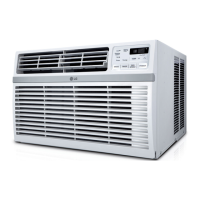
LG LW1517IVSM/00 - User Manual

LG LW1517IVSM/00
56 pages
Print Icon
To Next Page IconTo Next Page
Loading...
www.lg.com
ESPAÑOLENGLISH
Copyright © 2017 LG Electronics Inc. All Rights Reserved.
OWNER’S MANUAL
AIR
CONDITIONER
Read this owners manual thoroughly before operating the appliance
and keep it handy for reference at all times.
TYPE: WINDOW (INVERTER)
LW1517IVSM
MFL70501001
Rev.00_120117
REFRIGERANT

Questions and Answers

  • I
    irhodesSep 23, 2025
    Why is remote sensing deactivating prematurely on my LG LW1517IVSM/00 Air Conditioner?
    • E
      Eric OlsonSep 23, 2025
      If remote sensing is deactivating prematurely on your LG Air Conditioner, ensure the remote control is within 20 feet and a 120° radius of the unit's front. Also, remove any obstructions that may be blocking the remote control signal.
  • D
    Deanna MitchellAug 25, 2025
    Why is my LG LW1517IVSM/00 not cooling as it should?
    • D
      David ValdezAug 25, 2025
      If your LG Air Conditioner isn't cooling properly, make sure that curtains, blinds, or furniture are not blocking the front of the unit. Adjust the temperature setting to be lower than the current room temperature. Clean the air filter at least every two weeks. If you just turned on the unit, give it time to cool the room. Check for open furnace floor registers and cold air returns that may be letting cold air escape. Lastly, check if the cooling coils have iced up.
  • R
    Ryan LeonardAug 25, 2025
    Why is my LG Air Conditioner not connecting to the Wi-Fi?
    • J
      Jennifer NelsonAug 26, 2025
      If your LG Air Conditioner isn't connecting to Wi-Fi, try moving the router closer to the unit or install a Wi-Fi repeater to boost the signal. Also, ensure you're selecting the correct wireless router and that it's set to 2.4 GHz.
  • K
    Kimberly SchmidtAug 27, 2025
    How to fix an LG LW1517IVSM/00 that won't start?
    • M
      Mark DavidAug 27, 2025
      If your LG Air Conditioner doesn't start, ensure it's fully plugged into the outlet. Also, check your house's fuse or circuit breaker box, replacing the fuse or resetting the breaker if needed. In case of a power failure, turn the mode control to off and wait 3 minutes after power is restored before restarting to protect the compressor. Finally, if the current interrupter device is tripped, press the RESET button on the power cord plug; if it won't stay engaged, stop using the unit and contact a technician.
  • D
    davidsoncoreyAug 27, 2025
    Why is my LG LW1517IVSM/00 not cooling properly?
    • T
      Tara BrownAug 27, 2025
      If your LG Air Conditioner isn't cooling properly, first, make sure that curtains, blinds, or furniture are not blocking the front of the unit. Then, ensure that the set temperature is lower than the current room temperature. Also, remember to clean the air filter at least every two weeks. If the room was hot to begin with, allow time for it to cool down. Check for open furnace floor registers and cold air returns. Finally, if the cooling coils have iced up, refer to ‘Air conditioner freezing up’.
  • S
    Steven DillonSep 16, 2025
    What to do if water drips indoors from my LG LW1517IVSM/00?
    • V
      vweaverSep 16, 2025
      For proper water disposal, ensure your LG Air Conditioner slants slightly from the front to the rear of the cabinet. This prevents water from dripping indoors.
  • S
    shannon01Sep 13, 2025
    Why is my LG LW1517IVSM/00 Air Conditioner making the room too cold?
    • A
      Aaron AnthonySep 13, 2025
      If the room is too cold when using your LG Air Conditioner, the set temperature might be too low. Try increasing the set temperature.
  • B
    Brian HernandezSep 15, 2025
    Why is my LG LW1517IVSM/00 freezing up?
    • J
      joseph59Sep 15, 2025
      If your LG Air Conditioner is freezing up, it's likely due to iced-over cooling coils. This ice can block airflow, preventing the unit from cooling properly. Set the mode control to High Fan or High Cool to address this.
  • A
    Amber DavisSep 5, 2025
    What to do if I have trouble connecting my LG LW1517IVSM/00 Air Conditioner and smartphone to the Wi-Fi network?
    • T
      tgreenSep 6, 2025
      If you're having trouble connecting your LG Air Conditioner and smartphone to the Wi-Fi network, ensure you've entered the correct Wi-Fi password. If not, delete your home Wi-Fi network and begin the registration process again. Also, turn off mobile data on your smartphone during registration. The wireless network name (SSID) should only contain English letters and numbers, without special characters. Verify that your router frequency is set to 2.4 GHz, as only this frequency is supported. Finally, ensure the appliance isn't too far from the router; move the router closer or install a Wi-Fi repeater.
  • J
    John ComptonSep 3, 2025
    What to do if my LG LW1517IVSM/00 does not cool as it should?
    • S
      Steven MartinSep 3, 2025
      If your LG Air Conditioner isn't cooling as expected, several factors could be at play. Ensure that curtains, blinds, or furniture aren't blocking the front of the unit. Also, verify that the temperature control is set lower than the current room temperature. A dirty air filter can also restrict airflow, so clean it at least every 2 weeks. Remember that the room may require some time to cool down when the air conditioner is first turned on. Check for open furnace floor registers and cold air returns that might be allowing cold air to escape. Finally, inspect the cooling coils for ice buildup; if present, refer to 'Air conditioner freezing up'.

LG LW1517IVSM/00 Specifications

General IconGeneral
BrandLG
ModelLW1517IVSM/00
CategoryAir Conditioner
LanguageEnglish

Related product manuals