EasyManua.ls Logo

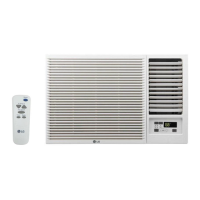
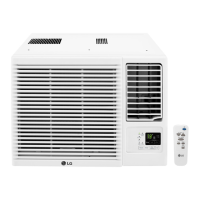
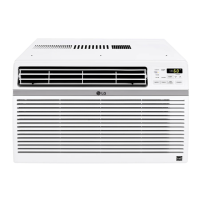
LG LW1817IVSM - User Manual

LG LW1817IVSM
32 pages
Print Icon
To Next Page IconTo Next Page
Loading...
www.lg.com
EN ENGLISH SP ESPAÑOL
*MFL70385017*
Copyright © 2020 - 2021 LG Electronics Inc. All Rights Reserved
MFL70385017
Rev.04_082521
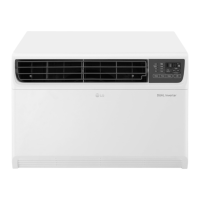
AIR CONDITIONER
Read this owner’s manual thoroughly before operating the appliance
and keep it handy for reference at all times.
OWNER’S MANUAL
TYPE : WINDOW (INVERTER)
LW1817IVSM
LW2217IVSM
LW1822IVSM
LW2422IVSM

Questions and Answers

  • R
    rileyhernandezAug 15, 2025
    What to do if LG LW1817IVSM Air Conditioner does not start?
    • P
      Parker Long IIIAug 15, 2025
      If your LG Air Conditioner isn't starting, here are a few things to check: * Ensure the air conditioner is fully plugged into the outlet. * Inspect the house fuse or circuit breaker box, replacing the fuse or resetting the breaker if necessary. * In case of a power failure, turn the mode control to off, and wait 3 minutes after power is restored before restarting the unit. This prevents the compressor from overloading. * If the current interrupter device has tripped, press the RESET button on the power cord plug. If the reset button doesn't stay engaged, stop using the air conditioner and contact a qualified technician.
  • K
    Kelly KennedyAug 18, 2025
    Why is my LG LW1817IVSM not cooling as it should?
    • M
      Michelle GarciaAug 18, 2025
      If your LG Air Conditioner isn't cooling properly, consider these potential causes: * Ensure that airflow isn't restricted by curtains, blinds, or furniture blocking the front of the unit. * Verify that the temperature control is set lower than the current room temperature. * A dirty air filter can impede cooling. Clean the filter at least every 2 weeks. * If the room was initially hot, allow sufficient time for the air conditioner to cool it down. * Check for open furnace flues or registers and cold air returns that may be allowing cold air to escape. * Inspect for iced-up cooling coils. If present, refer to the section on 'Air conditioner freezing up'.
  • K
    Karen TurnerAug 21, 2025
    Why is my LG LW1817IVSM Air Conditioner turning on and off rapidly?
    • A
      Alexander WilsonAug 21, 2025
      If your LG Air Conditioner is turning on and off rapidly, it could be due to a dirty air filter restricting airflow. Try cleaning the air filter. Also, extremely hot outside temperatures can cause this issue. Refer to the installation instructions or check with the installer for further assistance related to high outdoor temperatures.
  • R
    ritterwesleyAug 25, 2025
    How to fix LG Air Conditioner not connecting to Wi-Fi?
    • A
      amanda23Aug 26, 2025
      If your LG Air Conditioner isn't connecting to Wi-Fi, the Wi-Fi router may be too far from the air conditioner. Try moving the router closer to the air conditioner, or consider purchasing and installing a Wi-Fi repeater (signal booster). Also, make sure you are selecting the correct wireless router from the list and that the router is set to 2.4 GHz, as incompatibility or lack of permission can cause connection problems.
  • K
    Karen AliAug 28, 2025
    How to fix LG LW1817IVSM Air Conditioner freezing up?
    • C
      Chris LewisAug 28, 2025
      If your LG Air Conditioner is freezing up, it's likely due to iced-over cooling coils. Ice can block airflow, preventing the unit from cooling the room effectively. To resolve this, set the mode control to High Fan or High Cool.
  • S
    samantha88Aug 31, 2025
    What to do if LG Air Conditioner water drips indoors?
    • B
      Barbara CurtisAug 31, 2025
      If water is dripping indoors from your LG Air Conditioner, it may not be tilted correctly. For proper water disposal, ensure the air conditioner slants slightly from the front to the rear.
  • D
    Debbie WilliamsSep 4, 2025
    Why is LG Air Conditioner remote sensing deactivating prematurely?
    • J
      Jeremy PattonSep 4, 2025
      If the remote sensing on your LG Air Conditioner is deactivating prematurely, ensure the remote control is within a 20-foot range and within a 120° radius of the front of the unit. Also, make sure there are no obstructions blocking the remote control signal.
  • S
    Sara MillerSep 7, 2025
    What to do if I can't connect LG SmartThinQ App to my LG Air Conditioner?
    • L
      Lucas RogersSep 7, 2025
      If you're unable to connect the LG SmartThinQ App to your LG Air Conditioner, first ensure that the air conditioner is turned on. Also, check that your wireless router is turned on.

Summary

Safety Instructions

Important Safety Instructions

Key safety precautions for using the air conditioner.

Product Overview

Exterior Parts

Diagram and labels for the external components of the unit.

Interior Parts

Diagram and labels for the internal components of the unit.

Installation

Electrical Data

Technical specifications regarding power requirements and connections.

Parts Included

List of components provided with the air conditioner.

Tools Needed

Tools required for the installation process.

How to Install the Unit

Step-by-step guide for physically installing the air conditioner.

Window Requirements

Specifications for suitable windows for unit installation.

Storm Window Requirements

Special considerations for installing with storm windows.

Preparation of the Cabinet

Steps to prepare the unit's cabinet before installation.

Cabinet Installation

Detailed steps for securing the cabinet into the window frame.

Unit Installation

Final steps for installing the air conditioner unit itself.

Operation

Control Panel and Remote Control

Overview and functions of the unit's control panel and remote.

Using the Light Off Function

How to control the brightness of the unit's display panel.

Using the Auto Clean Function

Information on the auto-cleaning feature for moisture removal.

Wireless Remote Control

Instructions for inserting batteries into the remote control.

Ventilation

How to use the ventilation lever for fresh air intake.

Air Direction

Adjusting the airflow direction using louvers.

Additional Features

Description of extra features like the Slinger Fan.

Smart Functions

LG ThinQ Application

Information about connecting the appliance to the LG ThinQ app.

Smart Diagnosis

Using the app to diagnose and solve appliance problems.

Installing the LG ThinQ Application

Guide for downloading and installing the LG ThinQ mobile application.

Using Audible Diagnosis to Diagnose Issues

Using audible tones from the unit for diagnosis via smartphone.

Maintenance

Air Filter

Information about checking and cleaning the air filter.

Cleaning the Air Filter

Step-by-step guide for cleaning the air filter.

Cleaning the Air Conditioner

Instructions for cleaning the unit's exterior and interior parts.

Troubleshooting

Before Calling for Service

Initial checks to perform before contacting support.

Normal Sounds You May Hear

Descriptions of sounds the unit might make during operation.

Warranty

What This Warranty Covers

Details on what is included in the product's warranty coverage.

Warranty Period

Duration of the warranty for parts and labor.

How Service Is Handled

Procedures for obtaining in-home service or other support.

Exclusions from Limited Warranty

List of conditions and damages not covered by the warranty.

Obtaining Warranty Service & Information

Contact details and website for warranty service and support.

For Your Records

Section to record model, serial number, and purchase details.

Procedure for Resolving Disputes

Notice of Dispute

Procedure for notifying LG of a dispute before arbitration.

Binding Arbitration & Class Action Waiver

Agreement to resolve disputes via arbitration, waiving jury trials and class actions.

Arbitration Rules and Procedures

Details on the administration and rules for arbitration.

Fees and Costs

Information on arbitration fees and how they are handled.

Opt Out

Instructions on how to opt out of the arbitration agreement.

LG LW1817IVSM Specifications

General IconGeneral
BrandLG
ModelLW1817IVSM
CategoryAir Conditioner
LanguageEnglish

Related product manuals