#BTJD'VODUJPOT 33
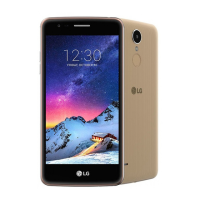
Home screen
Home screen overview
5IF)PNFTDSFFOJTUIFTUBSUJOHQPJOUGPSBDDFTTJOHWBSJPVTGVODUJPOT
and apps on your device. Tap
POBOZTDSFFOUPEJSFDUMZHPUPUIF)PNF
screen.
:PVDBONBOBHFBMMBQQTBOEXJEHFUTPOUIF)PNFTDSFFO4XJQFUIF
screen left or right to view all installed apps at a glance.
To s e a r c h f o r a n a p p , u s e G o o gl e s e a r c h .
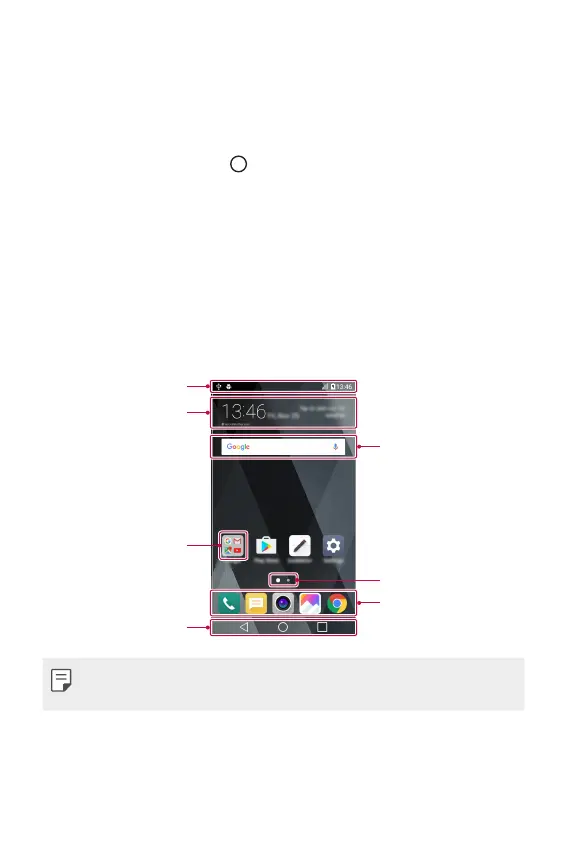
Home screen layout
:PVDBOWJFXBMMBQQTBOEPSHBOJTFXJEHFUTBOEGPMEFSTPOUIF)PNF
screen.
4UBUVTCBS
Folder
)PNFUPVDICVUUPOT
Google search widget
Page icon
Quick access area
Weather widget
Ţ 5IF)PNFTDSFFONBZWBSZEFQFOEJOHPOUIFTFSWJDFQSPWJEFSPS
software version.
Ţ Status bar: View status icons, the time and the battery level.
Ţ Weather widget: View the information of weather and time for a
specific area.



 To Next Page