EasyManua.ls Logo

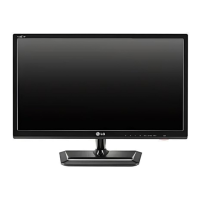
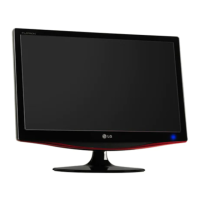
LG M2252D-PH.AHK - User Manual

LG M2252D-PH.AHK
46 pages
Print Icon
To Next Page IconTo Next Page
Loading...
www.lg.com
OWNER’S MANUAL
LED LCD TV
M2252D
M2452D
M2752D
Please read this manual carefully before operating the your TV
and retain it for future reference.
LED LCD TV MODEL
ENGLISH

Questions and Answers

  • B
    Beth DunnSep 3, 2025
    Why does my LG M2252D-PH.AHK LCD TV turn off suddenly?
    • L
      Laurie StephensSep 4, 2025
      If your LG LCD TV suddenly turns off, examine the power control settings to ensure that the power supply isn't interrupted. Also, verify if the Auto sleep feature is enabled within the Time settings. Additionally, if the TV is on but not receiving a signal, it will automatically shut down after 15 minutes of inactivity.
  • K
    kgreenSep 18, 2025
    What is the best viewing angle for LG 3D TV?
    • D
      David RamseySep 18, 2025
      The optimal viewing angle for your LG TV is between 12° degrees, and the optimal viewing distance is between 50 cm to 150 cm from the TV.
  • N
    nicholascampbellSep 16, 2025
    Why do my eyes hurt when watching 3D on my LG TV?
    • A
      Anthony JuarezSep 16, 2025
      If your eyes feel sore or the screen appears blurry while watching 3D images on your LG TV, try selecting the Left/Right or Right/Left option in the 3D settings. Choose the option that provides a more comfortable viewing experience for you.
  • D
    debra85Sep 14, 2025
    Why does my LG TV show a swirling oil-like pattern when turned off?
    • J
      Jonathan SampsonSep 14, 2025
      The swirling, oil-like pattern you see on your LG TV when it's turned off is due to the interference of external light within the air layer between the LCD surface and the 3D filter. This pattern should become almost invisible when you turn the TV back on.
  • I
    iwardSep 12, 2025
    What to do if the screen is divided on my LG TV when I change the channel?
    • S
      Shane RuizSep 12, 2025
      If the screen on your LG TV is divided into left/right or top/bottom when you change the channel, it means that the channel supports the 3D imaging mode. You can select the 3D imaging type displayed on the screen by pressing the 3D button on the remote control.
  • L
    Lori BarrySep 12, 2025
    Why do my eyes hurt when watching 3D on my LG M2252D-PH.AHK LCD TV?
    • M
      michaelbaldwinSep 12, 2025
      If you experience sore eyes or blurry vision while watching 3D images on your LG LCD TV, try selecting either the Left/Right or Right/Left option in the 3D settings to see which provides a more comfortable viewing experience.
  • L
    lindsayvillanuevaSep 9, 2025
    Why is my LG M2252D-PH.AHK screen split when I change the channel?
    • N
      Nancy HarrisSep 9, 2025
      If the screen on your LG LCD TV is divided into left/right or top/bottom when you change the channel, it means the channel supports 3D imaging. Press the 3D button on the remote control to select the appropriate 3D imaging type displayed on the screen.
  • H
    Holly CurtisSep 7, 2025
    What to do if the 3D image on my LG M2252D-PH.AHK looks overlapped?
    • K
      Kathryn LangSep 7, 2025
      When switching from a 2D to a 3D image on your LG LCD TV and the image appears overlapped, disable the 3D imaging mode by pressing the 3D button on your remote control. Alternatively, changing the channel will automatically disable the 3D imaging mode.
  • E
    Eugene BrownSep 5, 2025
    What to do if my LG LCD TV has no image and sound?
    • R
      romerobrendaSep 5, 2025
      If your LG LCD TV isn't showing an image and there's no sound, first ensure the TV is actually powered on. Next, verify that the power cord is securely connected to both the TV and the wall outlet. Lastly, test the wall outlet by plugging in another device to confirm it's working correctly.
  • J
    Julie SotoAug 20, 2025
    Why is my LG TV remote not working?
    • K
      Kristin SmithAug 21, 2025
      If you cannot control your LG TV with the remote, there might be a few reasons. First, ensure that there are no obstructions between the remote and the TV's sensor. Second, check that the batteries in the remote are working correctly and are properly installed. Finally, check the remote control sensor on the TV and try again.

LG M2252D-PH.AHK Specifications

General IconGeneral
Screen Size22 inches
Resolution1920 x 1080
Display Type/TechnologyLCD
Aspect Ratio16:9
Brightness250 cd/m²
Contrast Ratio1000:1
Response Time5 ms
HDMI Ports1
USB Ports1
Viewing Angle170° (H) / 160° (V)
Inputs/OutputsHDMI, USB, Component, Composite
TV TunerDVB-T
Power Consumption30W
Speakers10W (2 x 5W)

Related product manuals