11
Select an input signal.
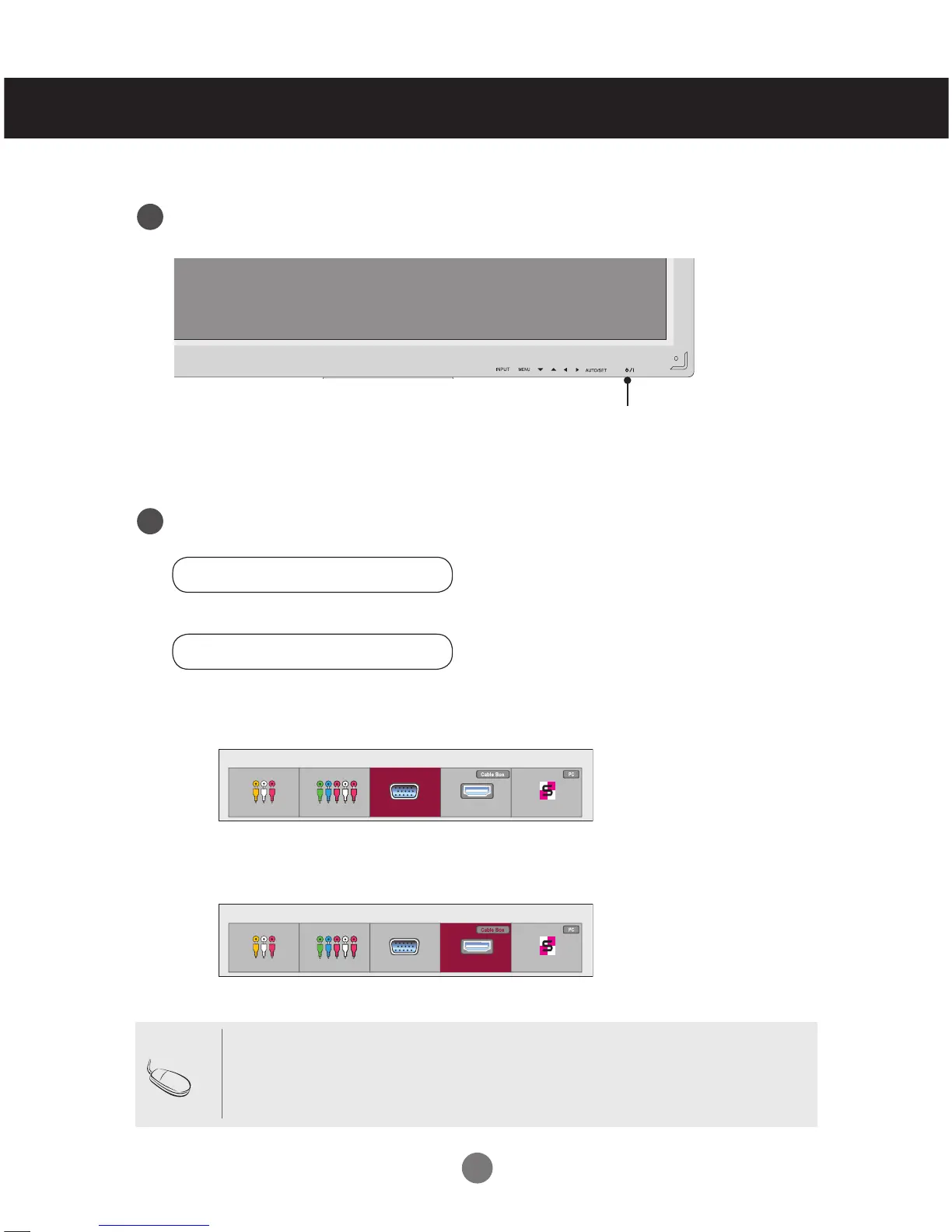
Press INPUT on the remote control to select the input signal.
Or, press INPUT on the bottom of the set.
• Connecting two computers.
Connect the signal cables (HDMI-DVI and D-Sub) to each computer.
Press INPUT on the remote control to select the computer to use.
• Connect to a grounded power outlet directly on the wall or on a grounded power strip.
Note
Press Power.
Turn on the PC.
Connecting with a D-Sub Signal Input Cable.
• Select RGB: 15-pin D-Sub analog signal.
Connecting with an HDMI to DVI Signal Input Cable.
• Select HDMI/DVI: DVI Digital signal or HDMI Digital signal.
Connecting to External Devices
INPUT → ◄ ► → OK
Power button
2.
1.
B.
A.
4
5
Input List
AV Component RGB HDMI/DVI SuperSign
Input List
AV Component RGB HDMI/DVI SuperSign
INPUT →◄ ► → AUTO/SET



 To Next Page