4
Connecting the Stand
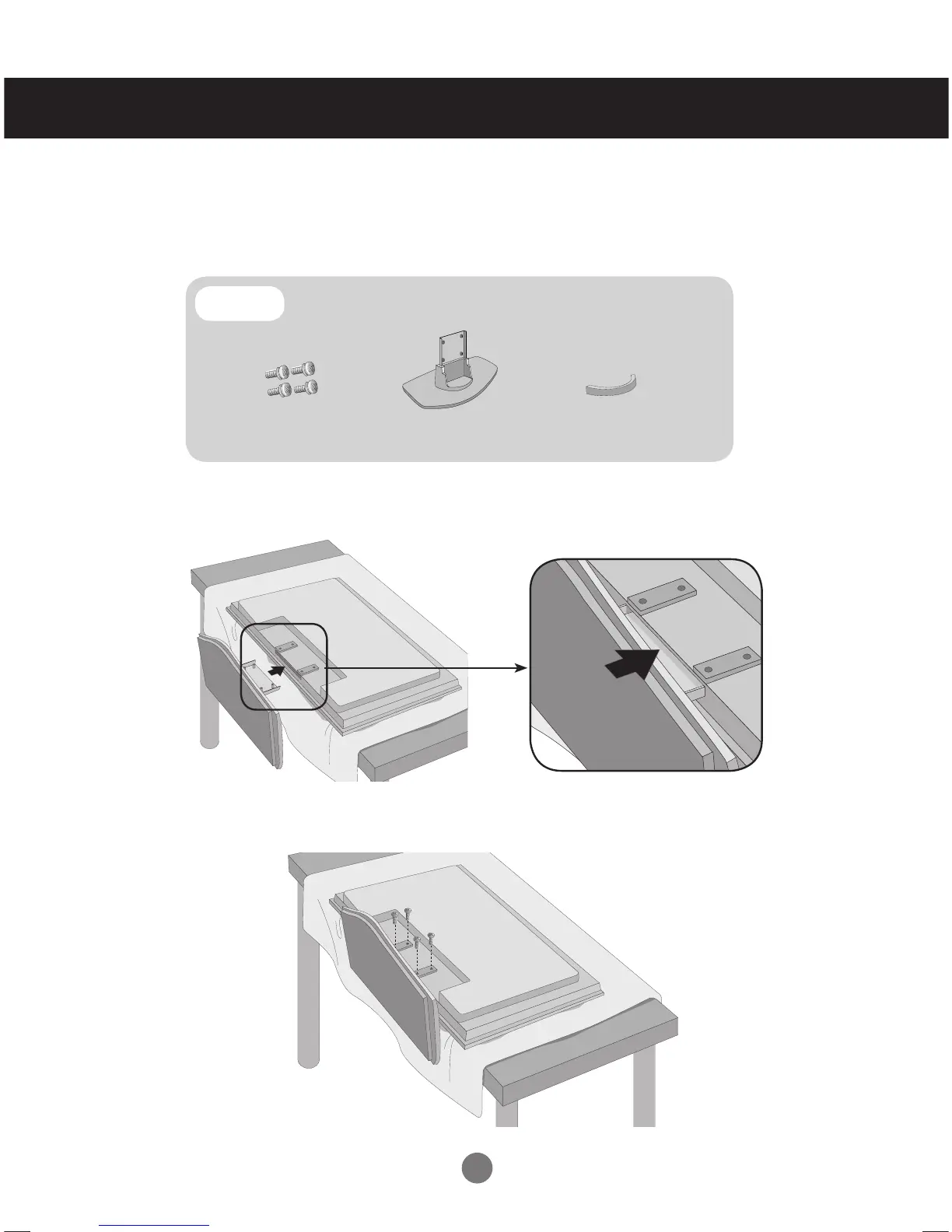
First, check if the following parts are all present.
Parts
Take the parts for the stand out of the box and assemble them as
shown in the picture.
Place a soft cloth on a table and place the set screen side down upon the table.
Connect the stand as shown below.
Use the screws to secure the stand on the rear side of the set as shown
below.
- Only on some models.
2.
3.
1.
Stand(1)
Screws (4)
Cable management (1)



 To Next Page