15
Note
Connecting to External Devices
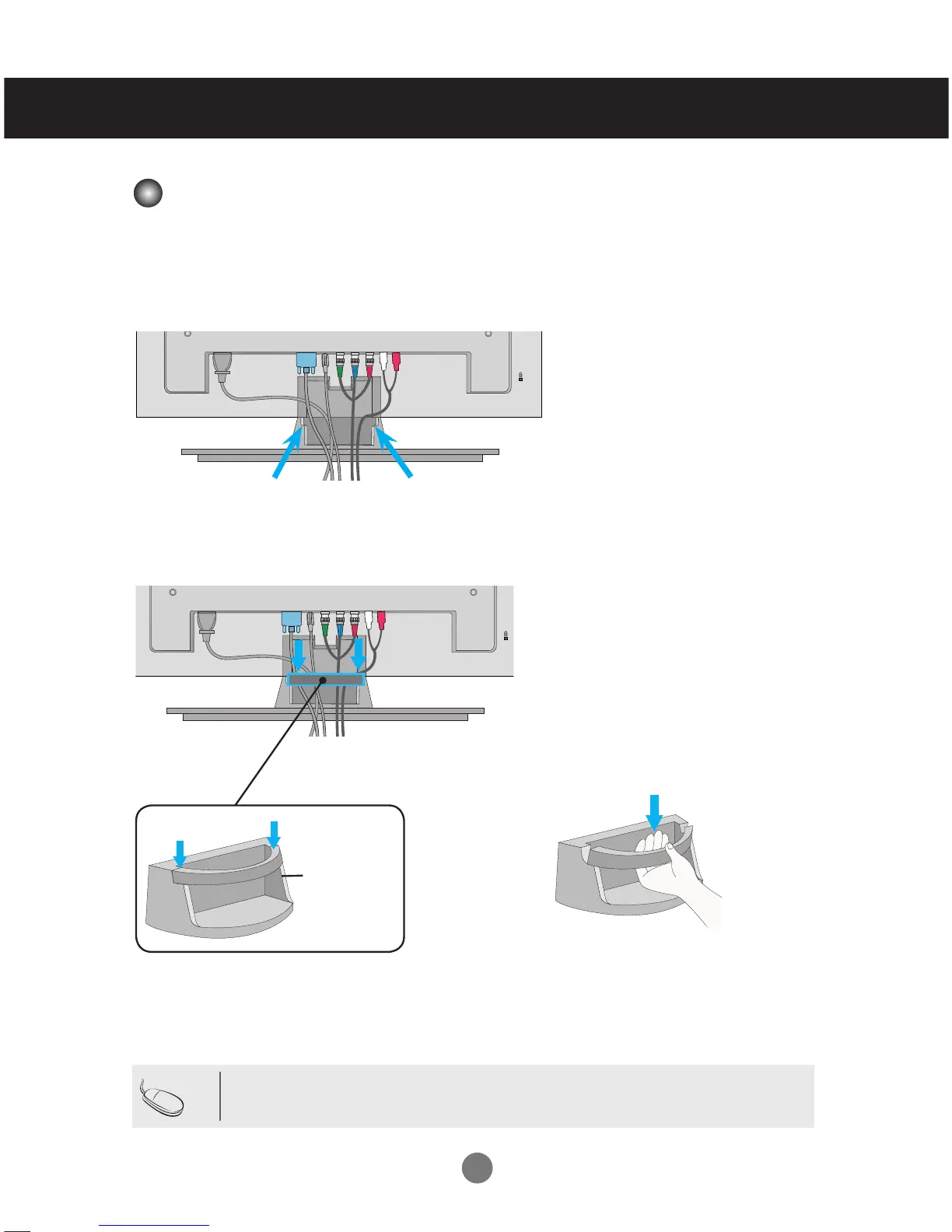
Cable Management
- Only on some models.
Cable
Management
Hold the Cable management with both hands
and pull it downward.
Removing the cable guide.
•
Do not use the cable management as a handle for the Monitor.
Arrange the cables in the center as shown in the following picture.
Fit the cable guide to the back to help manage the cables.
2.
1.


 To Next Page