Useful Apps 70
Changing the camera mode
You can select a camera mode that suits your environment to take a
photo or record a video easily and conveniently.
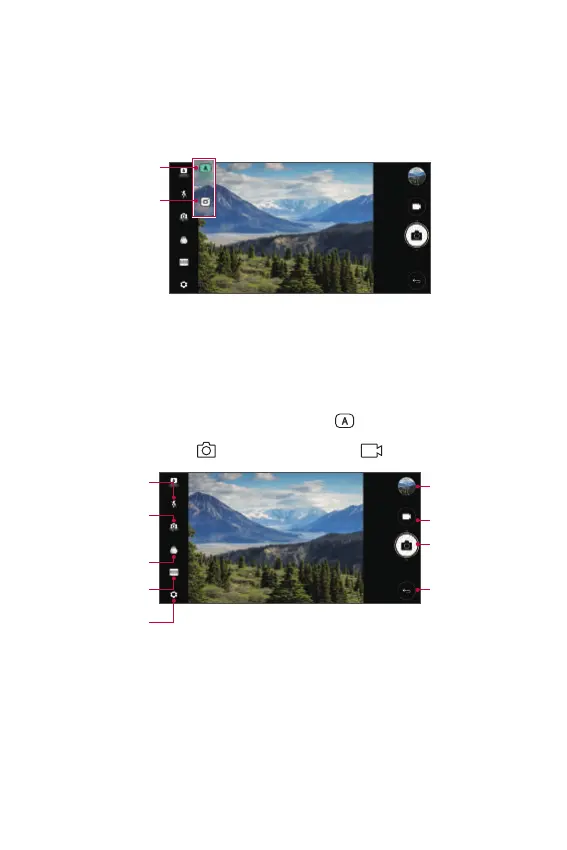
On the camera screen, tap AUTO mode and select the desired mode.
AUTO mode
SQUARE camera
mode
AUTO mode
You can take photos or record videos by selecting a variety of camera
modes and options.
1
Launch the Camera app, then tap AUTO ( ).
2
To take a photo, tap . To record a video, tap .
Turn the flash on
or off.
Switch between
front and rear
cameras.
Apply a film filter
effect.
Select a camera
mode.
Change the camera
options.
Start the Gallery.
Record videos.
Take photos.
Back to the
previous screen.



 To Next Page