Useful Apps 84
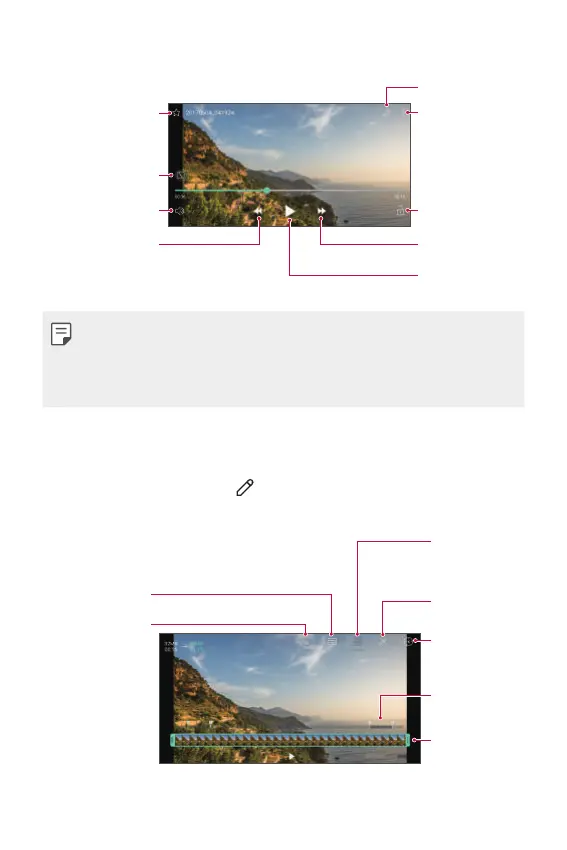
Playing a video
Add to or remove
from your
favourites.
Choose screen
ratio.
Adjust the sound
volume.
Rewind the video.
Access additional
options.
Lock or unlock
the screen.
Edit the video.
Fast-forward the
video.
Pause or play the
video.
• To adjust the sound volume, drag the right side of the video screen up
or down.
• To adjust the screen brightness, drag the left side of the screen up or
down.
Editing videos
1
While viewing a video, tap .
2
Use a variety of effects and edit tools to edit the video.
Revert the edit.
Adjust the
resolution.
Launch the
KineMaster video
editor.
Adjust the video
duration.
Create a movie
using various
effects.
Automatically
create a 15 sec,
30 sec or 60 sec
video clip.
Select a section
to change the
play speed.
3
Tap SAVE to save changes.



 To Next Page