23
Precautions To Take
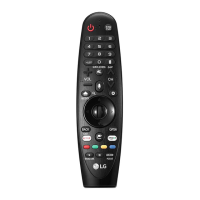
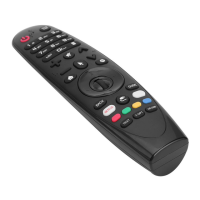
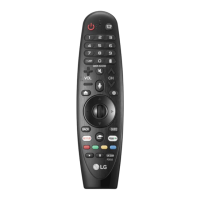
• Usetheremotecontrolwithinthespecifiedrange(within10m).
Youmayexperiencecommunicationfailureswhenusingthedeviceoutsidethecoverageareaorifthere
areobstacleswithinthecoveragearea.
• Youmayexperiencecommunicationfailuresdependingontheaccessories.
DevicessuchasamicrowaveovenandwirelessLANoperateinthesamefrequencyband(2.4GHz)asthe
MagicRemote.Thismaycausecommunicationfailures.
• TheMagicRemotemaynotworkproperlyifawirelessrouter(AP)iswithin0.2moftheTV.Yourwireless
routershouldbemorethan0.2mawayfromtheTV.
• Donotdisassembleorheatthebatteries.
• Donotdropthebattery.Avoidextremeshockstothebattery.
• Donotimmersethebatteriesinwater.
• Caution:Riskoffireorexplosionifthebatteryisreplacedbyanincorrecttype
• Properlydisposeofusedbatteries.
Connecting Smart Devices using NFC Tagging
Using the NFC Feature
NFCistechnologythatusesNearFieldCommunication,allowingyoutoconvenientlysendandreceive
informationwithoutseparatesettings.
BybringingasmartdeviceneartheNFC-enabledremotecontrol,youcaninstalltheLGThinQappand
connectthedevicetotheTV.
1. TurnonNFCinthesmartdevice’ssettings.TouseNFCwithAndroiddevices,settheNFCoptiontoenable
‘read/writetags’inthesmartdevice'ssettings.TheNFCsettingsmayvarydependingonthedevice.
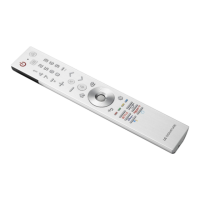
2. Bringthesmartdevicenearthe (NFC)ontheremotecontrol.TherequireddistanceforNFCtaggingis
about1cm.
3. FollowtheinstructionstoinstalltheLGThinQapponyoursmartdevice.
4. Retaggingthesmartdevicetotheremotecontrolallowsyoutoconvenientlyaccessvariousfeatureson
theconnectedTVthroughtheLGThinQapp.
Note
• ThisfeatureisavailableforNFC-enabledsmartdevicesonly.
• ThisfeatureisonlyavailableiftheremotecontrolhasanNFClogo.


 To Next Page
 Loading...