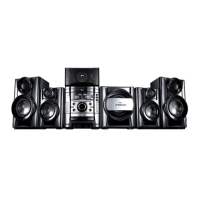
KARAOKE Mini Hi-Fi System ] USER GUIDE
9
Remote control
a
POWER : Switches the unit ON or OFF.
MUTE : Press MUTE to mute your unit. For example, to
answer the telephone.
KARAOKE/
FUNCTION : (DVD/CD
→
FM
→
AM)
INPUT :
Changes the input source
(USB
→
TV- AUDIO
(Optional)
→
PORTABLE)
SLEEP : You can set the unit to turn off automatically at a speci-
fied time.
- DIMMER Dims the LED (Light-emitting diode) of front
panel by half in power-on status.
RETURN (O): Press to move back wards in the menu.
EQ (
EQUALIZER Effect) : You can choose 7 fixed sound
impressions.(page 13)
VSM : Press VSM to set the VIRTUAL sound.(page 13)
0-9 numerical buttons: Selects numbered options in a
menu.
b
ECHO VOL.(V /v ):Adjusts echo volume
(Optional)
MIC VOL.(V /v ): Adjusts microphone volume
(Optional)
SETUP : Accesses or removes setup menu
MENU : Accesses the menu on a DVD disc.
DISPLAY: Accesses On-Screen Display.
TITLE : If the current DVD title has a menu, the title menu
appears on the screen. Otherwise, the disc menu may
appear.
b / B / v / V (left/right/up/down):Used to navigate on-
screen displays.
SELECT/ENTER : Acknowledges menu selection.
PRESET(-/+) (V/v) : Selects programme of Radio.
TUN.(-/+) (b/B): Tunes in the desired radio station.
c
PLAY (N): Starts playback.
- 1.5 speed playback : The 1.5 speed allows you to
watch the pictures and listen to the sound quicker than
playing at a normal speed on the disc.(page 14)
- MONO/STEREO FM mode state,selects MONO or
STEREO by pressing play button
STOP (x): Stops playback or recording.
PAUSE/STEP(X): Pause playback.
REC (z) : USB DIRECT RCORDING
This function enable you to record music to a connected
USB storage device from any other source (Audio CD) -
(page19)
TEMPO(-/+)
:
This function enable you to fast paly or slow
the music speed in KARAOKE mode.
- SCAN(bb/BB) : Search backward or forward.
KEY CON.( b/ #
):
This function can change the key to suit
your vocal range in karaoke mode.
- SKIP (
..
/
>>
): Go to next or previous chapter/
track/Title.
PROG./MEMO. : Accesses or removes Program menu.
VOLUME (+/-) :
Adjusts speaker volume.
d
REPEAT : Repeats a Chapter/ Track/ Title all.
- TONE CONTROL( ) :Adjusts man’s or woman’s key in
the karaoke mode.(page 20 )
CLEAR: Removes a track number on the Program List.
S-TITLE: During playback,S - TITLE repeatedly to select a
desired subtitle language.
- SHADOW : If KARAOKE Disc caption and the song’s sub-
title are mixed up, the song’s subtitle may be invisible. In
this case, to highlight the song’s subtitle, press SHADOW.
- It will be highlighted by background shadow image.
VOCAL FADER
(Optional)
: You can enjoy the function as
karaoke, by reducing singer vocal of music in the various
source (MP3/WMA/CD or media encoded with Dolby Digital
etc.) (Page13)
RDS (optional): Radio display mode
PTY (optional) : Views the program type of the RDS.
a
b
c
d



 To Next Page
 Loading...