EasyManua.ls Logo

LG MDS714 - User Manual

LG MDS714
25 pages
Print Icon
To Next Page IconTo Next Page
Loading...
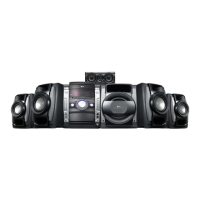
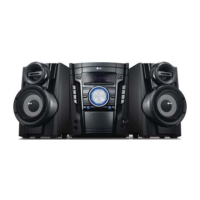
MDS714 (MDS714-A5U, MDS714V/C/S/W)
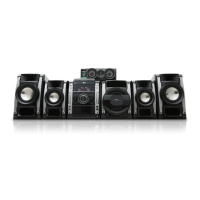
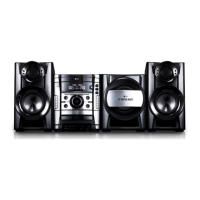
MDT364 (MDT364-A5U, MDS364V/W)
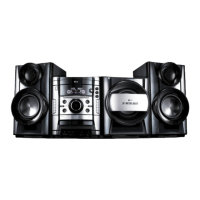
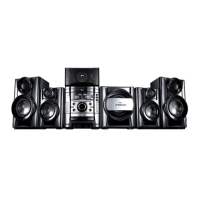
MDD264 (MDD264-A5U, MDS264V)
ENGLISH
MDS714-A5U_LGEPS_ENG_5777 1/11/10 3:57 PM Page 1

Questions and Answers

  • A
    Amber RichardsonAug 5, 2025
    Why is there no sound coming from my LG Receiver?
    • S
      Sherry RivasAug 5, 2025
      If you're not getting any sound from your LG Receiver, there could be a couple of reasons. First, check that the function switch is set to the Radio mode. Also, move the unit away from other electronic devices that might be causing interference.
  • N
    Nancy JonesAug 9, 2025
    Why is my LG Receiver remote control not working?
    • M
      Matthew AustinAug 10, 2025
      If the remote control for your LG Receiver isn't working, make sure you're pointing it directly at the remote sensor on the unit. If that doesn't work, try replacing the batteries in the remote with new ones.
  • V
    Vanessa RobertsAug 13, 2025
    What to do if my LG Receiver has no power?
    • K
      Kim HansenAug 14, 2025
      If your LG Receiver isn't turning on, the most common reason is that the power cord isn't properly plugged in. Make sure the power cord is securely connected.
  • M
    Makayla ManningAug 18, 2025
    What to do if my LG Receiver has no picture?
    • C
      Craig MackAug 18, 2025
      If you're not getting a picture on your LG Receiver, ensure that the disc is placed correctly within the guide and clean. Also, make sure your TV is set to the correct video input mode to receive the signal from the unit.
  • B
    Bradley RobinsonAug 22, 2025
    What to do if my LG Receiver does not start playback?
    • M
      Michael CarrollAug 22, 2025
      If your LG Receiver won't start playing, you might have inserted a disc that the unit can't read. Try inserting a playable disc. Also, make sure the disc is placed with the playback side facing down.
  • D
    Donald BellAug 27, 2025
    Why does some noise occur when using my LG Receiver?
    • M
      Michael PerezAug 27, 2025
      If you're experiencing noise issues with your LG Receiver, it might be due to a poor antenna connection or positioning. Check the antenna connection and adjust its position.
  • J
    Joseph PooleAug 31, 2025
    How to fix LG Receiver when unable to record?
    • A
      andersondustinAug 31, 2025
      If you're unable to record with your LG Receiver, it might be because the record protect tabs have been removed. Cover the holes on the back edge of the tape with tape.

Summary

Safety Precautions

Electrical and Fire Safety

Warnings about opening the unit, fire, moisture, and electrical shock hazards.

Power Cord and Laser Safety

Precautions for power cord use and laser system operation.

Setting Up System Components

Main Unit Controls and Features

Key Control Button Functions

Detailed explanation of operational buttons like Power, Function, Playback, EQ.

Remote Control Operations

Audio and Disc Management Controls

Buttons for volume, EQ, disc skipping, and tone control.

Initial Setup Procedures

Setting the Area Code

Step-by-step guide to setting the Area Code for initial unit setup.

Language Settings Configuration

Guide to selecting languages for OSD, Audio, Subtitle, and Menu.

Display and Audio Configuration

5.1 Speaker Setup Guide (MDS714)

Detailed steps for setting up the 5.1 surround sound system.

2.1 Speaker Setup Guide (MDT364)

Instructions for setting up the 2.1 audio system for the MDT364.

Advanced System Settings

Lock Settings Management

Procedures for setting, changing, or resetting the 4-digit password.

Sound Mode Selection

How to use PRO EQ and VOCAL FADER for enhanced audio.

Sound, Clock, and Timer Functions

Clock and Alarm Setup

Step-by-step instructions to set the current time and configure an alarm.

Disc Information and Playback

Advanced Playback Controls

Controls for skipping, pausing, frame-by-frame playback, and repeat modes.

Advanced Playback and DivX Features

DivX Subtitle Display

How to fix subtitle display issues by changing character sets.

External Device Audio Playback

Recording to USB

Basic USB Recording Procedure

Steps to connect a USB device and record sound sources.

Recording Precautions and File Storage

Important notes during recording and how files are stored.

Tape Recording Functions

Synchronized CD to Tape Recording

How to automatically record CDs to tape with synchronization.

Karaoke Operations and Settings

Basic Karaoke Playback Steps

Steps to set up and play a karaoke disc with microphones.

Microphone and Echo Volume Adjustment

How to connect microphones and adjust volume and echo levels.

Reserving Karaoke Songs

Procedures for reserving and canceling songs in karaoke mode.

Karaoke Menu Navigation and Options

Troubleshooting Common Issues

Power and Radio Problems

Solutions for the unit not powering on, no sound, or radio noise.

DVD;CD Playback Issues

Troubleshooting steps for playback errors, no picture, or unplayable discs.

Remote Control and Tape Issues

Fixing remote control malfunction and tape recording problems.

Technical Specifications

LG MDS714 Specifications

General IconGeneral
BrandLG
ModelMDS714
CategoryStereo System
TypeMini Hi-Fi System
Number of Discs1
TunerFM
USB Direct RecordingYes
Portable Audio InputYes
CD PlayerYes
USB PlaybackYes
FM RadioYes
BluetoothYes
AUX InputYes
Remote ControlYes
Speaker Configuration2.0
Playable MediaCD, MP3

Related product manuals